

Configuring upstream DNS providers
Initial Configuration
Upstream DNS providers in Pi-hole are the DNS servers that Pi-hole forwards queries to after filtering out ads and tracking domains. Think of them as the "next step up" in the DNS resolution chain.
When a device on your network makes a DNS query:
- It first goes to Pi-hole
- Pi-hole checks its blocklists and cache
- If the domain isn't blocked and isn't cached, Pi-hole forwards the query to your configured upstream DNS providers
To configure upstream DNS providers in Pi-hole:
- Access the Pi-hole admin interface (typically http://pi.hole/admin)
- Go to Settings → DNS
- You'll see several options for upstream DNS providers:
Common choices include:
- Google (8.8.8.8, 8.8.4.4)
- Cloudflare (1.1.1.1, 1.0.0.1)
- Quad9 (9.9.9.9)
- OpenDNS (208.67.222.222, 208.67.220.220)
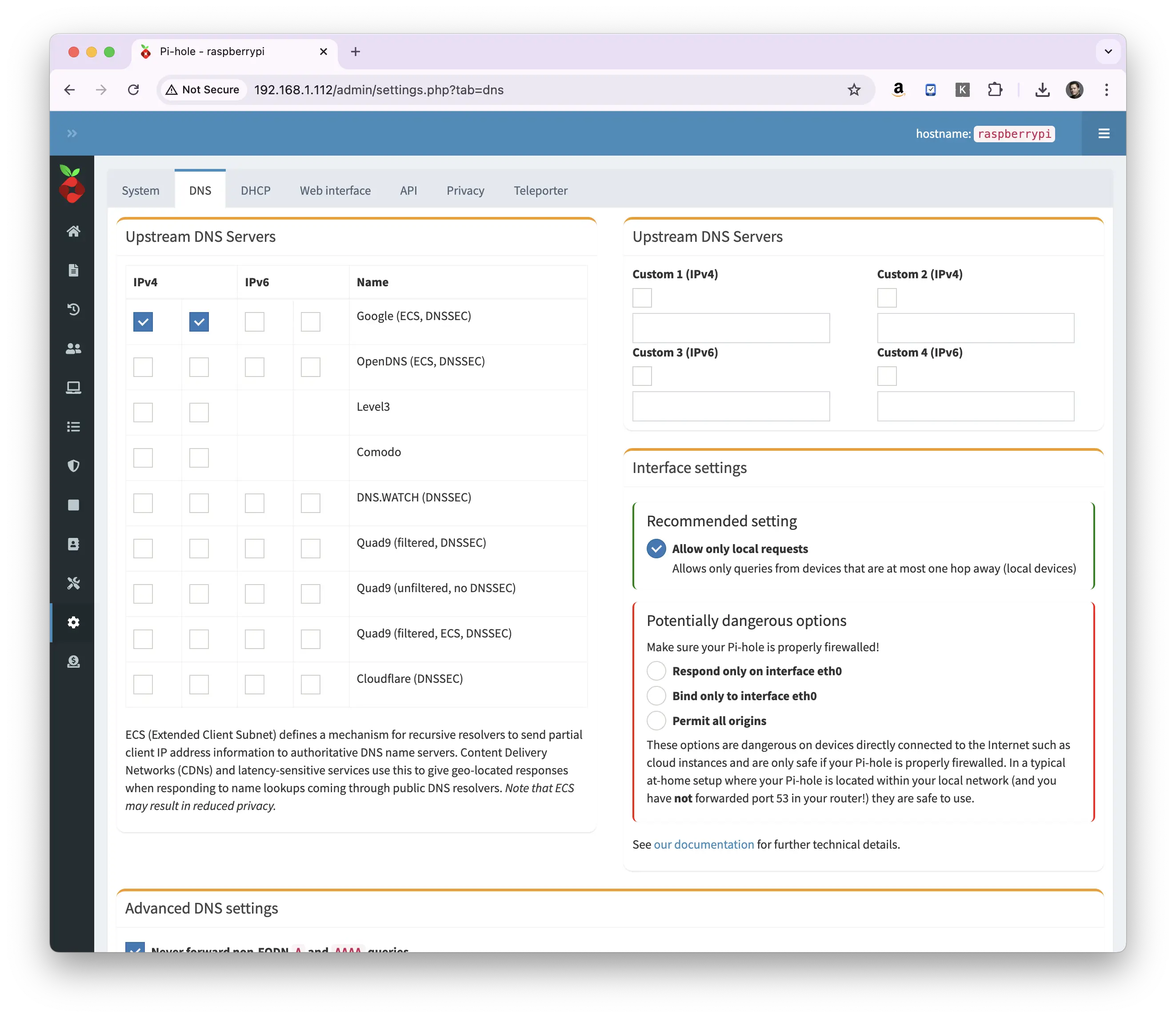
You can select multiple providers for redundancy. Some providers offer additional features:
- Cloudflare and Quad9 offer malware blocking
- OpenDNS provides content filtering options
- Some providers support DNS-over-HTTPS (DoH) or DNS-over-TLS (DoT) for enhanced privacy
For home use, Cloudflare (1.1.1.1) or Quad9 are popular choices due to their focus on privacy and security.
Something here not working for you? Ask in the community — other makers and the Little Bird team read it.
