

API usage
Advanced Features
What is an API?
An Application Programming Interface (API) is a set of rules and protocols that enables different software applications to communicate with each other. It defines the methods for making requests, sending data, and receiving responses.
Overview of Pi-hole's API
Pi-hole's API is basically a way for the web admin to access the Telnet API. This API enables you to:
- Access Statistics
- View the number of blocked advertisements
- Monitor DNS queries
- Check system status
- Manage Domain Lists
- Add or remove domains from blocklists
- Modify allowlist entries
- Control Core Functions
- Enable or disable Pi-hole service
- Adjust system settings
Using the Pi-hole API
Basic Information
- Base URL:
http://<pi-hole-ip>/admin/api.php - Authentication: Many endpoints require an API token, which can be found in your Pi-hole admin web interface
Example Request
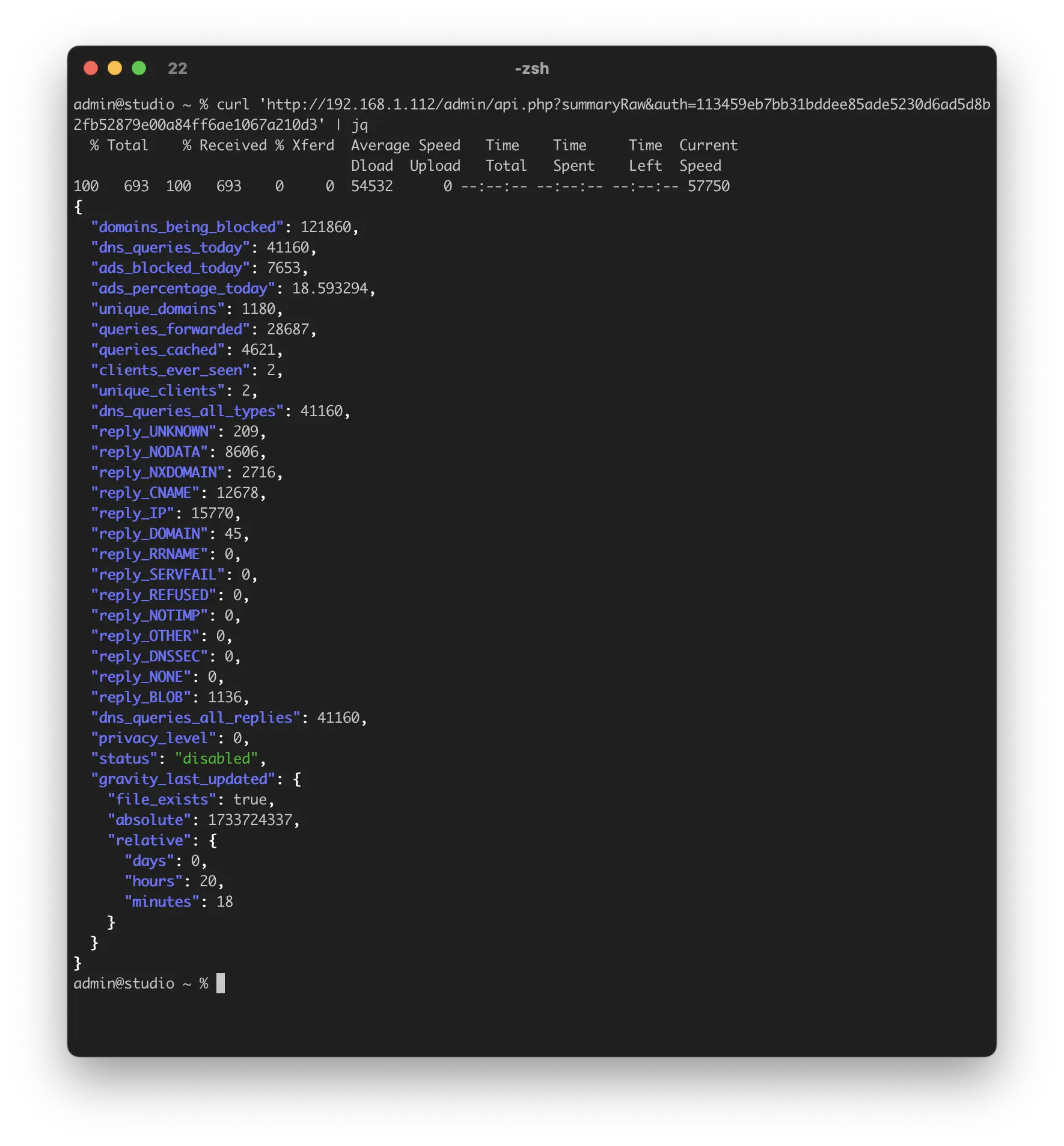
To check Pi-hole's current status:
http://<pi-hole-ip>/admin/api.php?status&auth=<api-token>
Applications
The Pi-hole API is particularly valuable for:
- Creating automated tasks
- Building monitoring systems
- Developing custom dashboards
- Integrating Pi-hole functionality into other applications
Getting your API Token
Using the web admin to get the API token.
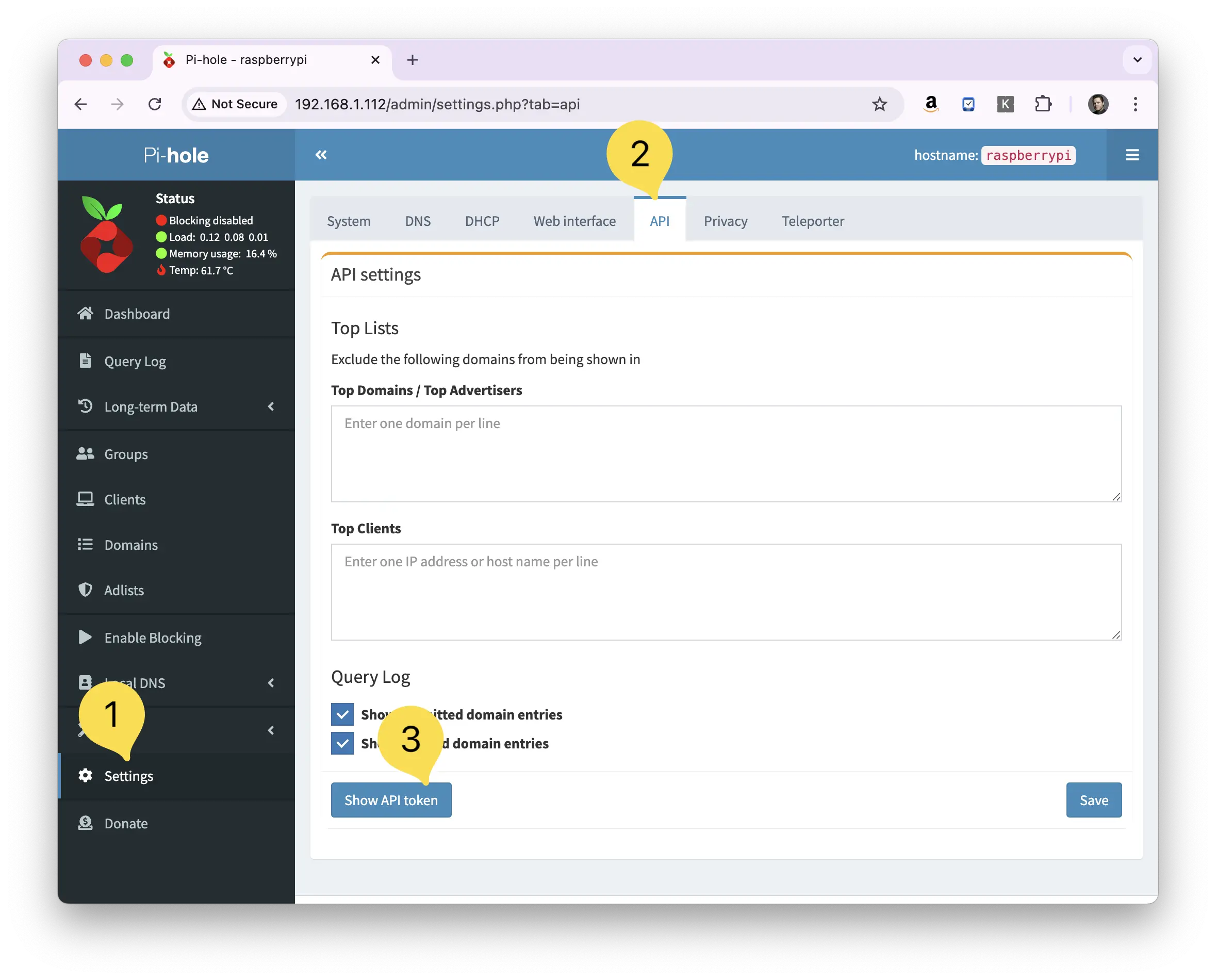
You can fetch your API token by going to:
- Settings
- API
- ...and then clicking the Show API Token button.
Pi-hole will then show you a modal that will warn you to not share around your API token.
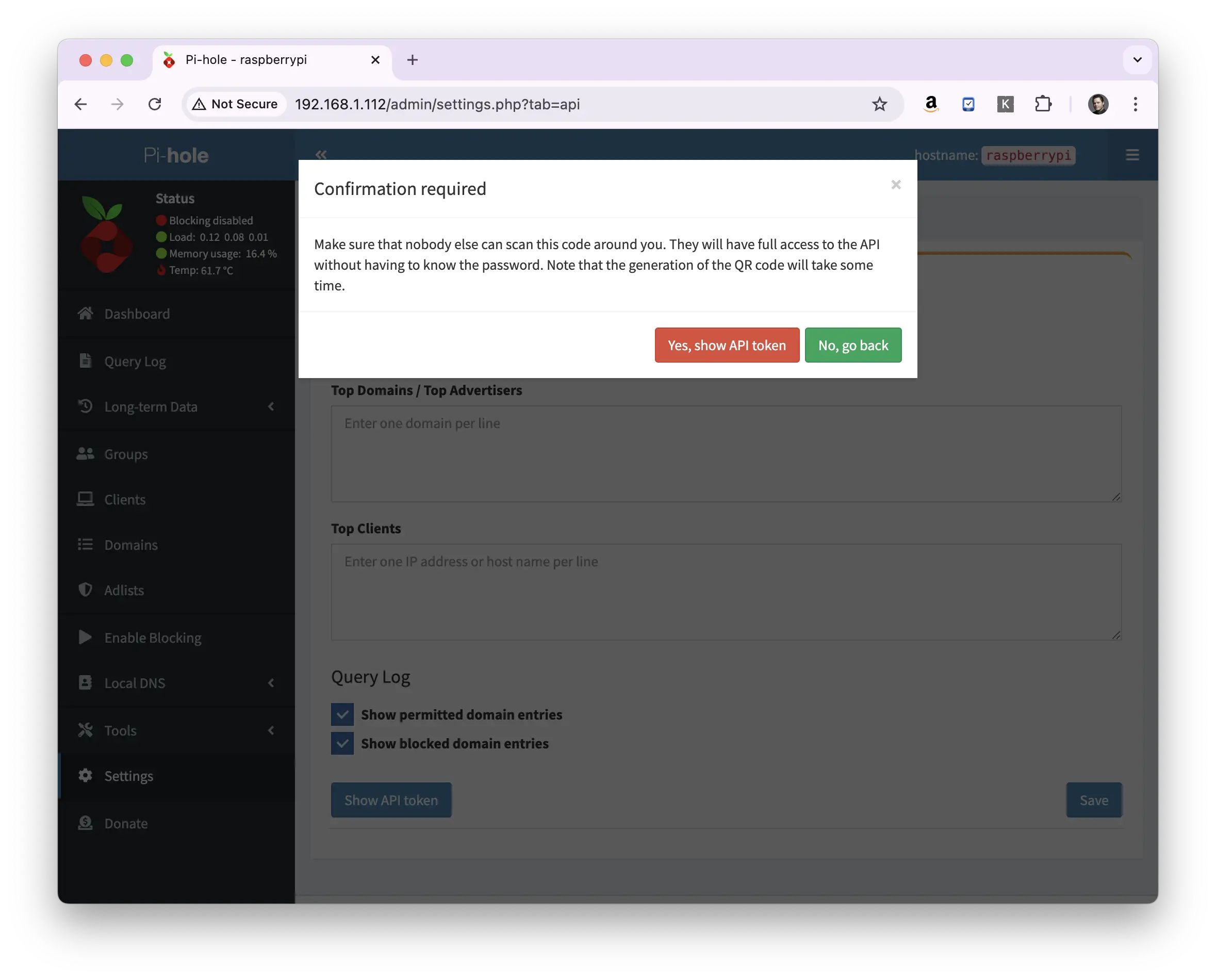
Click the "Yes, show API token" button, and you'll be presented with both the API token itself and a QR code with the API token in it.
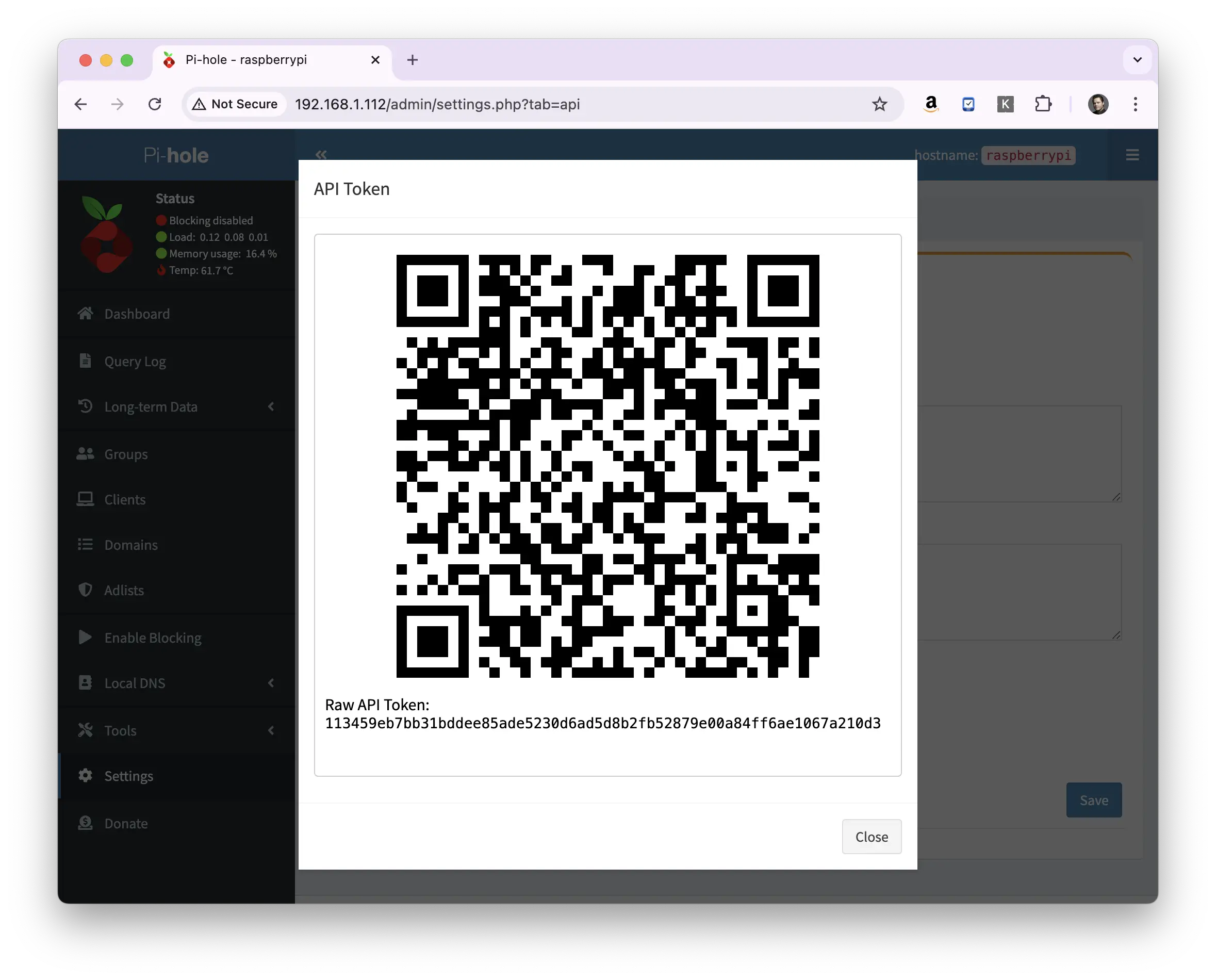
Getting the API token via the command line.
The Pi-hole API token can be found using the command:
sudo grep WEBPASSWORD /etc/pihole/setupVars.conf
Making a request to the Pi-Hole API
Something here not working for you? Ask in the community — other makers and the Little Bird team read it.
