

Configuring conditional forwarding
Advanced Configuration
Conditional forwarding in Pi-hole is a DNS configuration feature that helps resolve local network hostnames correctly. Let me explain what it does and why it's useful:
Conditional forwarding tells Pi-hole to forward DNS queries for devices on your local network to your router (or DHCP server) instead of trying to resolve them through external DNS servers. This allows you to:
- Use local hostnames to access devices on your network (like "printer.local" or "nas.local")
- See actual device names in your Pi-hole query log instead of just IP addresses
For example, without conditional forwarding, you might see queries from "192.168.1.50" in your Pi-hole logs. With conditional forwarding properly configured, you might instead see "johns-laptop.local" making those queries, which is much more useful for monitoring and troubleshooting.
To configure conditional forwarding in Pi-hole, you typically need three pieces of information:
- Your local network IP range (like 192.168.1.0/24)
- Your router's IP address (like 192.168.1.1)
- Your local domain name (often .local or .lan)
Setting up conditional forwarding in Pi-hole:
- Access the Pi-hole admin interface by going to:
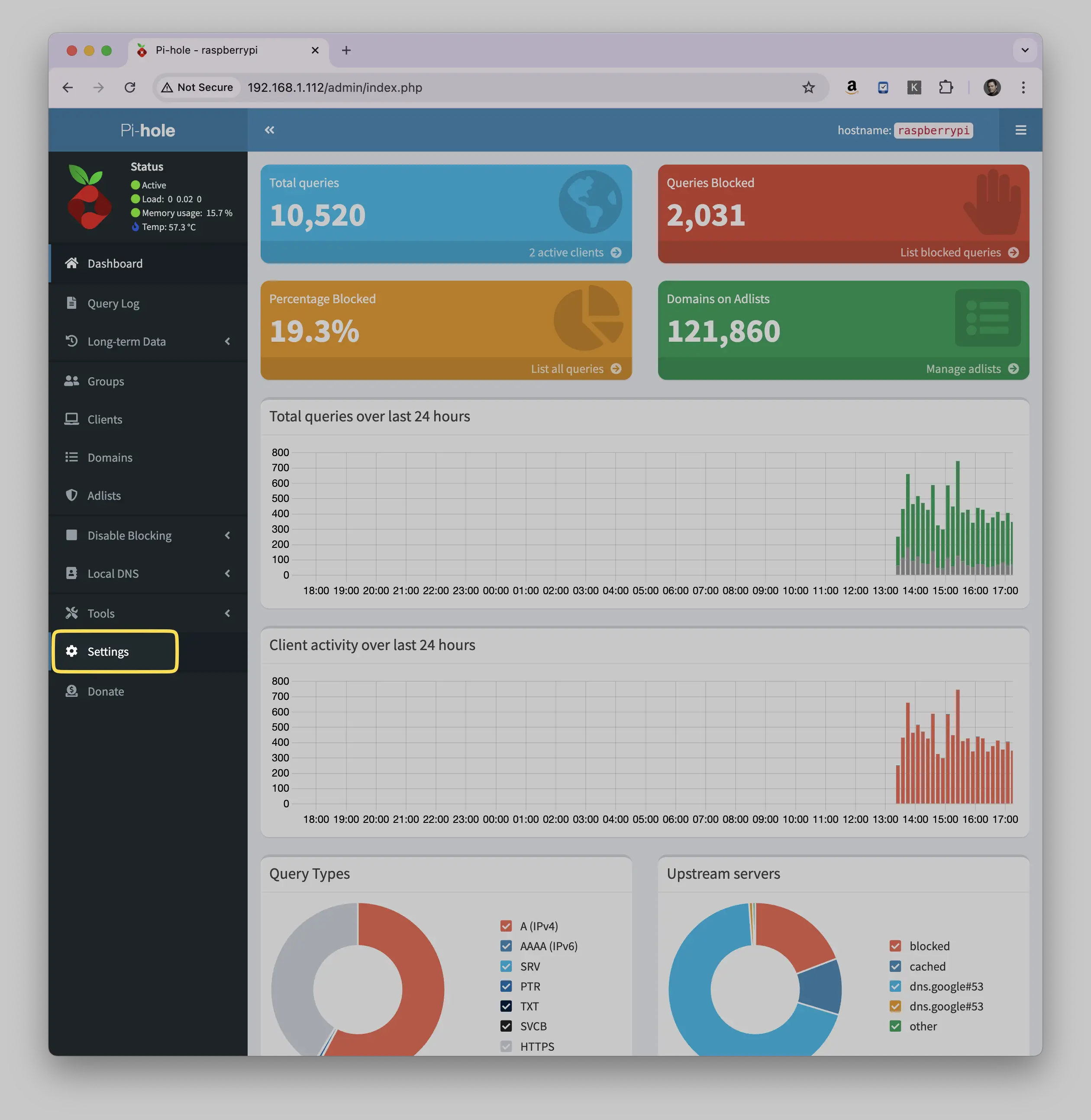
http://pi.hole/admin or http://[Your-Pi-hole-IP]/admin - In the left sidebar, click on "Settings"
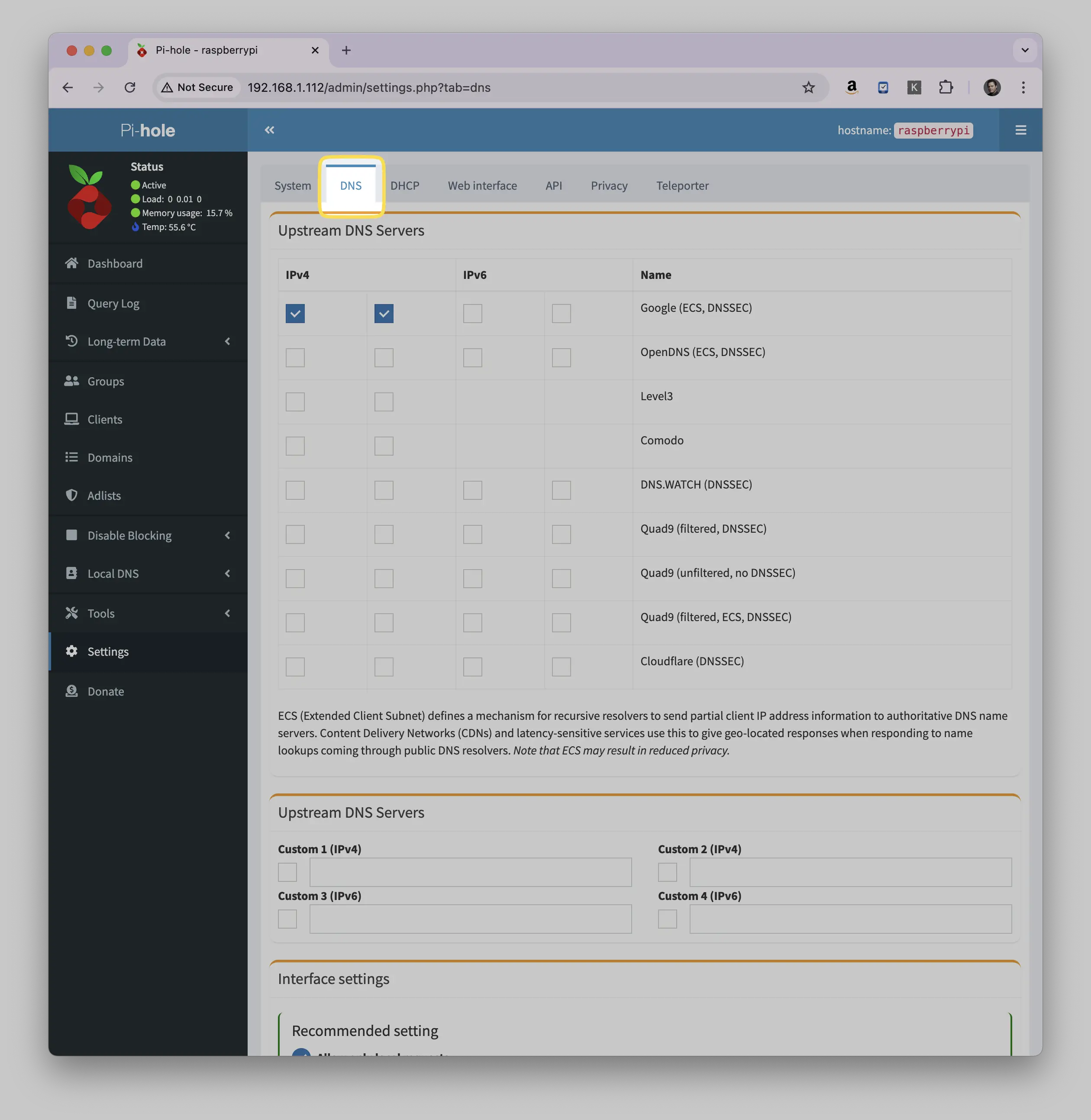
- Click on the "DNS" tab at the top of the settings page
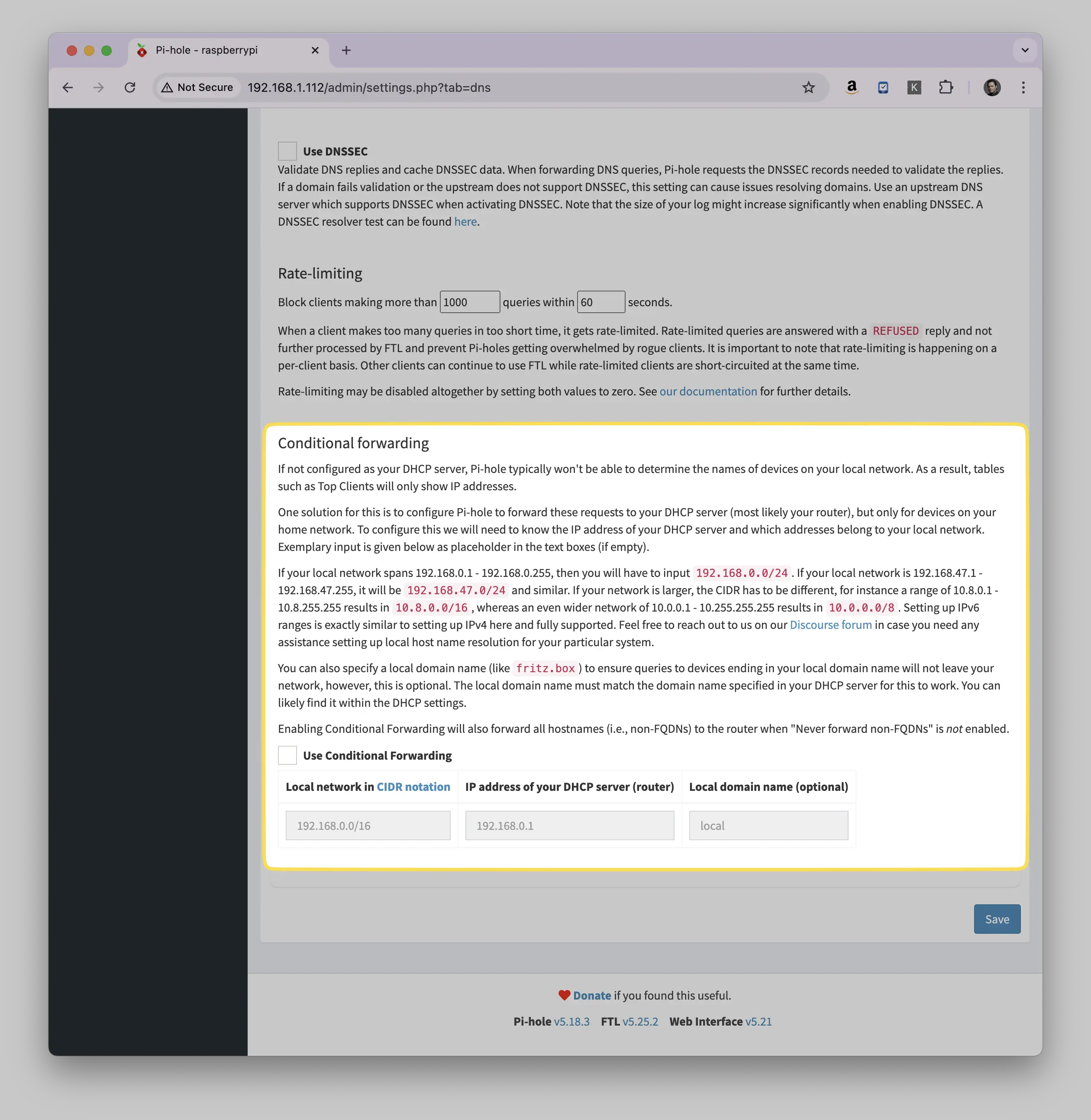
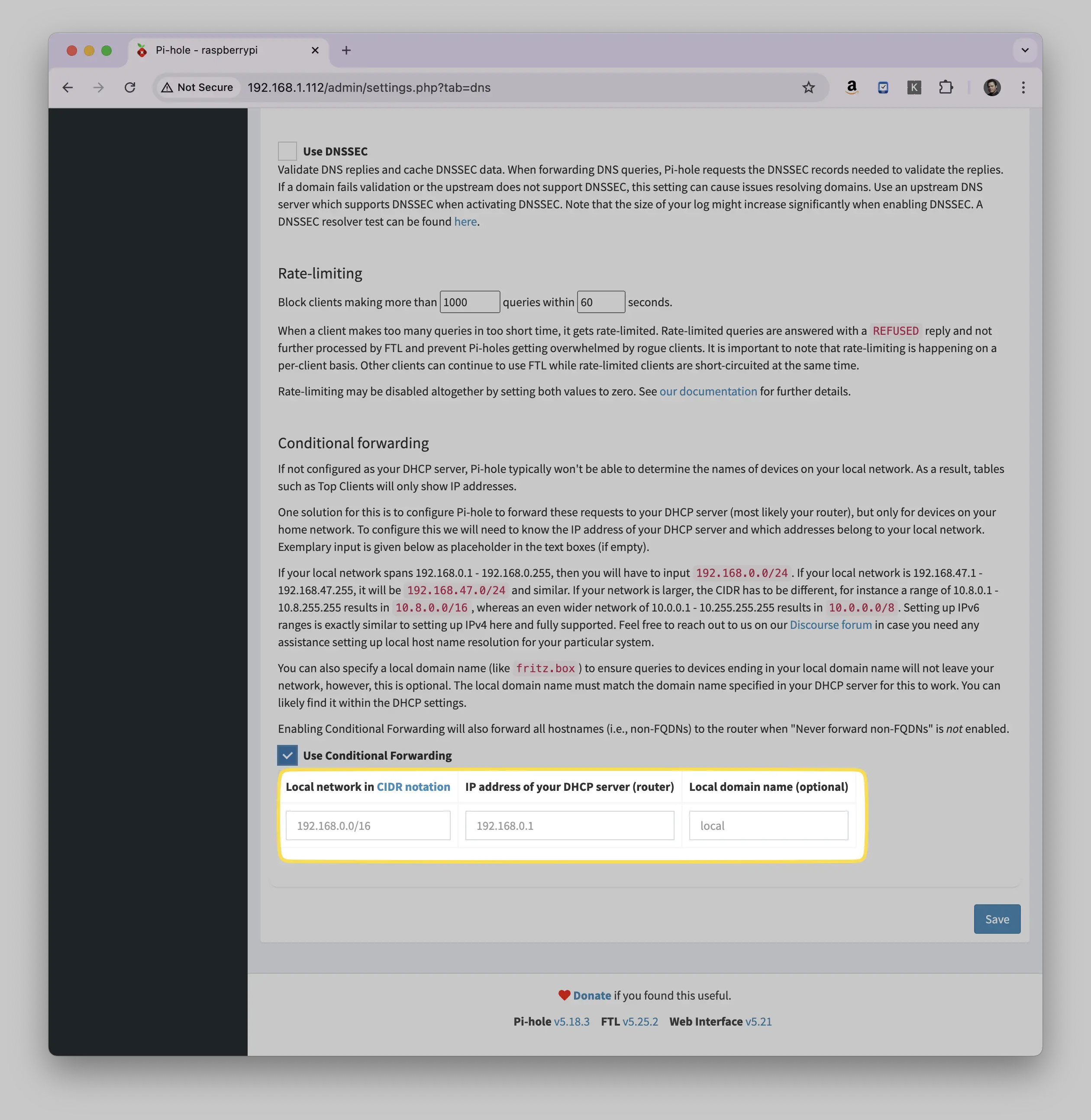
- Scroll down until you find the "Conditional Forwarding" section
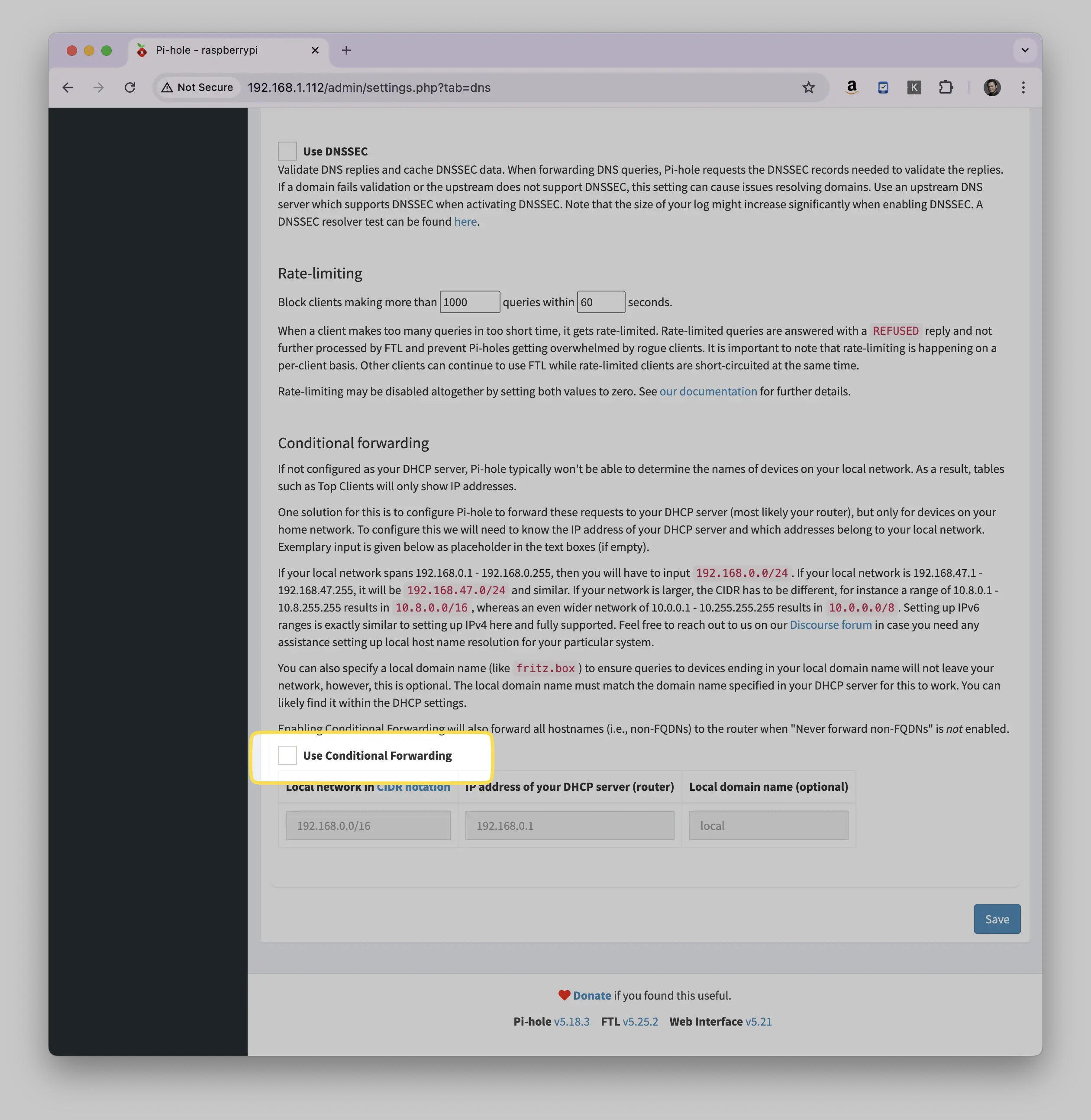
- Enable conditional forwarding by checking the box next to "Use Conditional Forwarding"
- Fill in these fields:
- "Local network in CIDR notation" (e.g., 192.168.1.0/24)
- "IP address of your DHCP server" (usually your router's IP, e.g., 192.168.1.1)
- "Domain name" (e.g., local or lan)
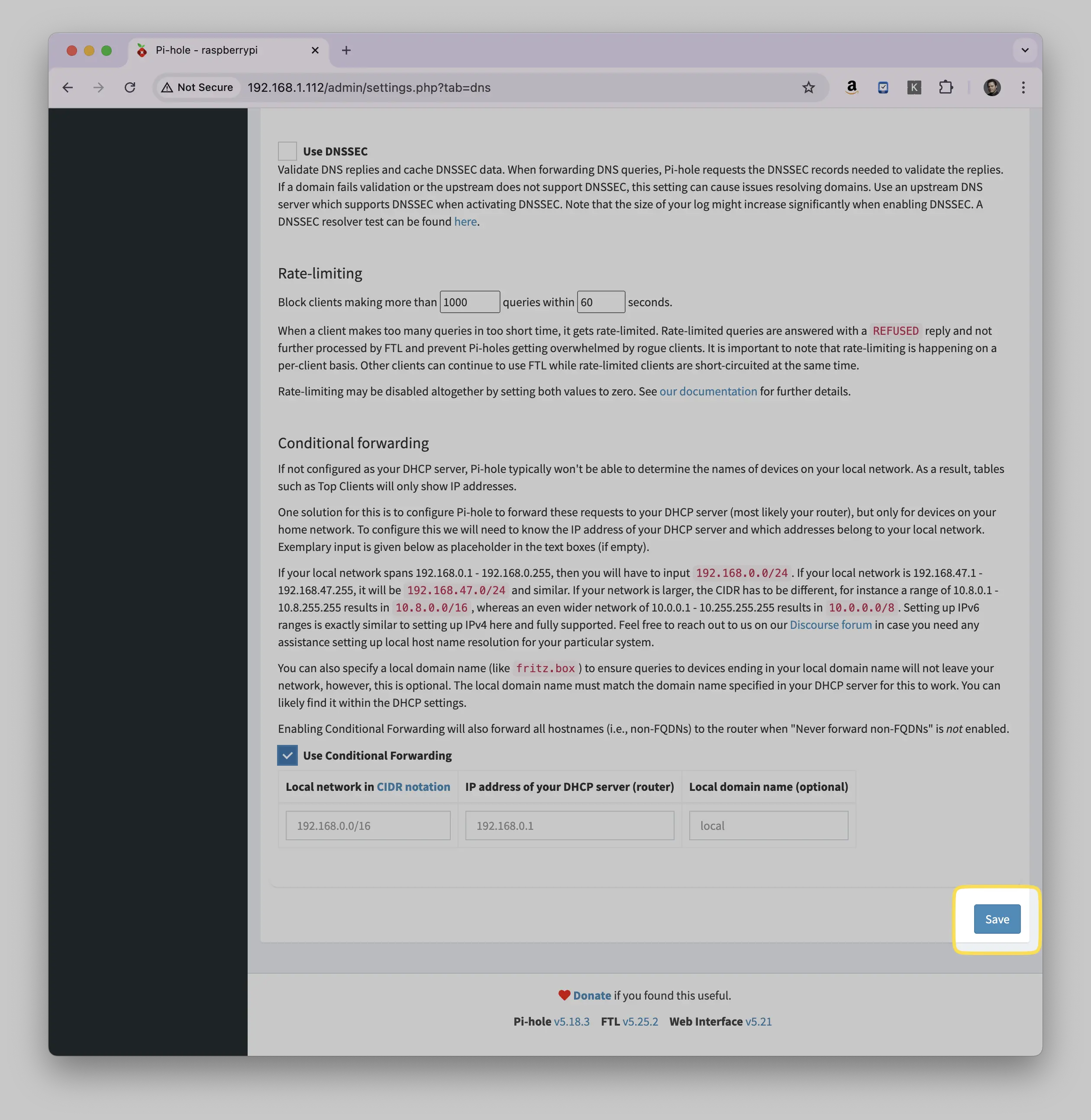
- Click "Save" to apply the changes
Important notes:
- Make sure your CIDR notation is correct for your network
- If you're unsure of your network details, you can usually find them by checking your router's configuration page
- The domain name should match what your router/DHCP server uses (typically .local or .lan)
- If you experience any issues after enabling this, double-check that your router's IP is correct
How to verify if conditional forwarding is working correctly in Pi-hole:
Check the Query Log:
- Go to Pi-hole admin interface
- Click on "Query Log" in the left sidebar
- Look at the "Client" column
- You should now see device names instead of just IP addresses
Test with nslookup or dig:
# Replace 'pi-hole-ip' with your Pi-hole's IP address
 # Replace 'local-device' with an actual device name on your network
 nslookup local-device.local pi-hole-ip
If working, it should return the correct IP address for that device
Try pinging a local device by name:
# Replace with actual device name on your network
 ping printer.local
If it resolves, conditional forwarding is working
Common signs it's NOT working:
- Query log still shows only IP addresses
- Cannot ping devices by hostname
- DNS resolution errors for local devices
- "Query refused" or "SERVFAIL" errors in the Pi-hole logs
If you're experiencing issues:
- Verify your router's IP address is correct
- Check if your CIDR notation matches your network
- Ensure your local domain suffix (.local, .lan, etc.) matches your router's configuration
- Try restarting Pi-hole's DNS service:
pihole restartdns
Something here not working for you? Ask in the community — other makers and the Little Bird team read it.
