

Updating Your Shipping Address
Need to change where your order is delivered? Here is what you can do depending on whether your order has shipped yet.
Before Your Order Ships
If you have an account, you can change the delivery address yourself until everything in your order has been sent:
- Sign in and open the order from your Orders page.
- In the Shipping Address card, choose Change.
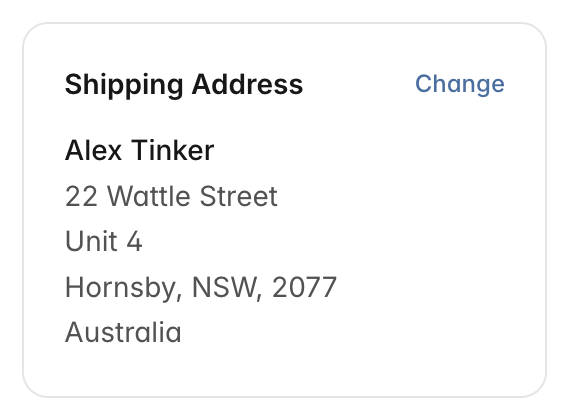
The Change link is in the order's Shipping Address card. - Pick one of your saved addresses, or type in the new address, then choose Save Address.
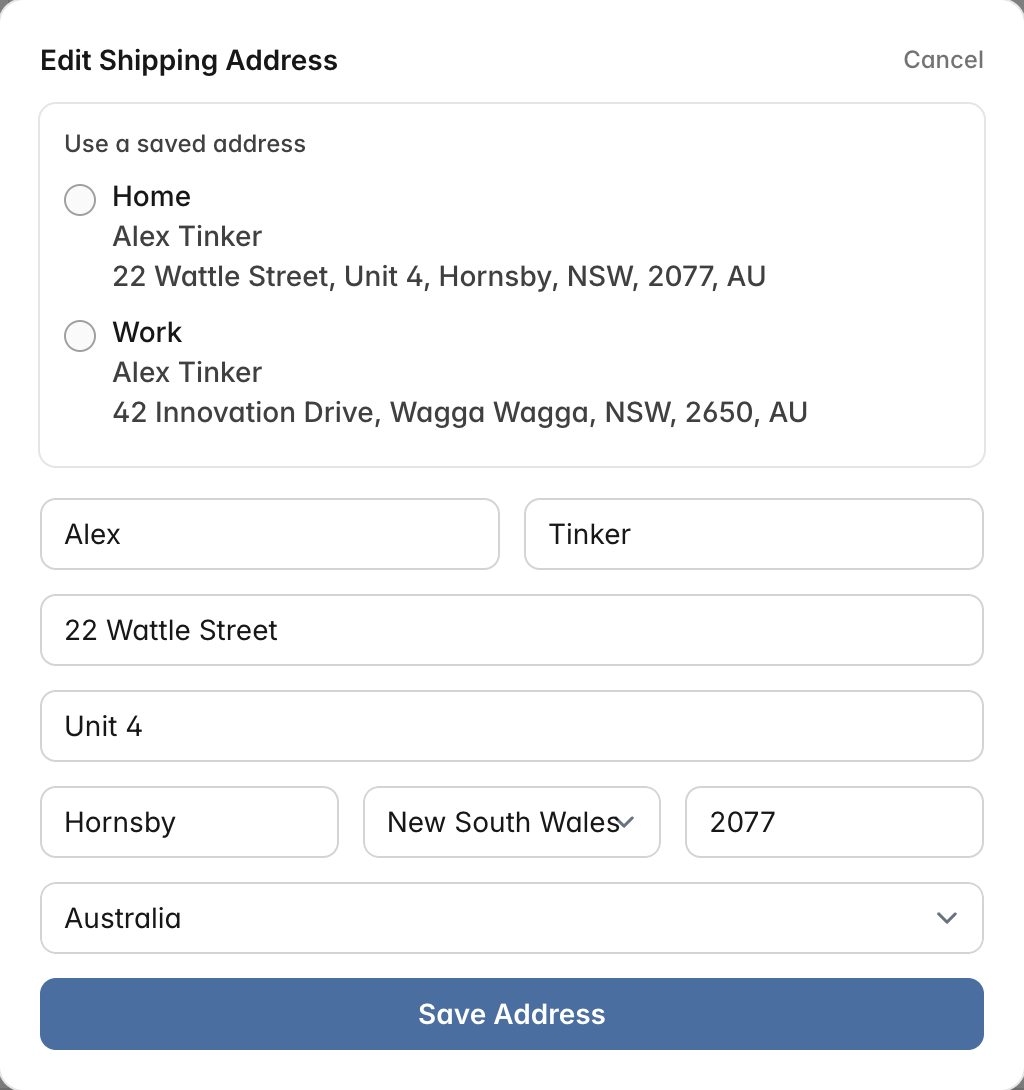
Choose a saved address or edit the fields directly.
If you checked out as a guest, or the Change link isn't there, contact our support team as soon as possible with your order number and the updated address. We will do our best to make the change before it leaves our warehouse. Since we aim to dispatch orders quickly, the sooner you reach out the better. There is no charge for correcting an address before the label is printed.
After Your Order Ships
Once a parcel is in transit with Australia Post, we are unable to change the delivery address. You may be able to redirect the parcel through Australia Post's website or app using your tracking number. Any redirection fee the carrier charges is payable by you.
If the Parcel Comes Back to Us
If the carrier cannot deliver a parcel, it is returned to us. Your order is safe and still yours, and we can send it out again to corrected delivery details.
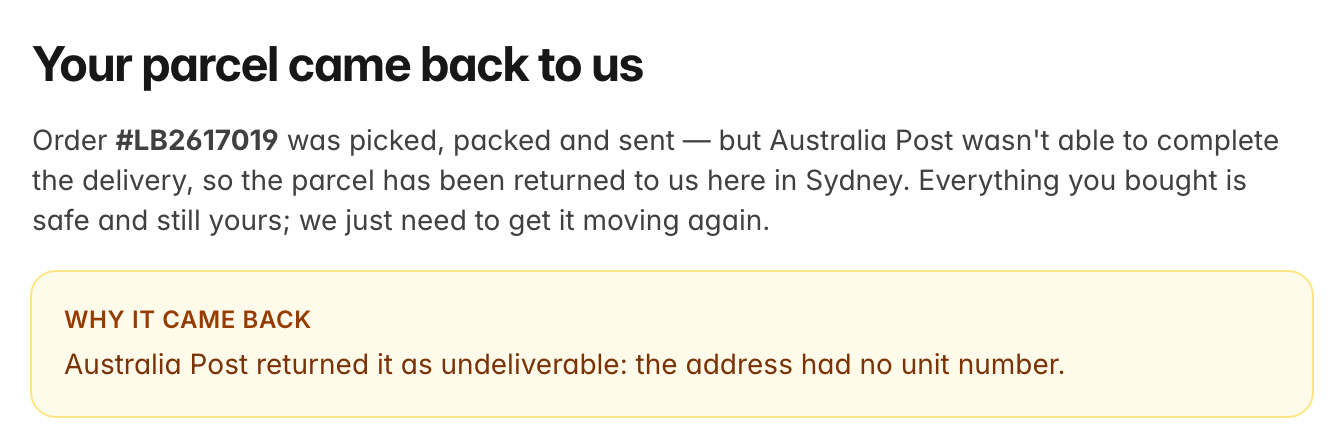
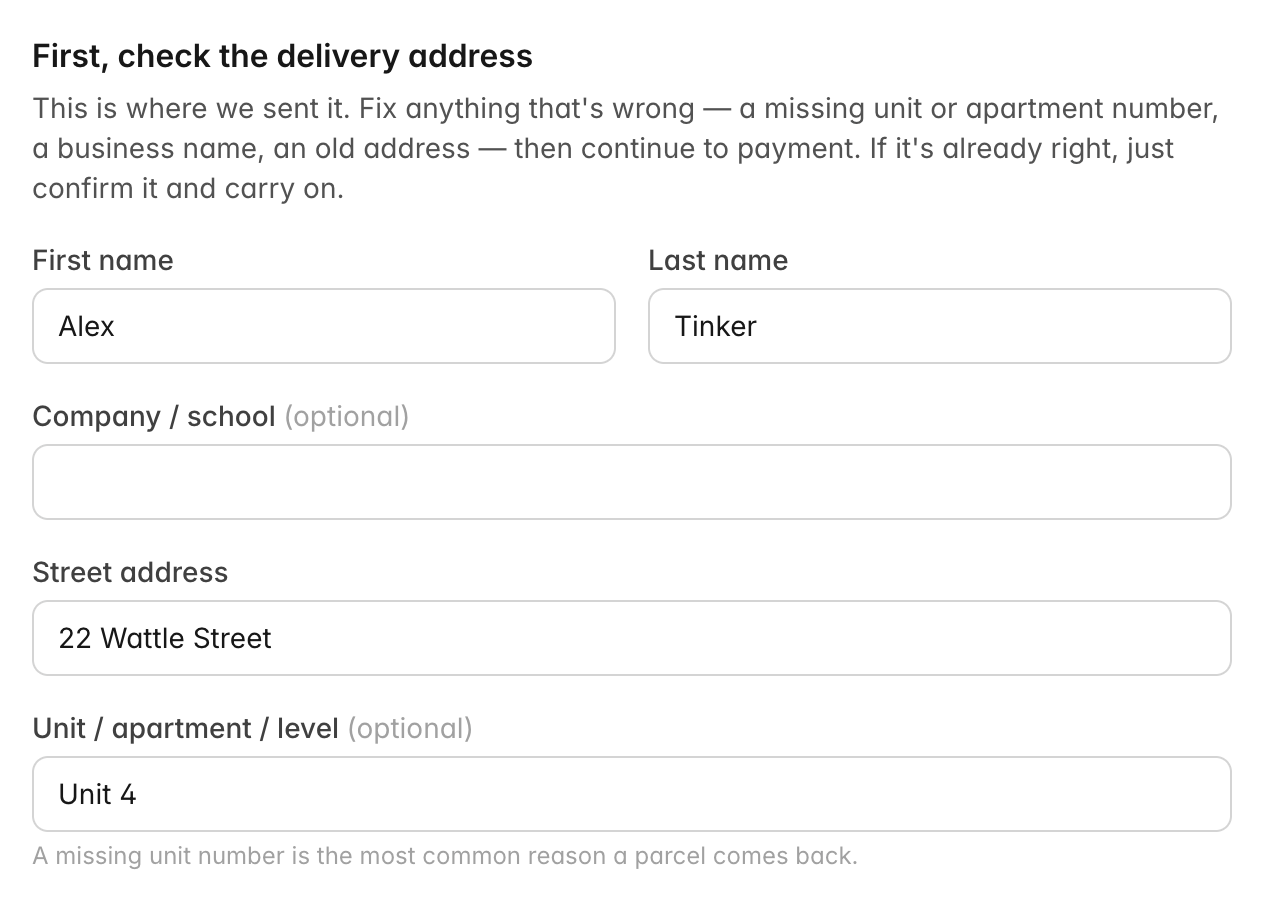
There is a cost to do that. The shipping you paid at checkout covered one trip, from our warehouse to the address on the order. The carrier charges us separately to bring an undeliverable parcel back, and charges again to send it out a second time. So we will email you a link to a page that sets out both amounts, lets you correct the delivery address, and takes the payment. Once that is paid we will send your parcel out again, usually the next business day.
If the parcel came back because of a mistake at our end or the carrier's, we will send it again at no charge — just reply to that email and tell us. See Incorrect or Incomplete Shipping Details for the full policy.
Updating Saved Addresses for Future Orders
You can manage your saved addresses at any time through your account:
- Log in to your account.
- Go to your Addresses page.
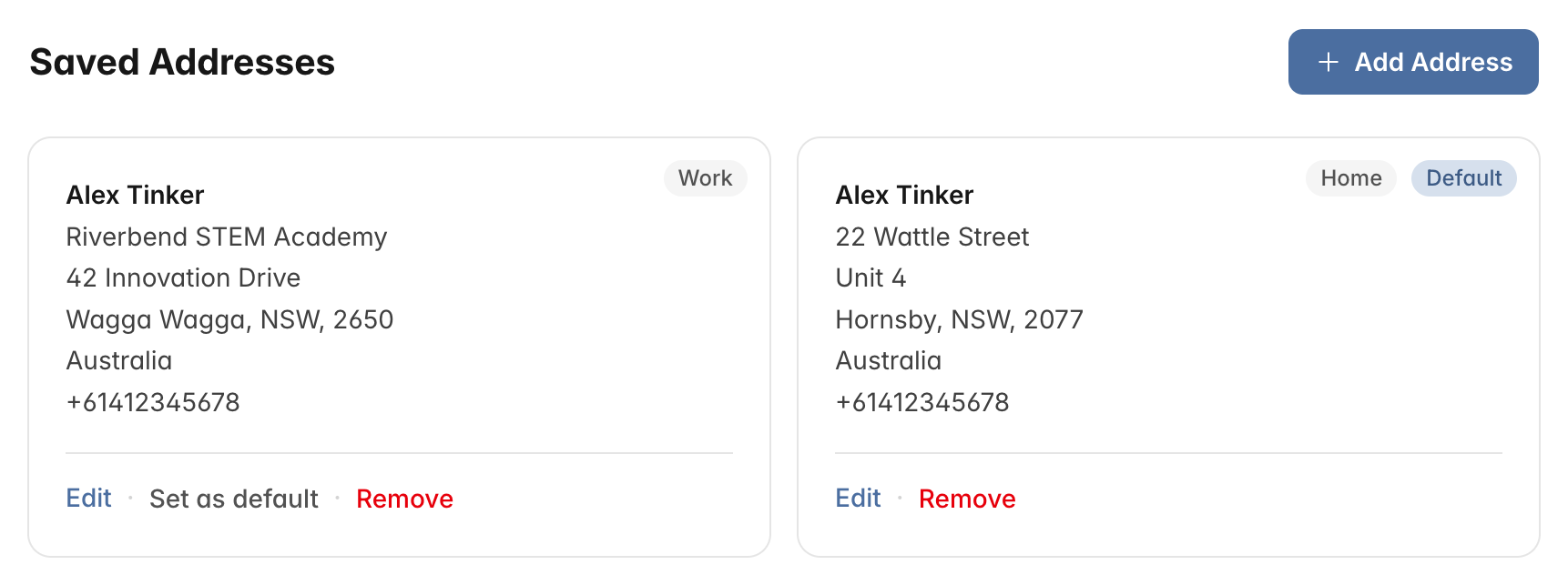
Your saved addresses, with the default one marked. - Add a new address, edit an existing one, or remove addresses you no longer need.
- Set a default address so it is automatically selected at checkout.
You can save multiple addresses, which is handy if you ship to both home and work, or if you purchase on behalf of others.
