AI agents & screen readers: for a machine-readable, text-only catalogue,
start at /llms.txt.
Products are available as Markdown
(/products.md, /products/{handle}.md)
and JSON
(/products.json, /products/{handle}.json).
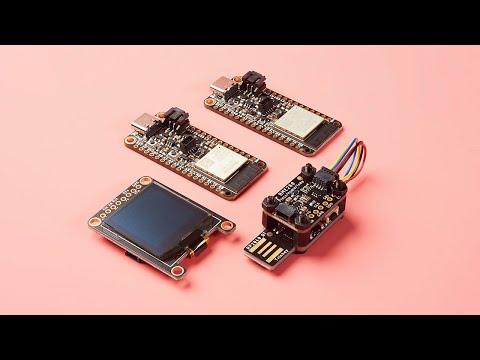
Here is the perfect hardware kit to make a RP2040 QT Trinkey into any kind of USB-connected smart sensor with a QT-sensor-sandwich! You can assembl...
Here is the perfect hardware kit to make a RP2040 QT Trinkey into any kind of USB-connected smart sensor with a QT-sensor-sandwich! You can assemble it with just a plain Phillips screwdriver. Takes less than a minute to bolt on your favorite STEMMA QT or Qwiic board on top. And best of all, its stackable, so you could have multiple boards sandwiched on top of each other.
Plain-language definitions for the technical terms used above.
M2.5
A metric screw thread size with a 2.5 mm nominal diameter. It matters for mounting because screws, standoffs, and holes must use the same size to fit securely without damaging the board.
Qwiic
Qwiic is a plug-in connector system for I2C devices that uses small 4-pin cables, so you can connect compatible sensors without soldering. It matters because your controller or adapter also needs Qwiic, or you will need a cable or breakout to wire it up.
STEMMA QT
A small plug-in connector system for I2C boards that lets you connect compatible sensors and controllers without soldering. It matters because it can make wiring faster and less error-prone, especially when adding several small modules to a project.
No reviews yet
Be the first to review this one.
Bought this? Tell people what you think
You don't need an account.
Questions & answers
No questions yet. If something isn't clear from the description, ask — the answer goes on this page for everyone who wonders the same thing.
j / ↓Move selection downk / ↑Move selection upgJump to first itemGJump to last itemaAdd selected to cartoOpen in new browser tabuToggle unavailable productsBackspaceRemove 1 qty (cart tab)XClear entire cartcCheckout/Search productsEscBack / cancel / close:Command mode?Toggle this help1-3Switch tabs