Little Bird
Micro:bit Explorer's Kit
All Products
More from Pi Australia
New Arrivals
Robotics & Coding
Complete Kits & Projects
Circuitry & IOT
micro:bit
Digital Technologies
Micro:bit Kits
Education
Micro:bit STEM Projects
Micro:bit Sensors and Modules
Little Bird Electronics
STEM Education Kits
$101.95
$129.00
Save 21%
|
In stock
Note: This is the new version of our Micro:Bit 24 Bit kit and has been updated for the new Micro:Bit V2! The Little Bird Micro:bit Explorer's Kit includes ...
Get notified when back in stock
Estimated Delivery
Arrives
Order now — ships Tue 6 Oct
Disclaimer
Secure checkout
Note: This is the new version of our Micro:Bit 24 Bit kit and has been updated for the new Micro:Bit V2!
The Little Bird Micro:bit Explorer's Kit includes more than 24 tutorials that teach you both how to use the micro:bit with various sensors and electronics with real-world applications. Access to the tutorials are available on our website for free, forever!
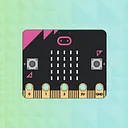
This kit includes the brand new micro:bit V2, which has a lot more (four times more) processing power and (eight times more) RAM than the original microbit! It also has a speaker and microphone, and an extra button that is touch sensitive. The edge connector is also redesigned to work better with crocodile clips. Also new in our kit is the WiFi Module: learn how to connect the micro:bit to the internet and create your own ThingSpeak IoT device! You'll also learn how to use a UV sensor, the brand new Lorikeet light-up board, soil moisture sensor and much more.
The Little Bird Micro:bit Explorer's Kit includes more than 24 tutorials that teach you both how to use the micro:bit with various sensors and electronics with real-world applications. Access to the tutorials are available on our website for free, forever!
This kit includes the brand new micro:bit V2, which has a lot more (four times more) processing power and (eight times more) RAM than the original microbit! It also has a speaker and microphone, and an extra button that is touch sensitive. The edge connector is also redesigned to work better with crocodile clips. Also new in our kit is the WiFi Module: learn how to connect the micro:bit to the internet and create your own ThingSpeak IoT device! You'll also learn how to use a UV sensor, the brand new Lorikeet light-up board, soil moisture sensor and much more.
Micro:bit Explorer's Kit
Micro:bit V2
1 x Little Bird Lorikeet Light up board
1 x PIR Motion Sensor
1x Continuous Servo
1 x LS0823 GPIO Breakout Board
1 x 30cm USB cable for Micro:bit
1 x LR0230 Ultrasonic Distance Sensor
1 x LR0259 Servo
1 x LR0307 WiFi Module
1 x LR0040 Moisture Sensor
1 x LS2299 UV Sensor
1 x DC Motor with Header Pins
1 x LS0821 Battery
1 x LS3328 40 pin F/F Jumper Wires
1 x LS3328 40 pin M/M Jumper Wires
1 x LS3328 40 pin M/F Jumper Wires
1 x LR0247 Breadboard
1 x LR0022 Button
1 x LS1673 Potentiometer
1 x Atmospheric Pressure Sensor
1 x Hall Effect Module
1 x LR0021 Laser Module
1 x 7 Segment Display Module
1 x Light-dependent Resistor Module
1 x LR0101 Rain Sensor
1 x LR0001 Dual-axis XY Joystick Module
1 x LR0085 OLED Display Module
1 x LR0018 Reed Switch
10 x Mixed Colours LEDs 5mm
10 x 330ohm Resistors
All in a plastic case that it fits!
They all come with a bunch of step-by-step, illustrated tutorials full of circuit diagrams and code examples:
Set up Arduino IDE for micro:bit
Analog Inputs and micro:bit
Passive Infrared Sensor with micro:bit
Micro Servo with micro:bit
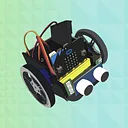
Obstacle Avoidance with bird:bot (Needs robot platform)
DC Motor with micro:bit
Pushbutton with micro:bit
Control LED Brightness with a Potentiometer and micro:bit
Atmospheric pressure sensor with micro:bit
Hall Effect sensor with micro:bit
Laser Module with micro:bit
7-segment Display Module with micro:bit
Light-dependent Resistor with micro:bit
Raindrop Sensor with micro:bit
Joystick Module with micro:bit
OLED Display with micro:bit
Reed Sensor with micro:bit
Using an LED with micro:bit
Using Multiple LEDs with micro:bit
... and more!
Analog Inputs and micro:bit
Passive Infrared Sensor with micro:bit
Micro Servo with micro:bit
Obstacle Avoidance with bird:bot (Needs robot platform)
DC Motor with micro:bit
Pushbutton with micro:bit
Control LED Brightness with a Potentiometer and micro:bit
Atmospheric pressure sensor with micro:bit
Hall Effect sensor with micro:bit
Laser Module with micro:bit
7-segment Display Module with micro:bit
Light-dependent Resistor with micro:bit
Raindrop Sensor with micro:bit
Joystick Module with micro:bit
OLED Display with micro:bit
Reed Sensor with micro:bit
Using an LED with micro:bit
Using Multiple LEDs with micro:bit
... and more!
Jargon buster
Plain-language definitions for the technical terms used above.
- breakout
- A breakout board carries a small or fine-pitched component and brings its connections out to standard, breadboard- and header-friendly pins. Describing a part as a breakout means it can be wired into a project without soldering directly to the component's tiny contacts.
- DC
- DC means direct current, where electricity flows in one constant direction, as supplied by batteries, USB ports and many plug-pack power supplies. When a product specifies DC, it runs from a DC supply rather than mains AC, so you need to provide the correct voltage and polarity.
- GPIO
- General-purpose input/output pins are microcontroller pins you can set in software to read signals, switch devices on and off, or connect to peripherals. The number of GPIO pins matters because it limits how many buttons, LEDs, sensors, and other parts you can wire directly to the board.
- IoT
- Short for Internet of Things, meaning physical devices that connect to networks or the internet to send data or be controlled remotely. It matters if you want projects such as connected sensors, remote controls or classroom data-logging activities.
- OLED
- OLED stands for organic light-emitting diode, a display type where each pixel produces its own light. It matters because OLED screens are thin, high-contrast and easy to read for small status displays, but they can be more sensitive to image burn-in than some other display types.
- photocell
- A light-sensitive component whose electrical resistance changes with the amount of light falling on it. It matters when choosing or using light sensors, automatic lights, or brightness-detecting circuits because its response speed, resistance range, and sensitivity affect how reliably it detects light levels.
- potentiometer
- A variable resistor usually turned with a knob or shaft to create an adjustable electrical signal. It is often used for inputs such as volume, brightness or position, so it helps beginners learn how a microcontroller reads changing values.
- RAM
- RAM (random-access memory) is fast, temporary memory a device uses for working data while it is running; in its common volatile form, its contents are lost when power is removed. Some devices offer a mode that applies settings to RAM only, which is handy for testing changes temporarily because they are not stored permanently and disappear at power-off.
- Reed switch
- A small switch sealed in glass that opens or closes when a magnet is nearby. It is useful for simple door, lid, wheel, or position sensing because it can detect motion without needing to be pressed directly.
- servo
- A servo is a motor with built-in position control, usually told to move to a specific angle by a control signal. It matters when you need repeatable movement, such as steering, arms, flaps, or linkages, rather than continuous spinning.
Find this product in
All Products
Complete Kits & Projects
Little Bird Electronics
More from Pi Australia
New Arrivals
Robotics & Coding
STEM & Education
Related Tutorials
Free step-by-step guides