

Speaker for micro:bit
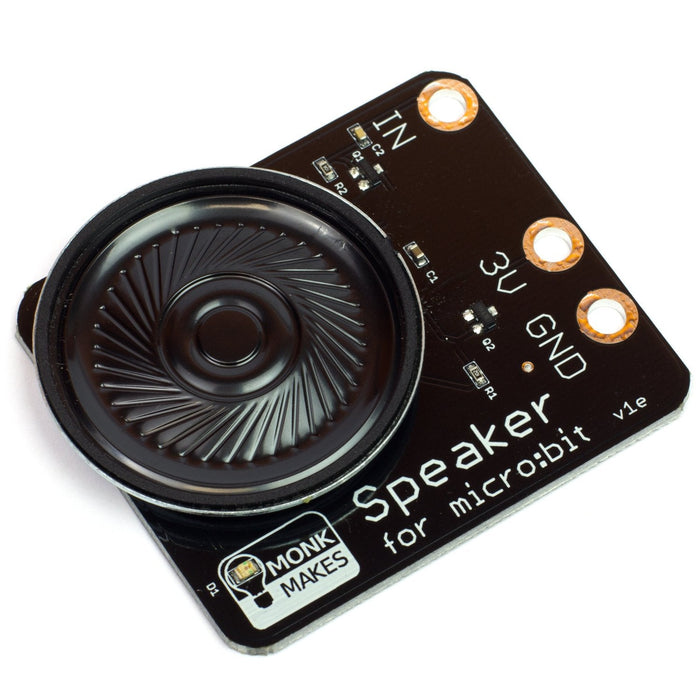
The MonkMakes Speaker for micro:bit is a compact, amplified speaker that connects to your micro:bit using alligator clips. It's the easiest way to add sound output to your micro:bit projects — just clip on and start coding.
With built-in amplification, reverse polarity protection, and an LED power indicator, it's designed to be beginner-friendly and classroom-ready. Use it to play melodies, create musical instruments, or add sound effects to your projects.
Key Features
- Amplified Output – Built-in amplifier for clear, audible sound
- Alligator Clip Connection – No soldering required; clips directly to micro:bit edge connector
- Reverse Polarity Protection – Safe for beginners; won't damage if connected backwards
- LED Power Indicator – Shows when the speaker is powered on
Getting Started
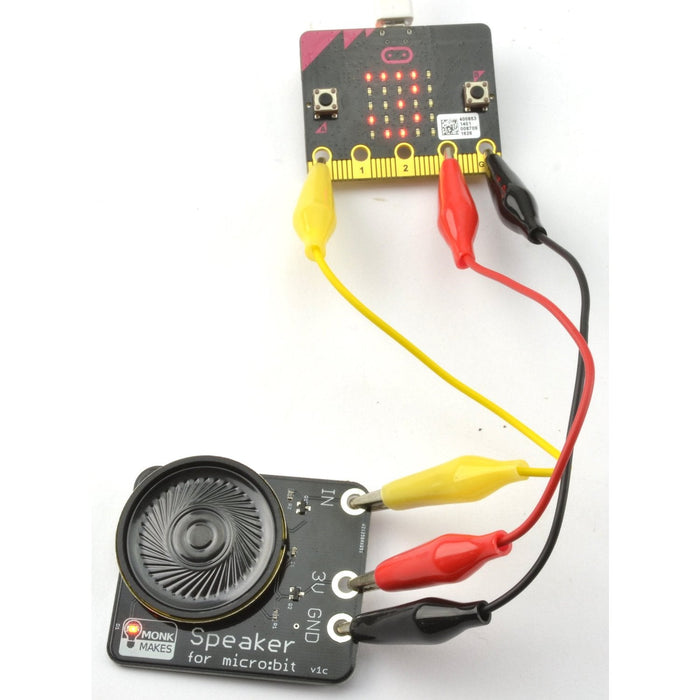
Connect the speaker to your micro:bit using alligator clips. Make sure the clips are perpendicular to the board so they don't touch neighbouring connectors on the edge connector.
Try it with the MakeCode Blocks Editor: add an on button A pressed block from the Input section, then add a start melody block from the Music section. Click Download and copy the file to your micro:bit.
For MicroPython, use the Python Editor with this example:
Ideal For
- micro:bit music and sound projects
- Classroom and workshop activities
- Beginner-friendly audio experiments
- Interactive instruments and sound effects
Package Contents
- 1× MonkMakes Speaker for micro:bit
Resources
The Speaker for micro:bit appears in the following collections: