AI agents & screen readers: for a machine-readable, text-only catalogue,
start at /llms.txt.
Products are available as Markdown
(/products.md, /products/{handle}.md)
and JSON
(/products.json, /products/{handle}.json).
PCIe To Gigabit Ethernet And USB 3.2 Gen1 HAT For Raspberry Pi 5, 3x USB 3.2 Gen1, 1x Gigabit Ethernet, Driver-Free, Plug And Play, Raspberry Pi 5 PCI...
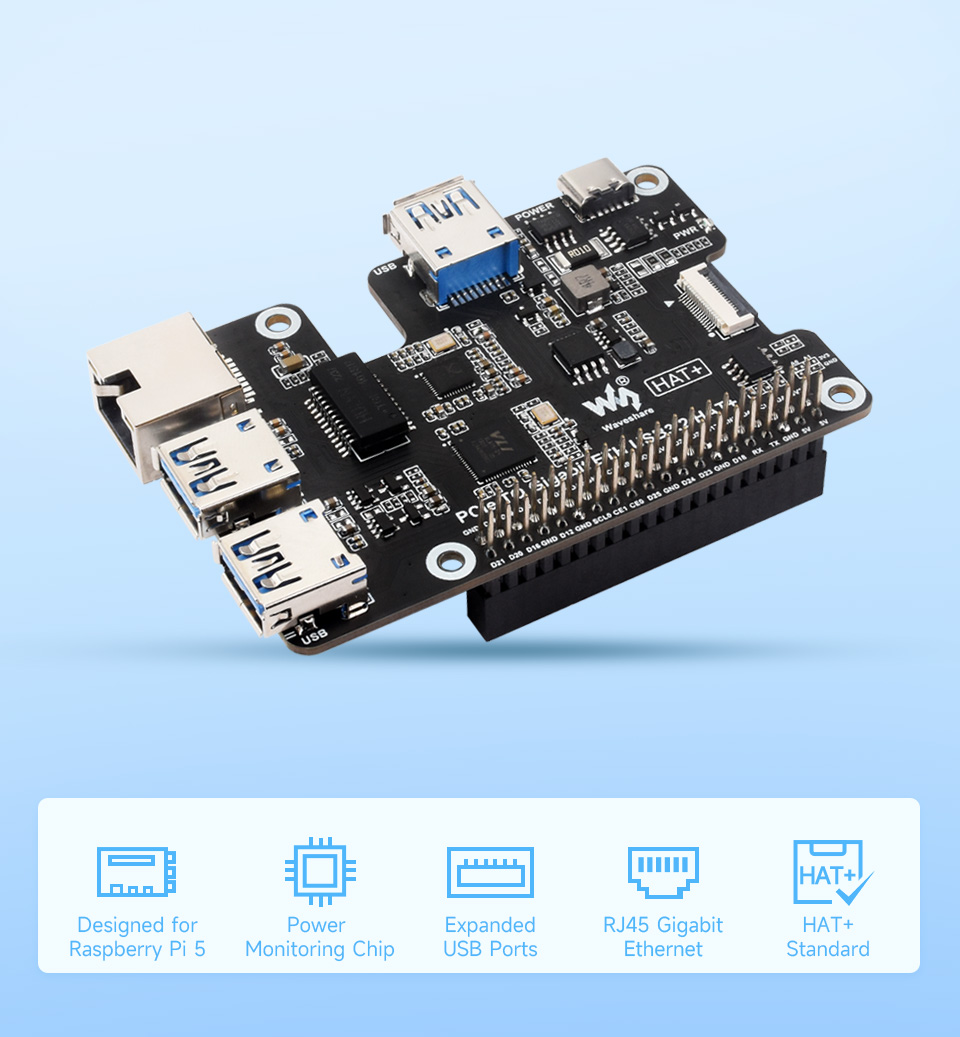
PCIe To Gigabit Ethernet And USB 3.2 Gen1 HAT For Raspberry Pi 5, 3x USB 3.2 Gen1, 1x Gigabit Ethernet, Driver-Free, Plug And Play, Raspberry Pi 5 PCIe HAT
Extends 1x Gigabit Ethernet Port
Equipped With RTL8153B High-Performance Gigabit ETH Chip, Sinking Design Of Network Port, Neat And Beautiful
PCIe TO GigE & USB HUB HAT
PCIe To Gigabit Ethernet And USB 3.2 Gen1
Designed For Raspberry Pi 5, Driver-Free, Plug And Play
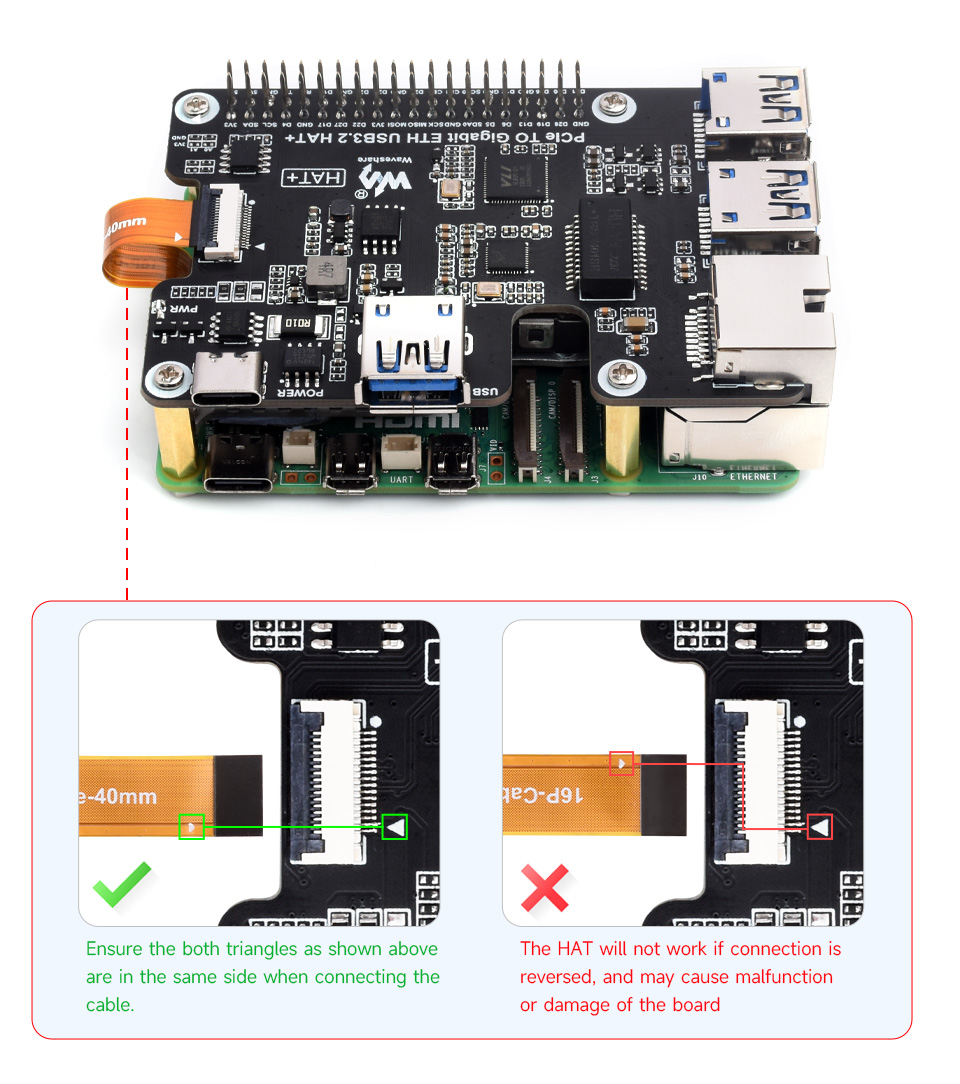
Connecting To PI5 Via 16PIN Cable
Based On 16PIN PCIe Interface Of Raspberry Pi 5
* for reference only, please refer to the Package Content for detailed part list
Designed For Raspberry Pi 5, Driver-Free, Plug And Play
Connecting To PI5 Via 16PIN Cable
Based On 16PIN PCIe Interface Of Raspberry Pi 5
* for reference only, please refer to the Package Content for detailed part list
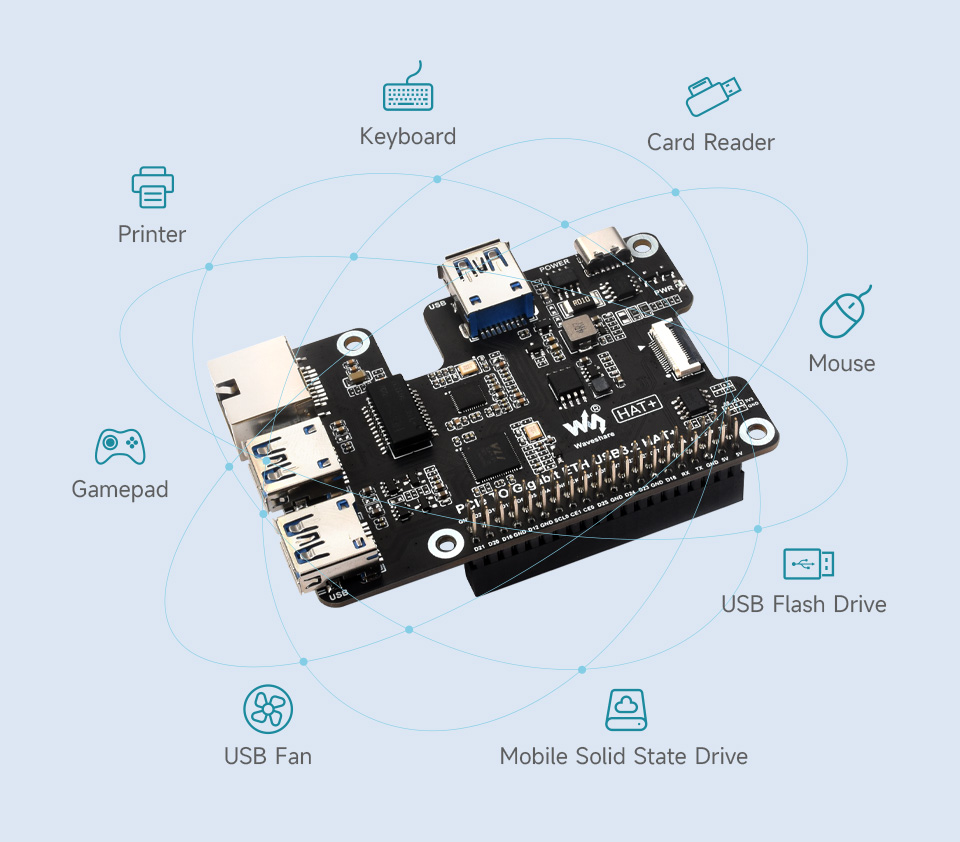
More USB Capability For Raspberry Pi 5
Extends The PCIe Interface To 3x High Speed USB 3.2 Gen1 Ports For Connecting More Peripherals
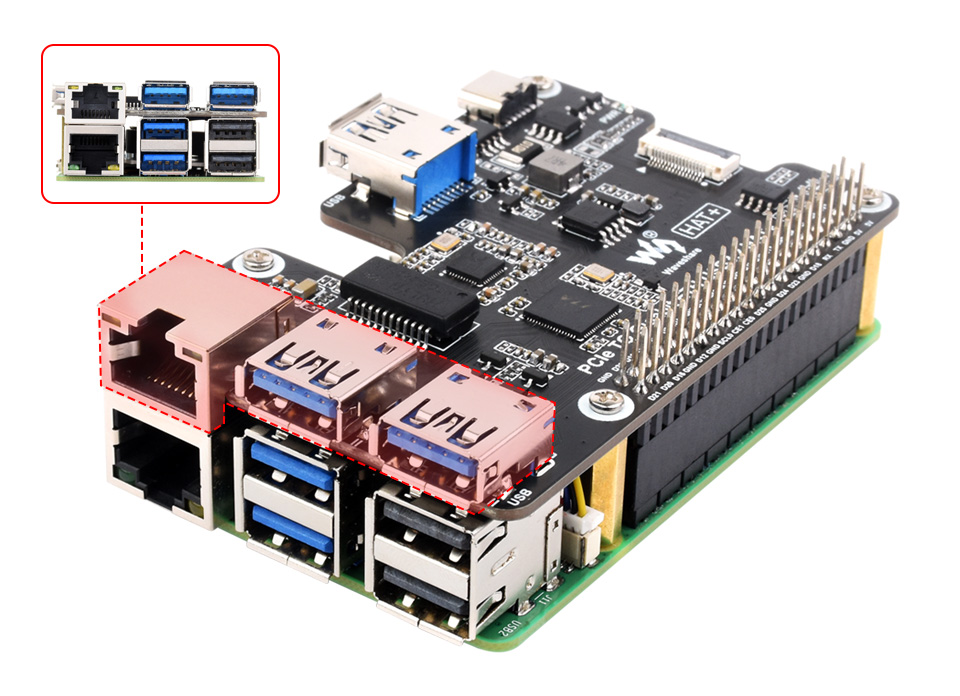
Extends 1x Gigabit Ethernet Port
Equipped With RTL8153B High-Performance Gigabit ETH Chip, Sinking Design Of Network Port, Neat And Beautiful
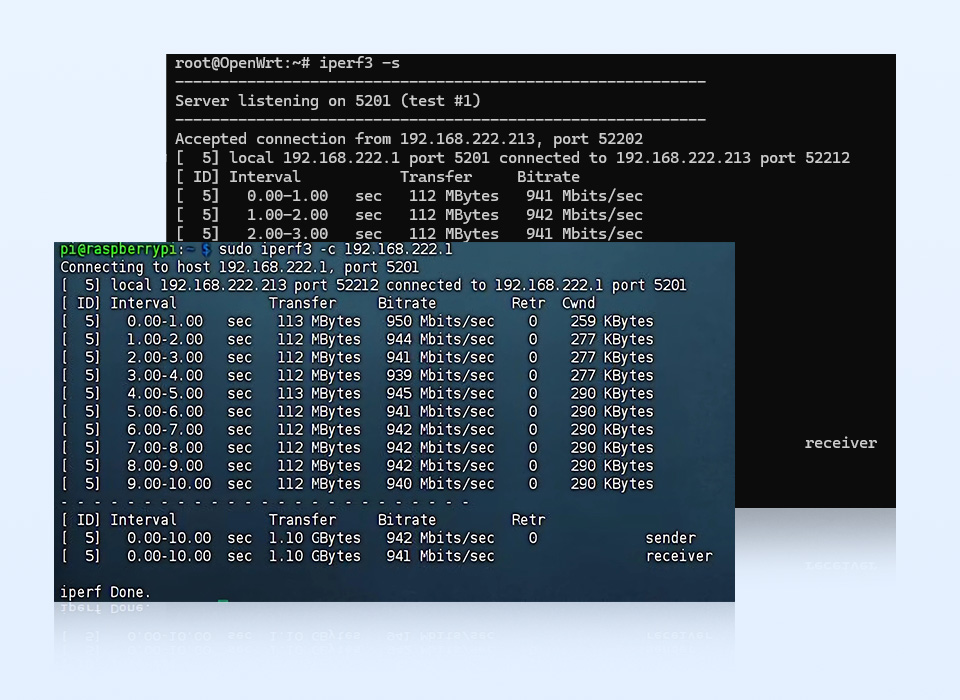
Network Speed Measurement
Supports Raspberry Pi OS / Ubuntu / OpenWRT, Etc., Stable And Reliable Network Speed
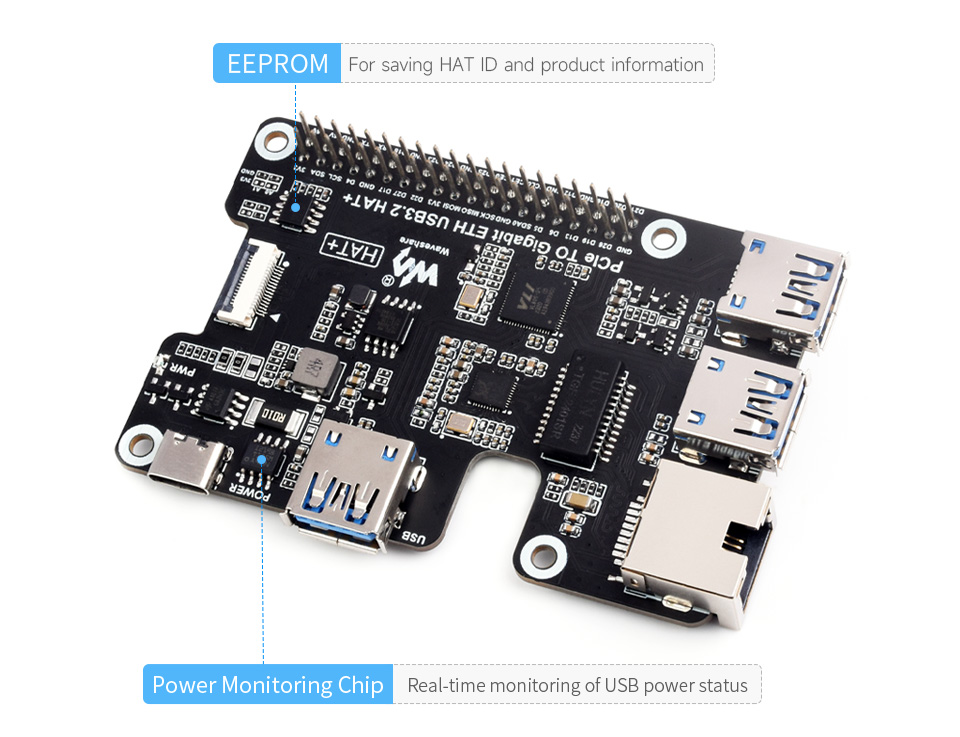
Onboard Power Monitoring Chip And EEPROM
Real-Time Monitoring Of Power Status, Supports USB Port Power Control Via Software
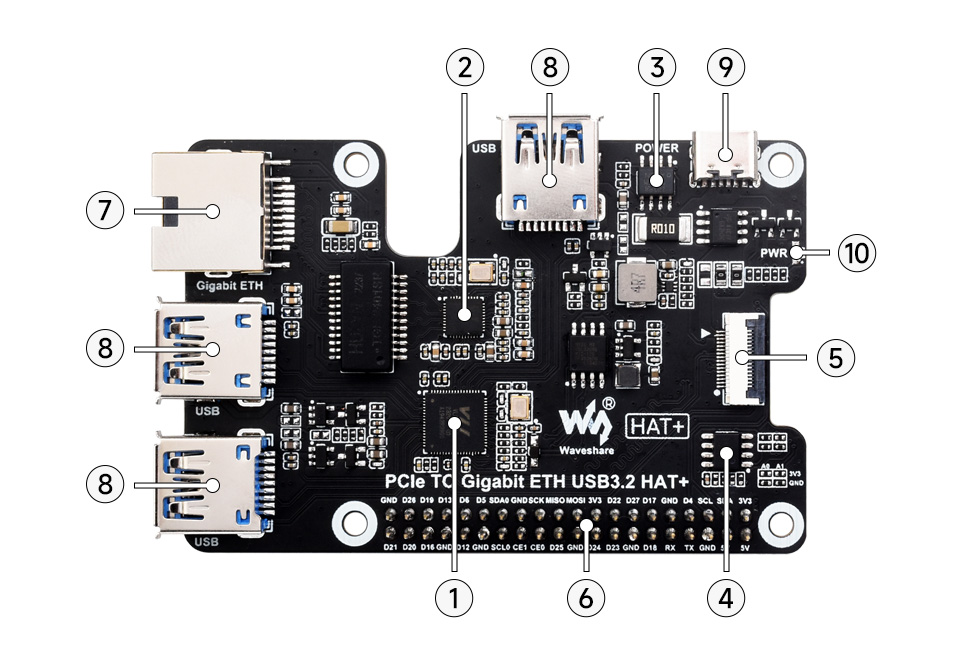
What's On Board
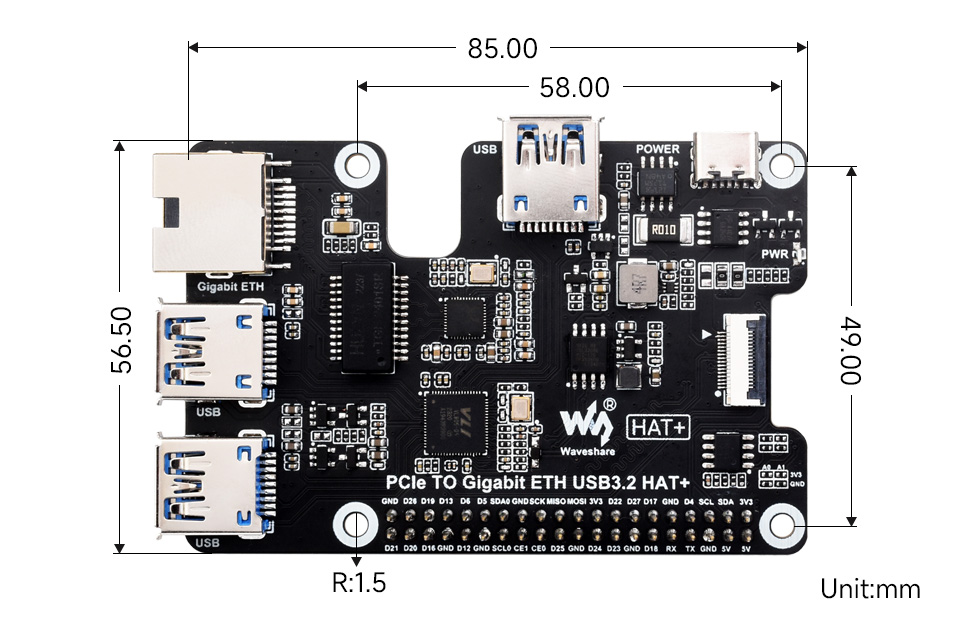
VL805 PCIe to USB 3.2 Gen1 HUB chip
RTL8153B USB to Gigabit ETH chip
INA219 Power monitoring chip
EEPROM for saving HAT ID and product information
16PIN PCIe interface for connecting to the PCIe interface of Raspberry Pi 5
Raspberry Pi GPIO header for connecting Raspberry Pi 5
Gigabit Ethernet port up to 1000Mbps data rate, compatible with 100Mbps
USB 3.2 Gen1 expanded ports USB1~USB3
Power port for external Type-C 5V DC power supply
PWR LED Power indicator
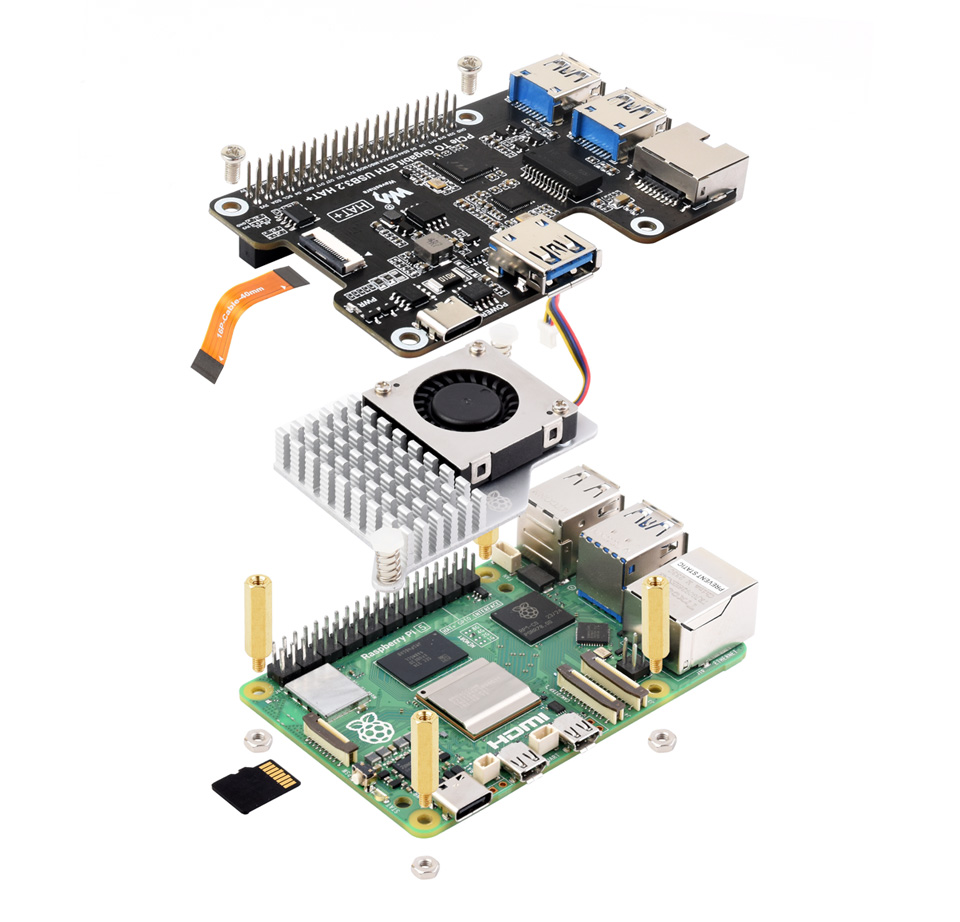
How To Install
* for reference only, theRaspberry Pi 5andcooling fanare NOT included, please refer to the Package Content for detailed part list
Plain-language definitions for the technical terms used above.
DC
DC means direct current, where electricity flows in one constant direction, as supplied by batteries, USB ports and many plug-pack power supplies. When a product specifies DC, it runs from a DC supply rather than mains AC, so you need to provide the correct voltage and polarity.
EEPROM
A type of non-volatile memory that keeps stored data even when power is turned off. In a sensor module, it can be used to store settings or calibration data so they do not need to be re-entered every time.
GPIO
General-purpose input/output pins are microcontroller pins you can set in software to read signals, switch devices on and off, or connect to peripherals. The number of GPIO pins matters because it limits how many buttons, LEDs, sensors, and other parts you can wire directly to the board.
LED
A light-emitting diode (LED) is a small electronic component that emits light when current flows through it in the correct direction. Because it only conducts one way, its polarity matters, and a through-hole LED must be soldered the correct way around to light up.
Type-C
USB Type-C (USB-C) is a small, reversible USB connector used for charging, power, and data transfer on many modern devices. A Type-C port or plug indicates the cable and charger connection needed to power, charge, or communicate with a device.
No reviews yet
Be the first to review this one.
Bought this? Tell people what you think
You don't need an account.
Questions & answers
No questions yet. If something isn't clear from the description, ask — the answer goes on this page for everyone who wonders the same thing.
j / ↓Move selection downk / ↑Move selection upgJump to first itemGJump to last itemaAdd selected to cartoOpen in new browser tabuToggle unavailable productsBackspaceRemove 1 qty (cart tab)XClear entire cartcCheckout/Search productsEscBack / cancel / close:Command mode?Toggle this help1-3Switch tabs