

All Products
AI Overview
For a 13.3\" touch display, the best match is the 13.3inch 2K AMOLED Touch Display, 2560×1440, HDMI/Type-C Display Interface, Optical Bonding Toughened Glass Panel, Metal Case (13.3\", 2560×1440, HDMI + USB-C, touch, optical bonding) at $393.85.
If you meant a smart mirror with touch built in, consider the 13.3inch Magic Mirror, Voice Assistant, Touch Control (13.3\" IPS touch, 1920×1080, one-way mirror panel, built-in Raspberry Pi 3A+) at $397.35.
If you were searching for a kit that includes a touch display (SBC bundle), these bundles may fit:
- LattePanda 2 Alpha 864s i5 SBC Kit with Titan Case & Touch Display (Intel Core i5, kit w/ touch display) $1337.00
- LattePanda 2 Alpha 864s Win11 Pro Kit with Case and Display (Win11 Pro kit w/ touch display) $1435.35
Which type of “touch 13.3” are you after?
Collections
Showing 41-60 of 80 products · 20 unavailable products hidden
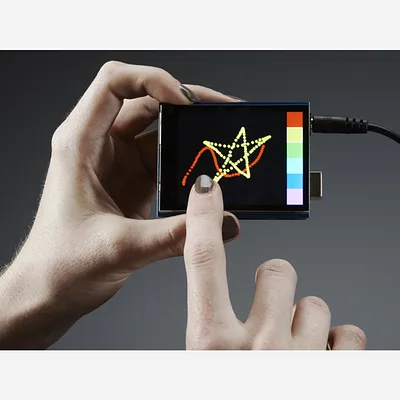
2.8 TFT Touch Shield for Arduino w/Capacitive Touch
·
The 2.8" TFT Touch Shield with Capacitive Touch plugs directly into an Arduino and provides a bright, full-colour display with a smooth glass capacitive touchscreen and onboard MicroSD card socket. Fully assembled and ready to use — no wiring or soldering required. This shield uses SPI for the d...
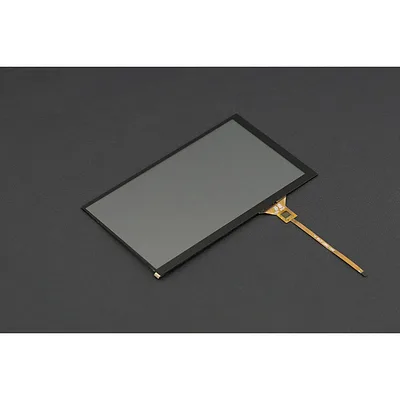
7 Capacitive Touch Panel Overlay for LattePanda Display
This capacitive touch panel overlay adds touch input to your LattePanda 7" IPS Display (sold separately). Simply apply the adhesive panel over the display, connect the FPC cable, and power the board for a complete touch interface. The panel features 6H surface hardness for scratch resistance, 85...
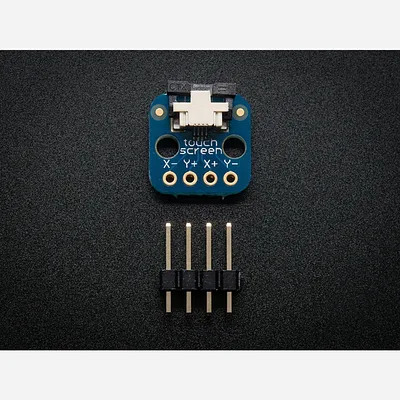
Touch screen breakout board (0.5mm FPC)
·
If you've got a resistive touch screen that you'd like to use, you'll need this breakout! It has a fine pitch (0.5mm) connector soldered onto it and it's broken out into the 4 resistive wires of the panel. A petite 0.5"x0.5" (12.5mm x 12.5mm) with two mounting holes as well, that you can use f...
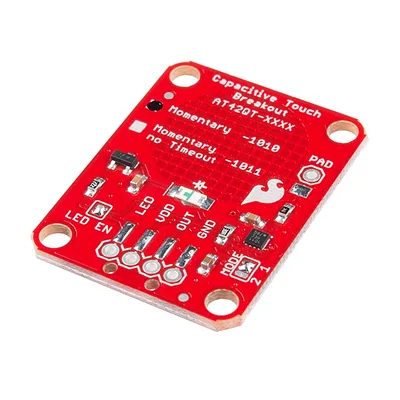
SparkFun Capacitive Touch Breakout - AT42QT1010
If you need to add user input without using a button, then a capacitive touch interface might be the answer. The AT42QT1010 SparkFun Capacitive Touch Breakout offers a single capacitive touch button with easy-to-use digital I/O pins. The AT42QT1010 is a dedicated, single-button capacitive sense...
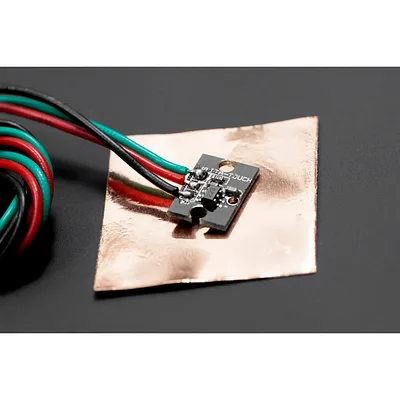
Mini Touch Kit
This is a cool touch sensor from DFRobot. You can hook it up to the IO Expansion shield (for arduino) directly. It includes a metallic tape with a sticky side. This make it possible for you to place your sensors anywhere you want. So, if you get sick of the typical push buttons, try this in...
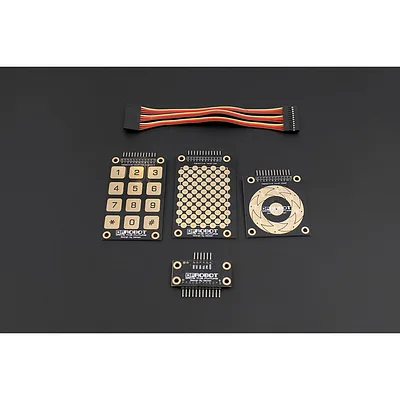
Capacitive Touch Kit For Arduino
A capacitive touch sensor kit for Arduino based on the MPR121 touch controller. Includes three interchangeable touch pads — a scroll wheel, a keypad with backlight support, and a grid pad for gesture and pattern recognition. The MPR121 provides sensitive capacitive detection over an I²C interface...

Adafruit DPI TFT Kippah for Raspberry Pi with Touch Support
·
The Adafruit DPI TFT Kippah with Touch Support connects a 40-pin TTL TFT display directly to your Raspberry Pi's GPIO header, bypassing the need for an HDMI encoder/decoder. This version adds resistive touchscreen capability via USB, making it suitable for interactive projects and kiosks. Compat...

Adafruit 12 x Capacitive Touch Shield for Arduino - MPR121
·
The Adafruit Capacitive Touch Shield brings 12 channels of capacitive touch sensing to any Arduino using the MPR121 chip. Each sensor has a "figure 8" pad with holes designed for quick alligator clip connections — attach one end to the shield and the other to any conductive object like metal, fru...
![Adafruit Capacitive Touch HAT for Raspberry Pi - Mini Kit [MPR121]](/rails/active_storage/representations/redirect/BAh7BkkiC19yYWlscwY6BkVUewdJIglkYXRhBjsAVGkC6XdJIghwdXIGOwBUSSIMYmxvYl9pZAY7AEY=--8ab15a69ccd9724ad171ab7acf5a67519ec49273/BAh7BkkiC19yYWlscwY6BkVUewdJIglkYXRhBjsAVHsIOgtmb3JtYXQ6CXdlYnA6EnJlc2l6ZV90b19maXRbB2kCkAFpApABOgpzYXZlcnsHOgxxdWFsaXR5aVc6CnN0cmlwVEkiCHB1cgY7AFRJIg52YXJpYXRpb24GOwBG--f55be79df1f1b025f86d676a642df617e240cfbc/image_008b8446-b476-46b4-a1e7-413dc1771e60.jpg)
Adafruit Capacitive Touch HAT for Raspberry Pi - Mini Kit [MPR121]
·
The Adafruit Capacitive Touch HAT adds 12 capacitive touch sensors to your Raspberry Pi using the MPR121 touch controller over I2C. Each sensor has a figure-8 hole designed for alligator clip connections — attach clips to the HAT and the other end to anything conductive (metal, fruit, vegetables,...
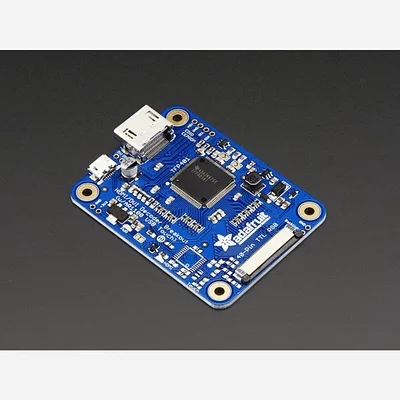
TFP401 HDMI/DVI Decoder to 40-Pin TTL Breakout - Without Touch
·
The TFP401 breakout is a compact HDMI/DVI decoder that outputs raw 24-bit colour pixel data to 40-pin TTL displays. It decodes unencrypted video at any resolution from 25–165 MHz pixel clock (up to 1080p) and includes a built-in backlight driver with PWM dimming control. Designed for use with si...
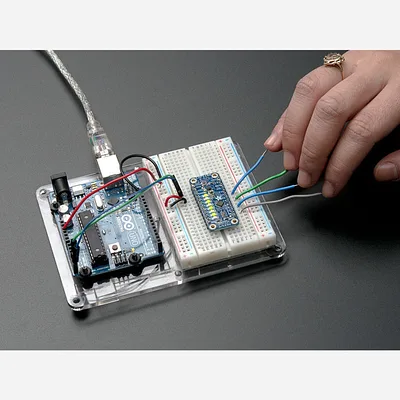
CAP1188 - 8-Key Capacitive Touch Sensor Breakout - I2C or SPI
·
Add lots of touch sensors to your next microcontroller project with this easy-to-use 8-channel capacitive touch sensor breakout board, starring the CAP1188. This chip can handle up to 8 individual touch pads, and has a very nice feature that makes it stand out for us: it will light up the 8 onboa...
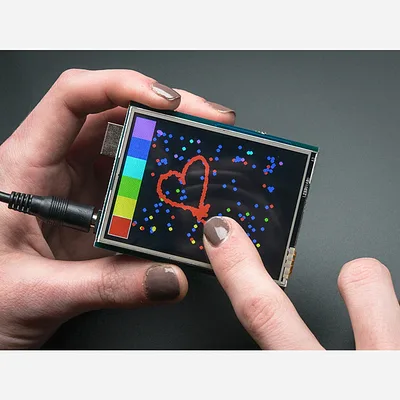
2.8 TFT Touch Shield for Arduino with Resistive Touch Screen
·
The 2.8" TFT Touch Shield with Resistive Touch Screen plugs directly into any Arduino UNO or Mega-shaped board, providing a bright, full-colour display with touch input and an onboard MicroSD card socket. Fully assembled and ready to use — no wiring or soldering required. This shield uses SPI fo...
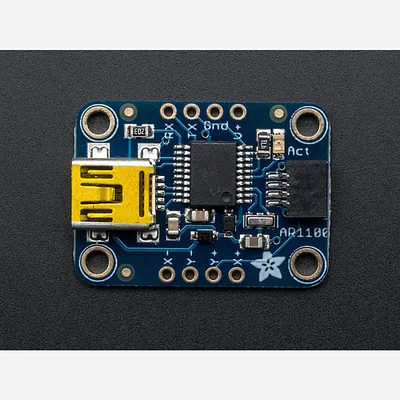
Resistive Touch Screen to USB Mouse Controller - AR1100
·
Getting touchy performance with your screen's touch screen? Resistive touch screens are incredibly popular as overlays to TFT and LCD displays. If you want to connect one to a computer you need something to handle the analog to digital conversion. Most converters we've found are not very easy ...
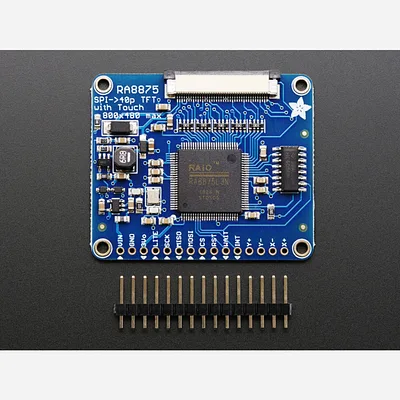
RA8875 Driver Board for 40-pin TFT Touch Displays - 800x480 Max
·
Have you gazed longingly at large TFT displays - you know what I'm talking about here, 4", 5" or 7" TFTs with up to 800x480 pixels. Then you look at your Arduino. You love your Arduino (you really do!) but there's no way it can control a display like that, one that requires 60Hz refresh and 4 ...
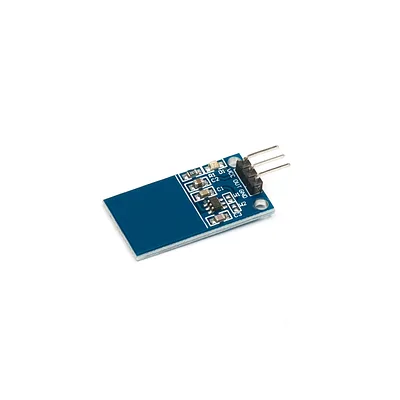
Capacitive Touch Sensor for Arduino
This is a touch sensor for Arduino. This sensor is a toggle output type: touch-on then touch-off. Onboard TTP223 touch capacitive touch sensor IC. With an on-board-level status indicator. Working voltage: 2.0V-5.5V PCB board size: 29 (mm) x16 (mm)
![Standalone Momentary Capacitive Touch Sensor Breakout [AT42QT1010]](/rails/active_storage/representations/redirect/BAh7BkkiC19yYWlscwY6BkVUewdJIglkYXRhBjsAVGkCKmJJIghwdXIGOwBUSSIMYmxvYl9pZAY7AEY=--542372364d44cae183ae60e54e33acf8cd73039e/BAh7BkkiC19yYWlscwY6BkVUewdJIglkYXRhBjsAVHsIOgtmb3JtYXQ6CXdlYnA6EnJlc2l6ZV90b19maXRbB2kCkAFpApABOgpzYXZlcnsHOgxxdWFsaXR5aVc6CnN0cmlwVEkiCHB1cgY7AFRJIg52YXJpYXRpb24GOwBG--f55be79df1f1b025f86d676a642df617e240cfbc/image_3686d054-8732-4e53-b594-c7b0d6e27f7b.jpg)
Standalone Momentary Capacitive Touch Sensor Breakout [AT42QT1010]
·
This breakout board is the simplest way to create a project with a single "momentary" capacitive touch sensor. No microcontroller is required here - just power with 1.8 to 5.5VDC and touch the pad to activate the sensor.When a capacitive load is detected (e.g. a person touches the sensor-pad area...
![Standalone Toggle Capacitive Touch Sensor Breakout [AT42QT1012]](/rails/active_storage/representations/redirect/BAh7BkkiC19yYWlscwY6BkVUewdJIglkYXRhBjsAVGkCGGJJIghwdXIGOwBUSSIMYmxvYl9pZAY7AEY=--292d0622b26448975c044c0d02f53a1e5c711239/BAh7BkkiC19yYWlscwY6BkVUewdJIglkYXRhBjsAVHsIOgtmb3JtYXQ6CXdlYnA6EnJlc2l6ZV90b19maXRbB2kCkAFpApABOgpzYXZlcnsHOgxxdWFsaXR5aVc6CnN0cmlwVEkiCHB1cgY7AFRJIg52YXJpYXRpb24GOwBG--f55be79df1f1b025f86d676a642df617e240cfbc/image_6326c23f-da8c-4c44-b1bb-b190361f23c2.jpg)
Standalone Toggle Capacitive Touch Sensor Breakout [AT42QT1012]
·
This breakout board is the simplest way to create a project with a single "toggle" capacitive touch sensor. No microcontroller is required here - just power with 1.8 to 5.5VDC and touch the pad to activate the sensor.This sensor is a toggle output type: touch-on then touch-off. That means that...

Standalone 5-Pad Capacitive Touch Sensor Breakout - AT42QT1070
·
This breakout board is the simplest way to create a project with mutiple capacitive touch sensors. No microcontroller is required here - just power with 1.8 to 5.5VDC and connect up to 5 conductive pads to the 5 left-hand pins. When a capacitive load is detected (e.g. a person touches one of the ...
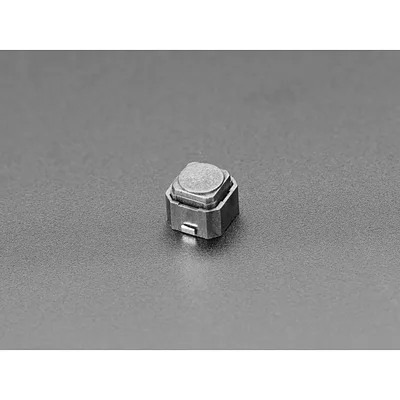
Mini Soft Touch Push-button Switches (6mm square) x 10 pack
·
Put your project in stealth mode with these super slim, super tiny, and silent Mini Soft Touch Push-button Switches. They're less 'clicky' than tactile switches, they have a rubbery elastomer that feels good to press. No dangly spider-leg-pins to solder as these buttons are SMD. We see these...

Touch pHAT
Six touch-sensitive buttons to use for whatever your heart desires, with added LEDs (did you expect anything less?) Touch pHAT has six capacitive touch buttons, each with a bright white LED, designed to be completely agnostic about what they're used for. You can even use a dry erase pen to wri...
