

Adafruit
RA8875 Driver Board for 40-pin TFT Touch Displays - 800x480 Max
·
Have you gazed longingly at large TFT displays - you know what I'm talking about here, 4", 5" or 7" TFTs with up to 800x480 pixels. Then you look at your ...
Get notified when back in stock
Have you gazed longingly at large TFT displays - you know what I'm talking about here, 4", 5" or 7" TFTs with up to 800x480 pixels. Then you look at your Arduino. You love your Arduino (you really do!) but there's no way it can control a display like that, one that requires 60Hz refresh and 4 MHz pixel clocking. Heck, it doesn't even have enough pins. I suppose you could move to ARM core processors with TTL display drivers built in but you've already got all these shields working and anyways you like small micros you've got.
What if I told you there was a driver chip that could fulfill those longings? A chip that can control up 800x480 displays, and heck, a resistive touchscreen as well. All you need to give up is 5 or so SPI pins. Would you even believe me? Well, sit down because this product may shock you.
The RA8875 is a powerful TFT driver chip. It is a perfect match for any chip that wants to draw on a big TFT screen but doesn't quite have the oomph (whether it be hardware or speed). Inside is 768KB of RAM, so it can buffer the display (and depending on the screen size also have double overlaying). The interface is SPI with a very basic register read/write method of communication (no strange and convoluted packets). The chip has a range of hardware-accelerated shapes such as lines, rectangles, triangles, ellipses, built in and round-rects. There is also a built in English/European font set (see the datasheet section 7-4-1 for the font table) This makes it possible to draw fast even over SPI.
The RA8875 can also handle standard 4-wire resistive touchscreens over the same SPI interface to save you pins. There's an IRQ pin that you can use to help manage touch interrupts. The touchscreen handler isn't the most precise driver we've used, so we broke out the X/Y pins so you can connect them up to something like the STMPE610 which is a very classy touchscreen controller.
On the PCB we have the main chip, level shifting so you can use safely with 3-5V logic. There is also a 3V regulator to provide clean power to the chip and the display. For the backlight, we put a constant-current booster that can provide 25mA or 50mA at up to 24V. The connector to the screen is a classic '40 pin' connector. All the 40-pin TFT's in the Adafruit shop are known to work well. There are other 40-pin displays that have different pinouts or backlight management and these may not work - they may even damage the driver or TFT if the boost converter pushes 24V into the display logic pins! For that reason, we only recommend the displays we've tested and sell here.
Each order comes with an assembled, tested RA8875 breakout and a stick of header. You'll also need to purchase a 40-pin TFT screen. We currently have 4.3", 5.0" and 7.0" screens available.
To get you started we've written a graphics library that handles the basic interfacing, drawing and reading functions. Download the Adafruit RA8875 library from github and install as described in our tutorial. Connect a 40 pin TFT to the FPC port and wire up the SPI interface to an Arduino as described in the example code. Once started you'll be able to see the graphic/text demo and then touch the screen to 'paint'. For more advanced details on what the RA8875 can do (and it can do a lot) check the datasheet.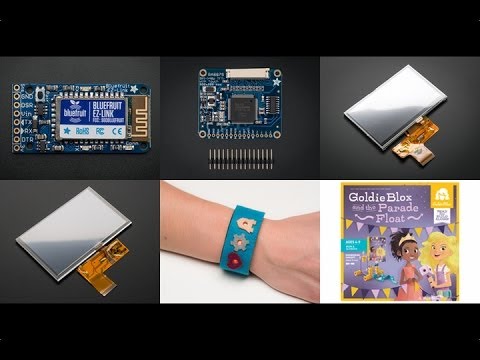
Jargon buster
Plain-language definitions for the technical terms used above.
- boost converter
- A boost converter is a switching power circuit that raises a lower input voltage to a higher output voltage. It is used when a device needs more voltage than its power source provides, for example running a 5 V sensor from a 3.3 V supply.
- breakout
- A breakout board carries a small or fine-pitched component and brings its connections out to standard, breadboard- and header-friendly pins. Describing a part as a breakout means it can be wired into a project without soldering directly to the component's tiny contacts.
- FPC
- FPC stands for flexible printed circuit, a thin flat flexible cable or connector style often used where space is tight or some movement is needed, commonly for displays, cameras and other high-density connections. Connecting to an FPC connector generally needs a matching cable with the correct pin count, pitch and contact orientation.
- IRQ
- IRQ (interrupt request) is a signal line a device uses to alert a microcontroller that something needs attention, so the microcontroller does not have to poll continuously. Wiring an IRQ pin to a free input lets code respond promptly to events such as new data being ready.
- PCB
- A printed circuit board (PCB) is a board, usually rigid, with etched copper tracks that connect electronic components together without loose wiring. Components are mounted on the board and signals route between them through the copper layout.
- RAM
- RAM (random-access memory) is fast, temporary memory a device uses for working data while it is running; in its common volatile form, its contents are lost when power is removed. Some devices offer a mode that applies settings to RAM only, which is handy for testing changes temporarily because they are not stored permanently and disappear at power-off.
- SPI
- A fast serial communication bus often used for displays, memory cards, and sensors. It matters because SPI devices need specific pins for clock and data, plus a separate chip-select line for each device.
- TFT
- A thin-film transistor display is a common type of colour LCD used for graphics screens. Knowing a product is for TFTs helps you check that the driver board matches the display’s connector, resolution, backlight, and signalling method.
- TFT screen
- A TFT (thin-film transistor) screen is a type of colour LCD that uses a transistor at each pixel for sharper images, faster refresh and better contrast than basic character or passive LCDs. It can show colour graphics, menus or live data, but usually needs more processing power and a suitable display driver than a simple display.
Find this product in
Brands
Displays & Screens
Related Tutorials
Free step-by-step guides




