Little Bird
Little Bird Micro:Bit 24 Project Kit
All Products
New Arrivals
Complete Kits & Projects
Circuitry & IOT
DIY Project Kits
Brands and Manufacturers
Electronics Kits
micro:bit
Digital Technologies
Micro:bit Kits
Education
Learning & Starter Kits
Little Bird Electronics
STEM Education Kits
$85.61
|
Out of stock
NEW VERSION!This kit has been discontinued but we have a new version designed for the Micro:bit V2Why not learn how to use the micro:bit in bite-sized ch...
Estimated Delivery
Arrives
Disclaimer
Secure checkout
NEW VERSION!
This kit has been discontinued but we have a new version designed for the Micro:bit V2
Why not learn how to use the micro:bit in bite-sized chunks this year using the all-new 2018 Little Bird Micro:bit 24 project Kit. It's the perfect way to get started with coding and electronics.
This kit has been discontinued but we have a new version designed for the Micro:bit V2
Why not learn how to use the micro:bit in bite-sized chunks this year using the all-new 2018 Little Bird Micro:bit 24 project Kit. It's the perfect way to get started with coding and electronics.
What is the BBC micro:bit?
The BBC Micro Bit is a small, code-able device that is an easy/non-intimidating introduction to programming and making – just switch it on and program it to do something fun. You can then wear it or even customise it!
What do I get as part of the kit?
The Little Bird Micro:bit Kit includes 24 tutorials that teach you both how to use the micro:bit with various sensors and electronics with real-world applications, every day leading up to the big day. Access to the tutorials will be provided daily starting December 1st 2018 and then be available forever!
Each kit and tutorial has been handcrafted by the Little Bird Team.
What will I know after completing the advent kit?
After completing the 24 days you (or your kids) will know how to connect sensors and actuators to the BBC micro:bit and get a taste for visual programming, Arduino and Python.
Kit includes:
- BBC micro:bit + USB Cable
- Breadboard
- Jumper Wires
- LEDs (Multicolour RGB and single colours)
- Termistor
- Temperature Sensor
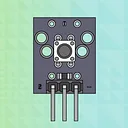
- Push Buttons
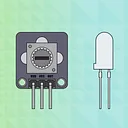
- Potentiometer
- Buzzer
- Sound Sensor
- IR Sensor
- Tilt Sensor
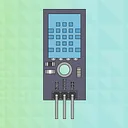
- Temperature and Humidity Sensor
- Relay Actuator
- Rotary Encoder
- Atmospheric pressure sensor
- Smoke Sensor
- Hall Effect Sensor (for detecting magnetic fields)
- Laser Module
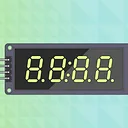
- 7 Segment Display
- Light Dependent Resistor Module
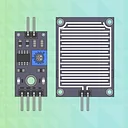
- Rain Drop Sensor
- Dual-axis XY Joystick Module
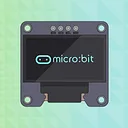
- OLED Display
- Reed Switch
- ... and more!
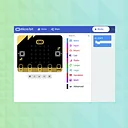
Set up the Programming Interface
Set up Arduino IDE for micro:bit
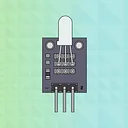
Use a Two Colour LED Module with micro:bit
Make an RGB LED Blink with micro:bit
4-Digit Counter with micro:bit
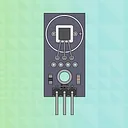
Measure Temperature and Humidity with micro:bit
0.96'' OLED Screen with micro:bit
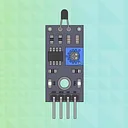
Thermistor Sensor Module with micro:bit
Control LED Brightness Using a Potentiometer
Raindrop Sensor with micro:bit
Temperature Sensor with micro:bit
Push Button with micro:bit
.... and more here
Please note - the picture has the little bags labelled. This version of the kit does not have daily labels.
Jargon buster
Plain-language definitions for the technical terms used above.
- encoder
- A device attached to a motor or shaft that reports movement, such as rotation steps or position. In a pump system, an encoder can help measure or control how much the motor has turned, which affects how repeatable the watering amount can be.
- OLED
- OLED stands for organic light-emitting diode, a display type where each pixel produces its own light. It matters because OLED screens are thin, high-contrast and easy to read for small status displays, but they can be more sensitive to image burn-in than some other display types.
- potentiometer
- A variable resistor usually turned with a knob or shaft to create an adjustable electrical signal. It is often used for inputs such as volume, brightness or position, so it helps beginners learn how a microcontroller reads changing values.
- RGB
- Short for red, green and blue, usually referring to an LED that can mix those three colours. It matters because controlling an RGB LED teaches how separate outputs combine to create different colours.
Find this product in
STEM & Education
Related Tutorials
Free guides on learn.littlebird.com.au