DFRobot
Gravity IoT Starter Kit for micro:bit
IoT Starter Kit is an all-in-one bundle for micro:bit beginners to fast experience and build Internet of Things projects.The kit comes with a micro:bit micro...
Get notified when back in stock
IoT Starter Kit is an all-in-one bundle for micro:bit beginners to fast experience and build Internet of Things projects.

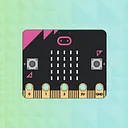
The kit comes with a micro:bit microcontroller, a Wi-Fi module and 7 sensors/actuators that are wildly used in real-life IoT applications.

You can easily setup the Wi-Fi connection in MakeCode Block Editor, program your micro:bit and eventually interact with your smart devices.
To make things even easier and fun. We developed EasyIoT, a free educational IoT platform that allows subscribers to exchange and visualize the data.
This starter kit is compatible with hundreds of DFRobot Gravity Series modules, bringing endless possibilities to your IoT applications.

FEATURES
micro:bit with Internet connectivity
The kit comes with a plug and play Wi-Fi module, Obloq, that adds Internet connectivity to micro:bit.
To start Internet connection, simply fill your Wi-Fi name and password into the coding blocks.
Obloq GitHub page: github.com/DFRobot/pxt-Obloq


Other than EasyIoT, Obloq also supports HTTP commands, allowing accessing to more web applications.
Example:
IFTTT webhooks: https://ifttt.com/maker_webhooks
EasyIoT Platfrom
EasyIoT is a free educational IoT platform that allows you to exchange and visualize data. You can access EasyIoT from the web Browser of your smart devices.

EasyIoT Dash Board
EasyIoT works similar to the micro:bit radio communication. All the micro:bits and your smart devices under the same topic will receive the message published to this topic. Meanwhile, the message will be saved in the cloud for further analysis.

Send and Receive Message

Data Visualization
Real-life IoT applications
The Starter Kit comes with 7 plug and play modules that are wildly used in real-life IoT application.

Control and monitor a home air conditioning over the internet
SPECIFICATION
- Power Supply: MicroUSB (5V)
- Operating Voltage: 5V
- Maximum Current: 1500mA
- Working Temperature: 0-60 ℃
- package size: 250*190*57 mm /9.84 * 7.5 *2.24 inches
- Weight: 492g
DOCUMENTS
- MakeCode Block Editor V0
- EasyIoT
SHIPPING LIST
QuickStart Guide *1
micro:bit *1
Micro:Mate Expansion Board *1
Obloq Wi-Fi Module *1
Analog Capacitive Soil Moisture Sensor *1
Waterproof DS18B20 Sensor Kit *1
Digital PIR (Motion) Sensor *1
Digital 5A Relay Module *1
Digital Speaker Module *1
Analog Sound Sensor For Arduino *1
9g Metal Gear Micro Servo *1
Jargon buster
Plain-language definitions for the technical terms used above.
- DS18B20
- The DS18B20 is a common digital temperature sensor, often supplied in a waterproof stainless-steel probe, that sends its readings to a microcontroller over a 1-Wire connection. It is a typical choice for adding temperature data to environmental or water-monitoring projects.
- Gravity
- Gravity is DFRobot’s plug-in connector system for sensors, motors and modules, using standard cables to reduce loose jumper wiring. It matters because Gravity-compatible parts can connect directly to these ports, while non-Gravity parts may need adapters or manual wiring.
- IoT
- Short for Internet of Things, meaning physical devices that connect to networks or the internet to send data or be controlled remotely. It matters if you want projects such as connected sensors, remote controls or classroom data-logging activities.
- microcontroller
- A microcontroller is a small computer on a single chip that runs a stored program and controls connected inputs and outputs such as buttons, sensors, displays and communication interfaces. In a device built around one, it is the part that executes the code and coordinates the device's behaviour.
- Relay module
- A relay module uses an electrically controlled switch to let a low-power microcontroller control a separate circuit. It matters when switching devices that need different voltages or more current than a microcontroller pin can safely handle.
- servo
- A servo is a motor with built-in position control, usually told to move to a specific angle by a control signal. It matters when you need repeatable movement, such as steering, arms, flaps, or linkages, rather than continuous spinning.
Find this product in
Brands
Connectivity
Supplier page — dfrobot.com
Supplier Description · 505.4 KB · Click any page to view full size
DMS MG90%20Servo%20Dimension
Mechanical Drawings · 21.3 KB · Click any page to view full size
Source Code
Open-source libraries, firmware & example projects for this product
eec9b91
about 4 years ago
· 466 commits
- Box_Enclosure_Size Add files via upload almost 6 years ago
- DFR0023 V4.0 over 6 years ago
- DFR0231-H update over 6 years ago
- DFR0251 update SCH over 6 years ago
- DFR0300-H add dfr0300 resource files almost 7 years ago
- DFR0420 Add files via upload over 5 years ago
- DFR0478 Add files via upload almost 6 years ago
- DFR0503-EN Update almost 8 years ago
- DFR0530 Update DFR0530 Arduino SDK Update Records.docx over 6 years ago
- DFR0564 create DFR0564 over 7 years ago
- DFR0577 add dfr0577 folder almost 8 years ago
- DFR0578 add dfr0578 picture almost 8 years ago
- DFR0588 update pic about 7 years ago
- DFR0605 update over 6 years ago
- DFR0626 Delete DFR0626 (V1.0) Schematic.pdf about 6 years ago
Related Tutorials
Free step-by-step guides