

Introducing English, the programming language you already know
You already know how to program. You've been doing it your whole life, every time you've written instructions for someone else to follow. The only catch is that computers have always made you learn their language first.
English flips that around. You write what you want in plain English, and it writes the actual code for you. Have a play at littlebirdelectronics.com.au/english: it's free, and you don't need an account to have a go.
How it works
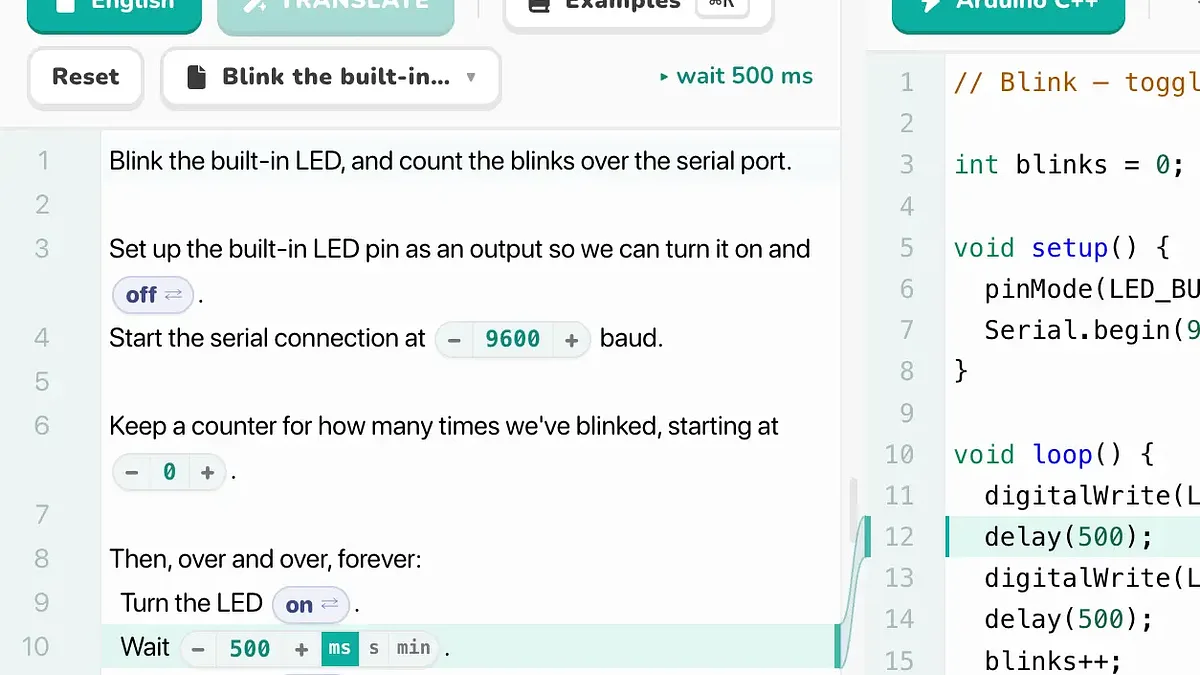
English is a two-pane editor. On the left you type what you want to happen, in ordinary sentences. On the right, the matching program appears in the language you choose: Arduino C++, Python, Ruby or JavaScript. Edit the English and the code catches up a second or two later, so the two always stay in step.
They're linked, too. Click a line of English and the code it produced lights up, and the other way round. Click a line of code and you get a one-line, plain-English note of what it does, with an Explain button when you want the fuller story. It's a nice way to see what's going on under the bonnet without stopping to read a textbook first.
Program a real board, no install
Because this is Little Bird, English talks to actual Arduino boards straight from the browser. Pick Arduino C++, plug a board into a USB port, and hit Pair board to choose its serial port. From there you can Verify your program (we compile it in the cloud) and Upload the finished code to the board over Web Serial. There's no Arduino IDE to install and no toolchain to set up. Uploading needs Chrome, Edge or Opera; writing, translating and verifying work in any browser.
Got an old sketch you never fully understood? Paste it in, hit Code → English, and it turns back into editable plain English. Handy for that project you copied off the internet three years ago and never quite followed.
Watch it run, four different ways
Once your board is running, open the Serial Monitor and English gives you four ways to see what it's doing:
- Monitor is the classic serial console, and it goes both ways. Watch your sketch print as it runs, then type a line at the bottom and press Enter to send it straight back to the board. Ask English for "read a line from the Serial Monitor and echo it back", upload it, and you're having a conversation with your Arduino.
- Plot turns numbers into live graphs. Have your sketch
printlna value and it's drawn as an auto-scaling trace: a single reading like a potentiometer on A0, several at once asx,y,z, or labelled pairs liketemp:25.3,hum:60for a tidy legend. Pause it, clear it, or change the time window while it streams. - Data logs those same numbers to a table. Hit Start logging and every line your sketch prints that contains numbers is recorded to a little in-browser database. Review it in the table, then download the lot as CSV or Excel for your lab book or a spreadsheet.
- App is the fun one. Run a small web page right next to your sketch that talks to the board over serial: read values with
serial.onValues(), send commands withserial.send(). Wire up on-screen buttons and sliders, draw readings on a canvas, or play a sound when a sensor trips. The built-in demos even work without a board plugged in.
Start from an example
A blank page can be daunting, so we've filled the examples gallery with small, ready-to-run projects: blink an LED and count the blinks, fade a light with PWM, wire a button to a light, play a little melody on a buzzer, stream a potentiometer to the Plot tab, or work through the "Crack the Code" ThinkerShield series one step at a time. Open one, read the English, change a number, and see what the board does.
You can use the whole editor without signing in. When you're ready to save a project or run a translation, a free Little Bird account switches that on.
Have a play, break a few things, and show us what you make.
