


Beginner
Infrared Transmitter with Arduino
Create an Arduino IR Remote
By Cherie Tan
Today, we're going to learn about the Infrared Transmitter.
In this guide, we will program an Arduino and use it with an IR transmitter to play a prank! We will get it to turn a TV off.
After completing this guide, you will gain familiarity with the IR transmitter and can go on to use it in further projects!
Insert your Infrared Transmitter into your breadboard so that the cathode (short leg) is on the left-hand side and the anode (long leg) is on the right-hand side.
Step 1 — Insert your IR Transmitter into the Breadboard
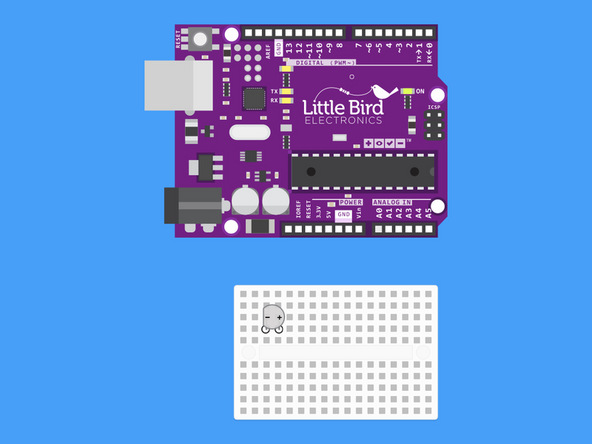
Insert your Infrared Transmitter into your breadboard so that the cathode (short leg) is on the left-hand side and the anode (long leg) is on the right-hand side.
Step 2 — Insert Your 220 Resistor into the Breadboard
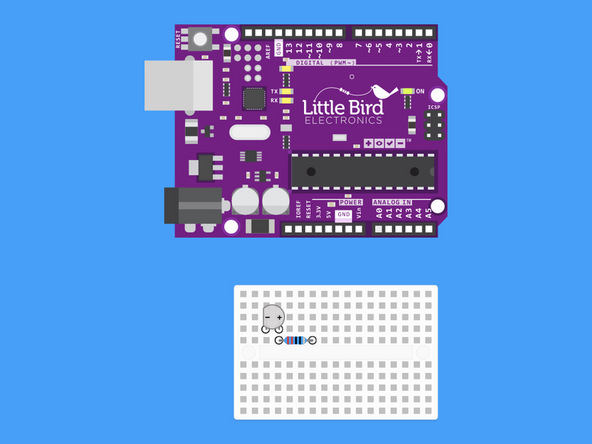
Insert your 220 Ohm resistor so that one of it's legs vertically in line with the LED's anode (long leg).
Step 3 — Connect Arduino GND to the Cathode
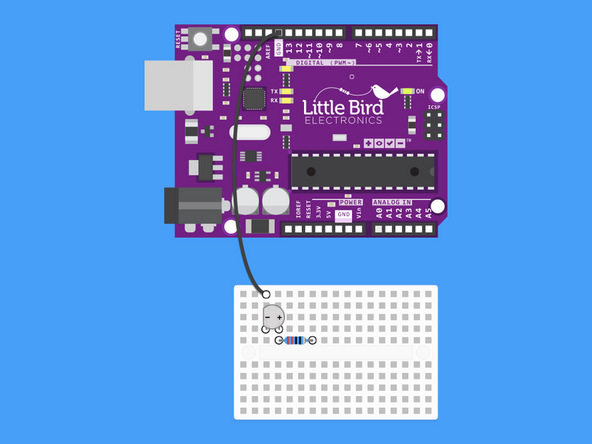
Run a jumper wire from an Arduino Ground Pin (GND) to the IR Transmitter cathode.
Step 4 — Connect Arduino Pin 3 to the Resistor
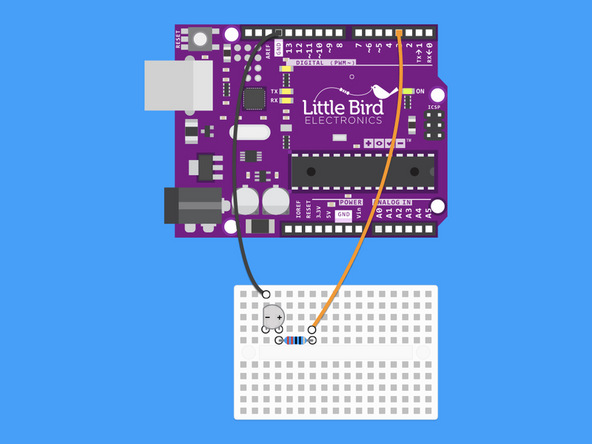
Run another jumper wire from pin 3 so that it's vertically in line with the resistor's other leg.
Step 5 — Install the IRremote Library
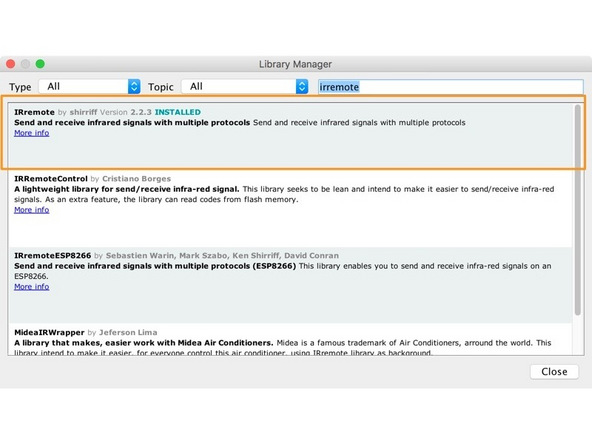
Install the IRremote Library.
Step 6 — Upload the code
#include <IRremote.h>

IRsend irsend;

void setup()
{

}

void loop() {
        for (int i = 0; i < 3; i++) {
                irsend.sendSony(0xa90, 12);
                //irsend.sendSAMSUNG(0xE0E040BF, 32);
                //irsend.sendNEC(0xF4BA2988, 32);
                //irsend.sendPanasonic(0x4004, 0x100BCBD);
                //irsend.sendLG(0x880094D, 28);

                delay(40);
        }
        delay(5000); //5 second delay between each signal burst
}
This code will by default send a command to turn on and off a Sony television. Uncomment out your brand of Television to make the code work for your TV.
Upload the code to your Arduino and bring your Arduino close to your TV (you might want to use the battery connector).
