


Beginner
Enabling SSH
How to turn on SSH on your Raspberry Pi
By Cherie Tan
In this guide we're going to learn how to turn on Secure Shell (SSH) on your Raspberry Pi.
SSH enables us to make a secure connection to our Raspberry Pi from the command line on our Mac, PC or Linux computer.
We will use the command line app raspi-config to enable SSH.
Click on the Terminal icon to open up a terminal window
Step 1 — Open Terminal Window

Click on the Terminal icon to open up a terminal window
Step 2 — Open raspi-config
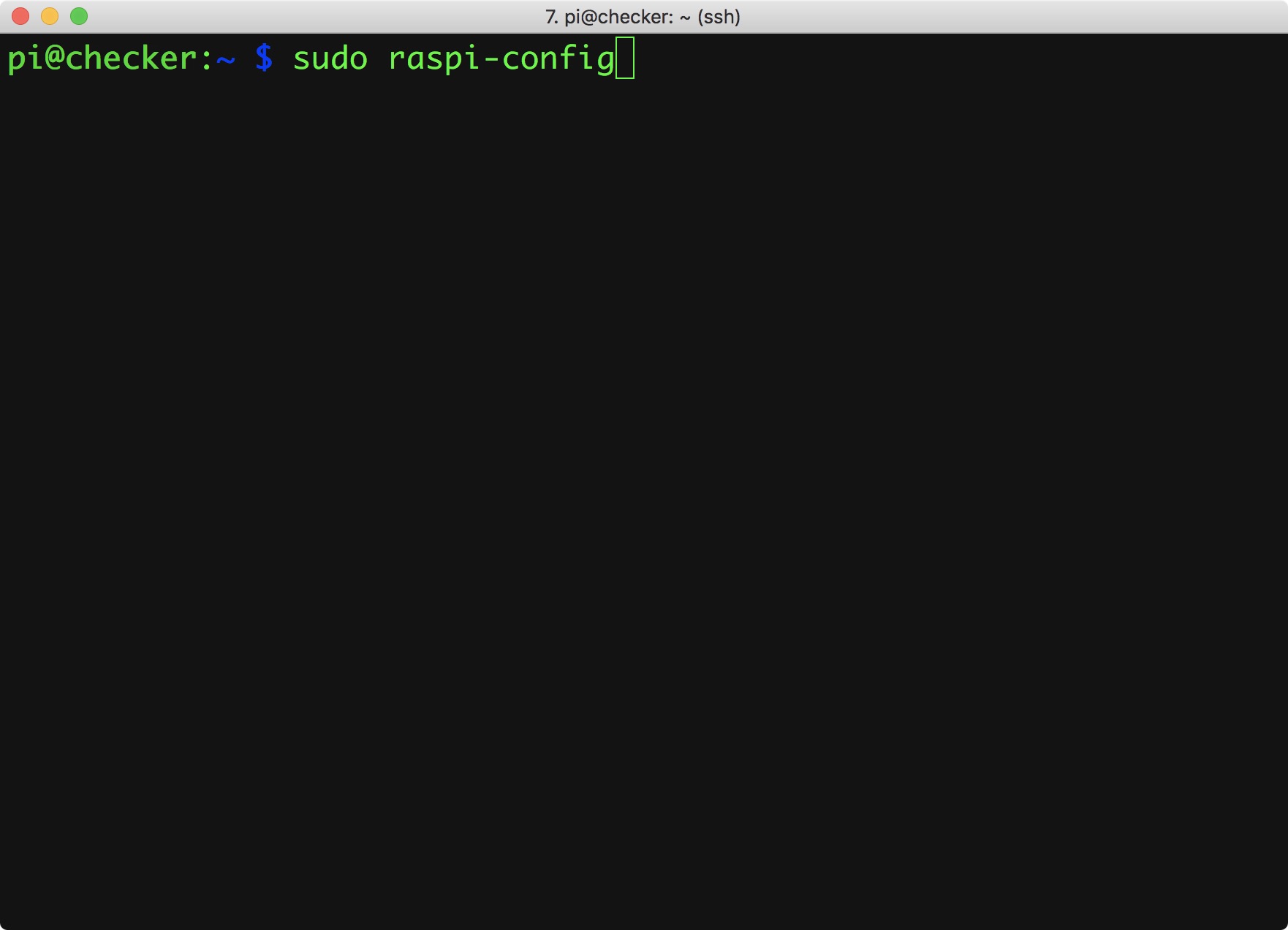
Enter the command: sudo raspi-config
Step 3 — Go down to Interfacing Options
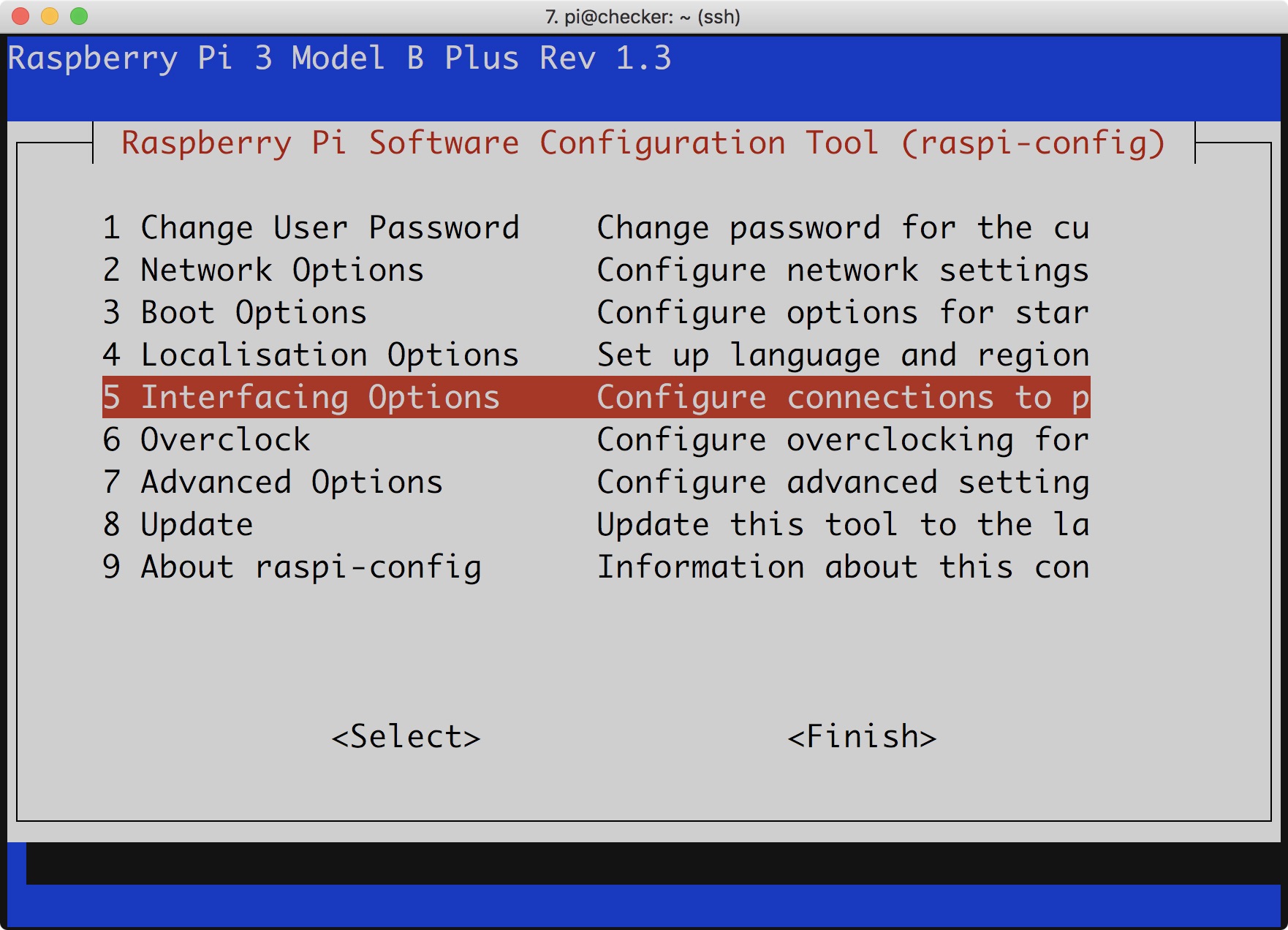
Use the arrow keys to navigate down to Interfacing Options
Step 4 — Select 'Yes'
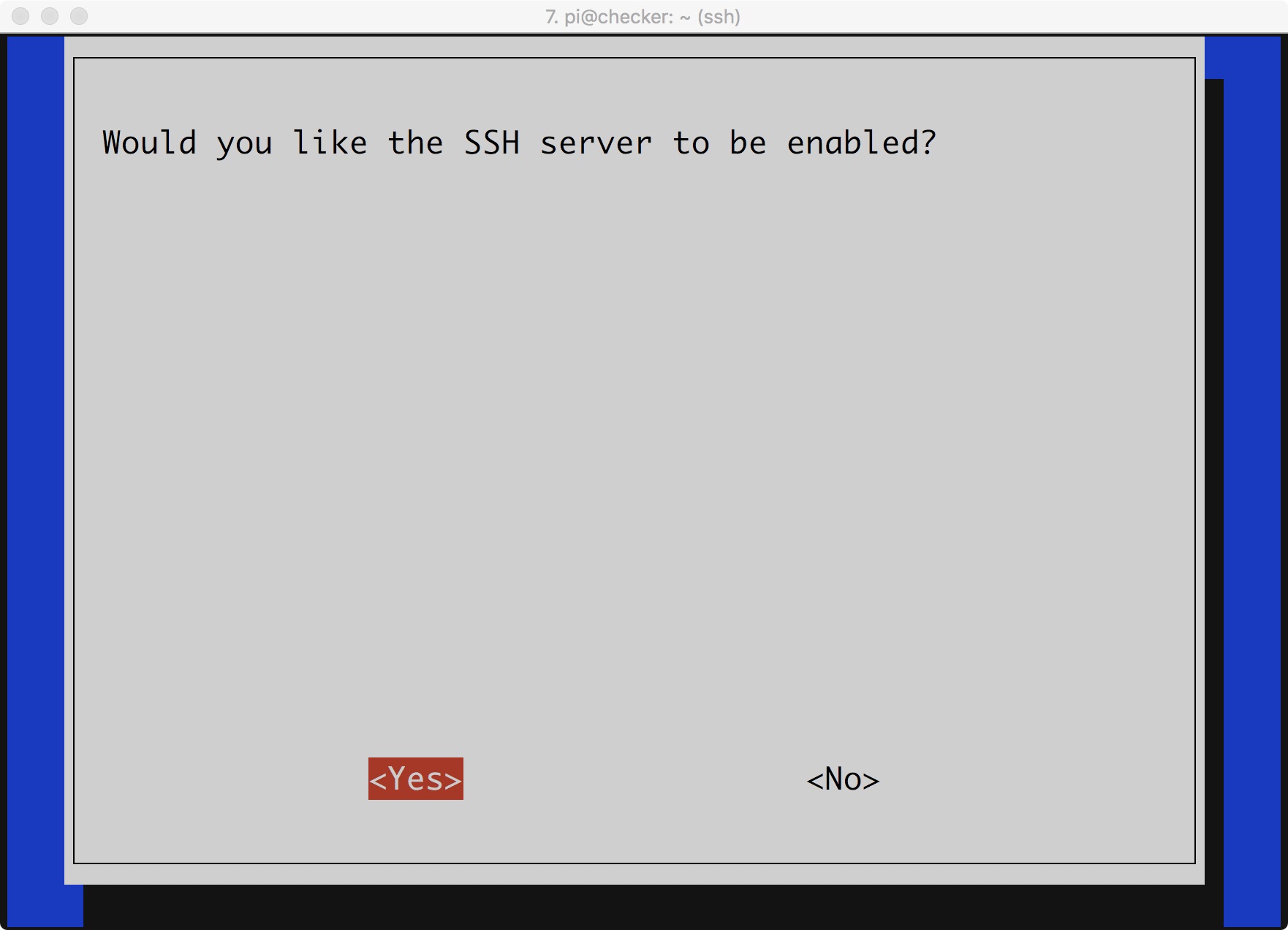
Select Yes from the prompt.
Step 5 — Navigate to <Finish>
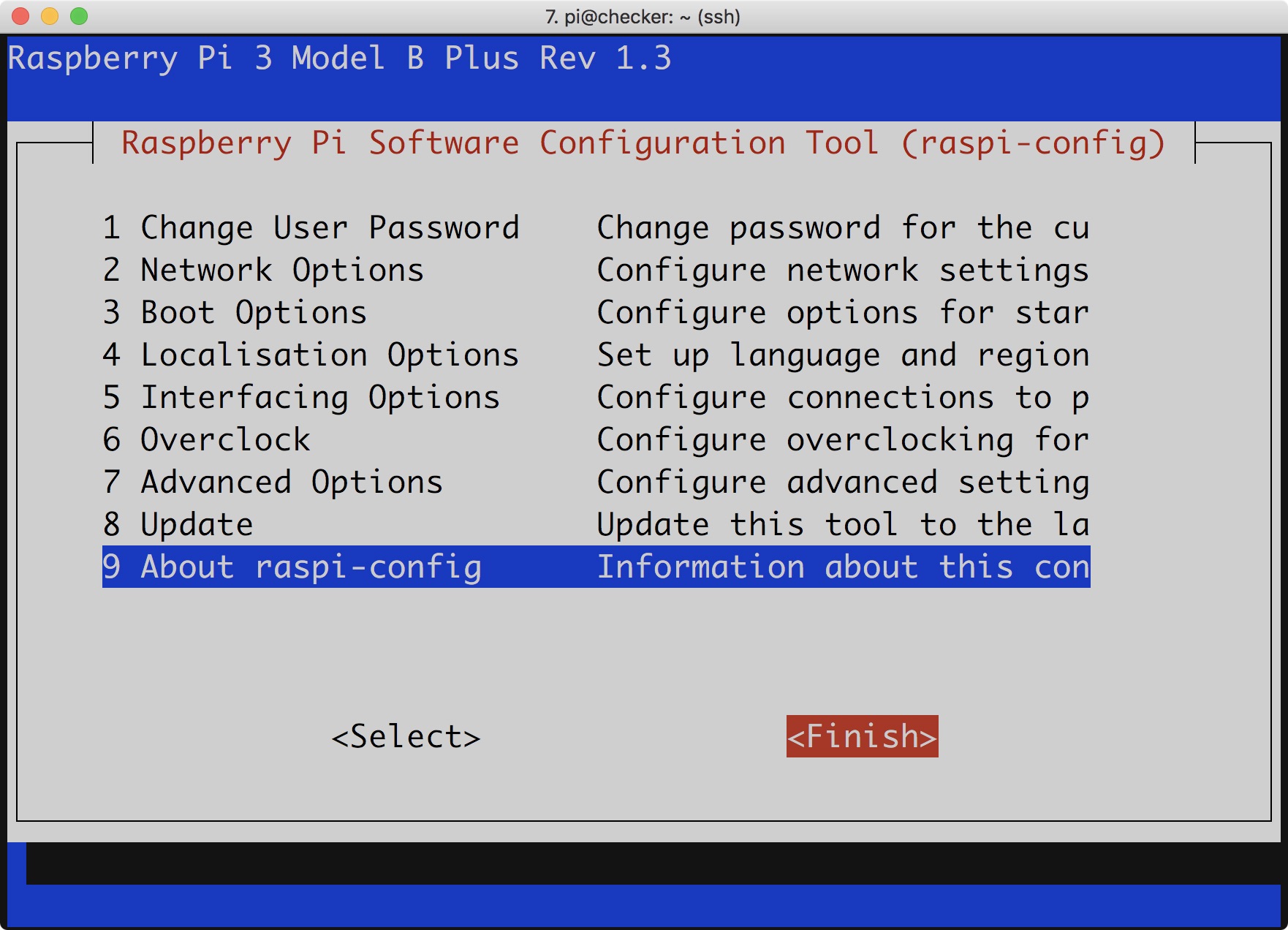
Navigate to by using the Down and Right Arrow Keys
Step 6 — Select 'SSH'
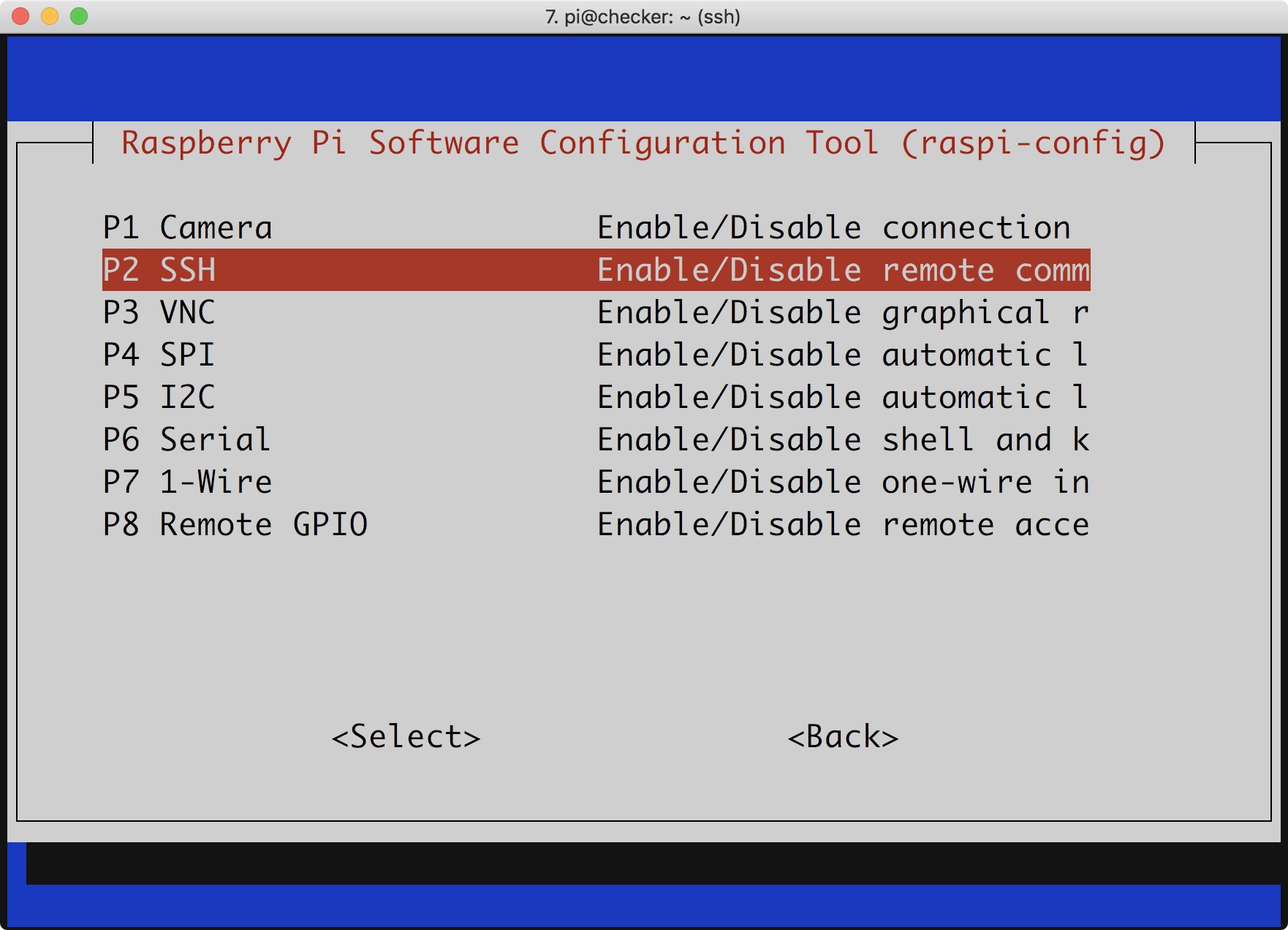
Select SSH by using the down arrow keys.
