


Beginner
Capacitive Touch Sensor with Arduino
We will use the touch sensor to turn an LED on and off
By Cherie Tan
Capacitive sensors detect touch, force, or pressure on its surface. When there is contact, the circuit closes inside the sensor, and there is a flow of current.
Follow this guide to learn to turn an LED on and off with a touch sensor and an Arduino. In this guide, we will be using a capacitive touch sensor for Arduino and a Little Bird Uno R3 development board.
The completion of this guide will give you a better understanding of how touch sensors work, as well as how to use them in your own Arduino projects!
Connect the Touch Sensor to 5V
Step 1 — Connect the Touch Sensor to 5V
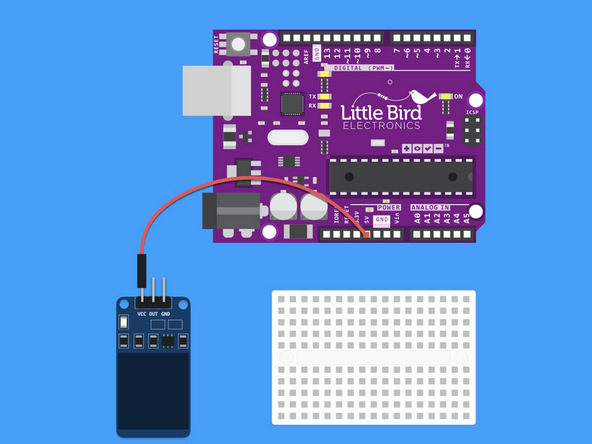
Connect the Touch Sensor to 5V
Step 2 — Connect the Touch Sensor to Digital Pin 10
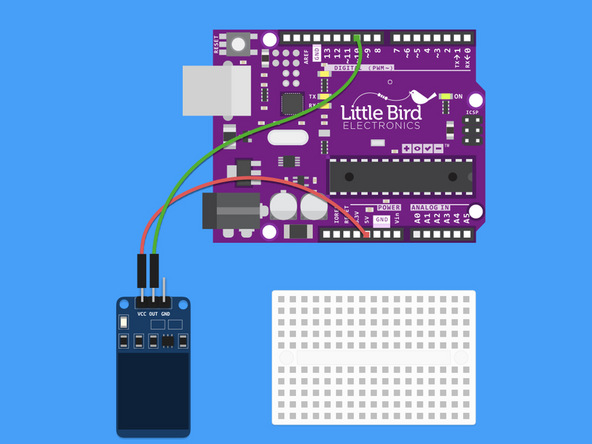
Connect the Touch Sensor to Digital Pin 10
Step 3 — Connect the Touch Sensor to Ground
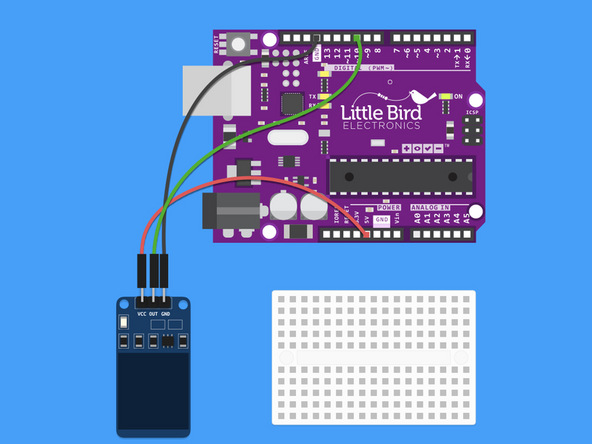
Connect the Touch Sensor to Ground
Step 4 — Insert LED into Breadboard
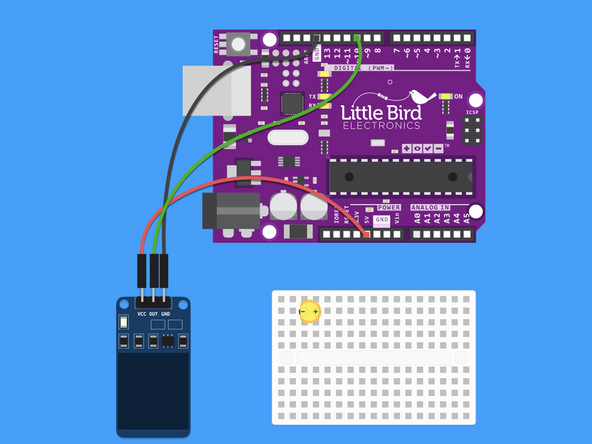
Insert LED into Breadboard with the Cathode (short leg) on the left hand side.
Step 5 — Insert 220 Ohm Resistor into the Breadboard
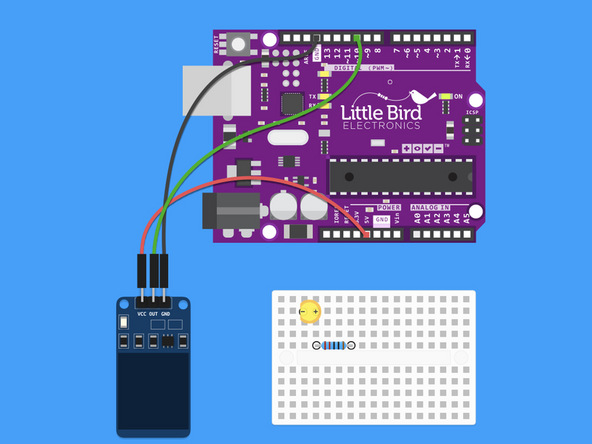
Insert 220 Ohm Resistor into the Breadboard.
Ensure that it is inline with the LED's anode (longer leg).
Step 6 — Connect LED to Ground
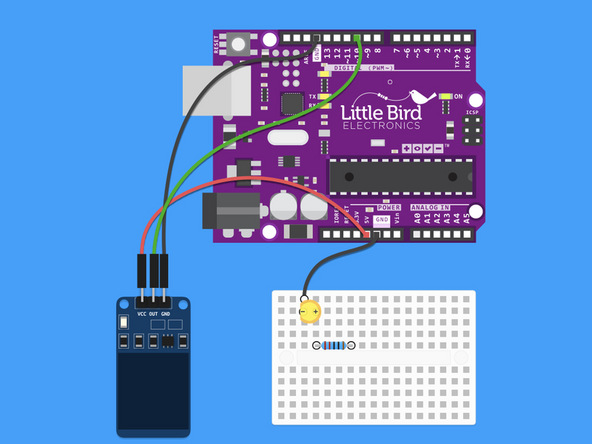
Connect the Cathode of the LED to Ground.
Step 7 — Connect 220 Ohm Resistor to Digital Pin 13
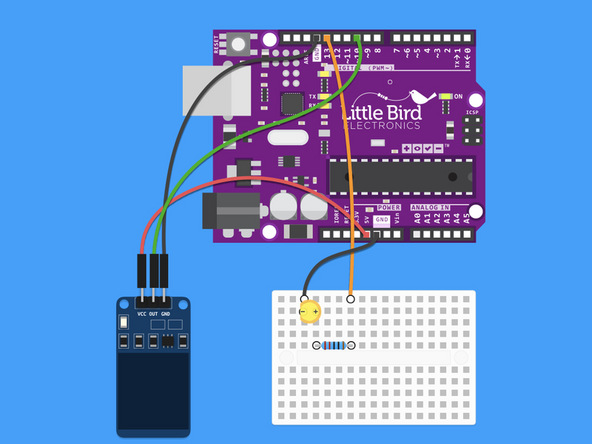
Connect 220 Ohm Resistor to Digital Pin 13
Step 8 — Upload the code
int touch = 10;  // pin for touch sensor
int ledPin = 13; // pin for the LED

void setup() {
  Serial.begin(9600);
  pinMode(ledPin, OUTPUT);
  pinMode(touch, INPUT);
}

void loop() {
  int touchValue = digitalRead(touch);
  if (touchValue == HIGH){
    digitalWrite(ledPin, HIGH);
    Serial.println("touched");
  }
  else{
    digitalWrite(ledPin,LOW);
    Serial.println("not touched");
  }
  delay(500);

}
Upload this code to your Arduino.
When you touch the blue area on the sensor the LED on Pin 13 should turn on. Also a red light switches on the sensor.
Parts List
Optional Extras (2)

Project Summary
2 parts total
Required parts
$0.00
Optional extras
+$25.35
Total (required)
$0.00
Unavailable items will be skipped
