


Intermediate
Building the Pong Game Hardware
By Cherie Tan
Pong is one of the earliest arcade games, released in 1972.
In this guide, you will build a hardware controller using a Raspberry Pi to play the old-school classic, Pong.
Complete this guide to get started and make customisations to your build.
This is the Pi T-Cobbler. It breaks out the GPIO pins from the Pi allowing us to connect cool stuff
Firmly press the cobbler into the breadboard making sure the first 5.0v pin is in H1
Step 1 — Fitting the Cobbler
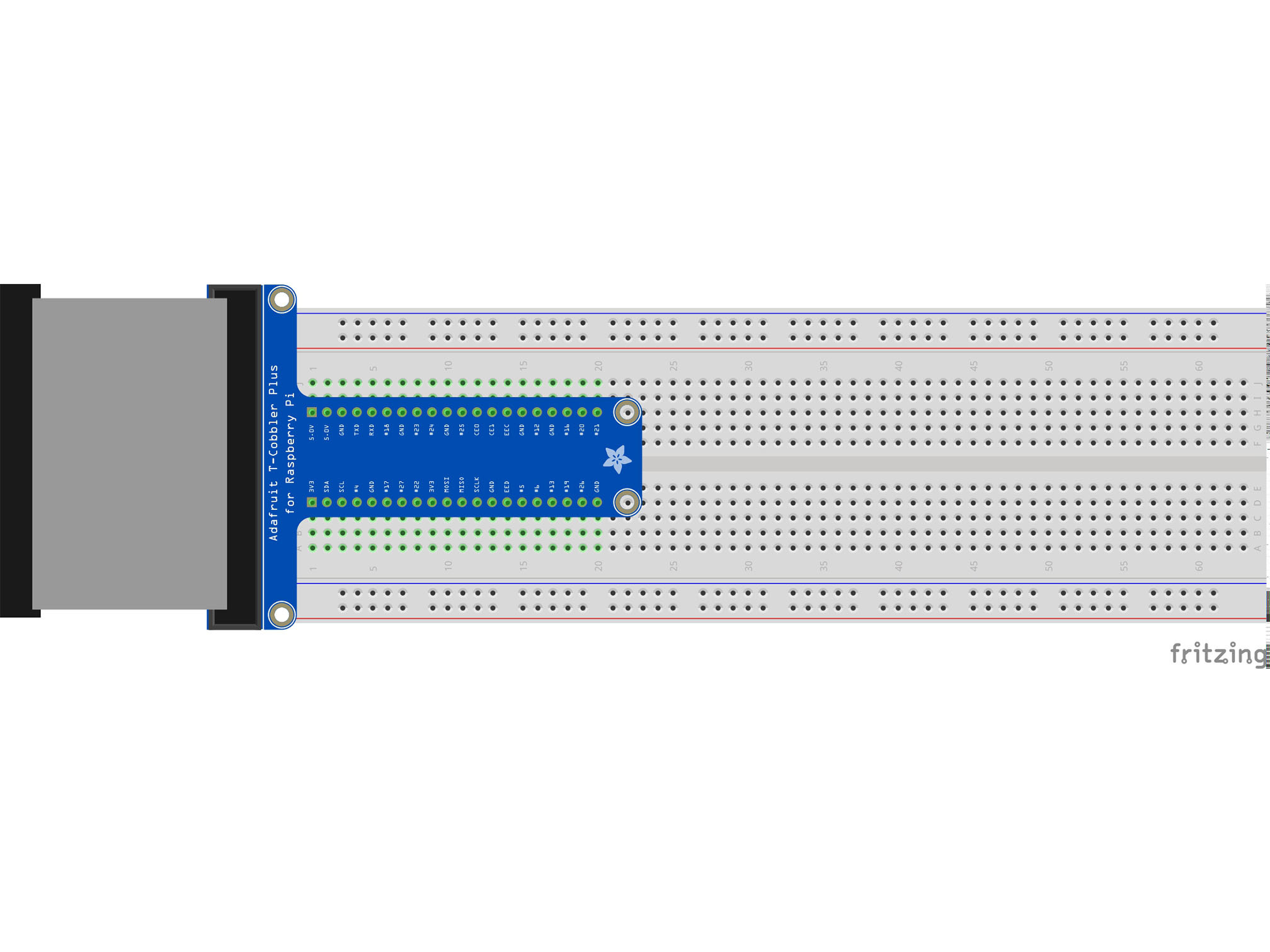
This is the Pi T-Cobbler. It breaks out the GPIO pins from the Pi allowing us to connect cool stuff
Firmly press the cobbler into the breadboard making sure the first 5.0v pin is in H1
Step 2 — Fitting the ADC
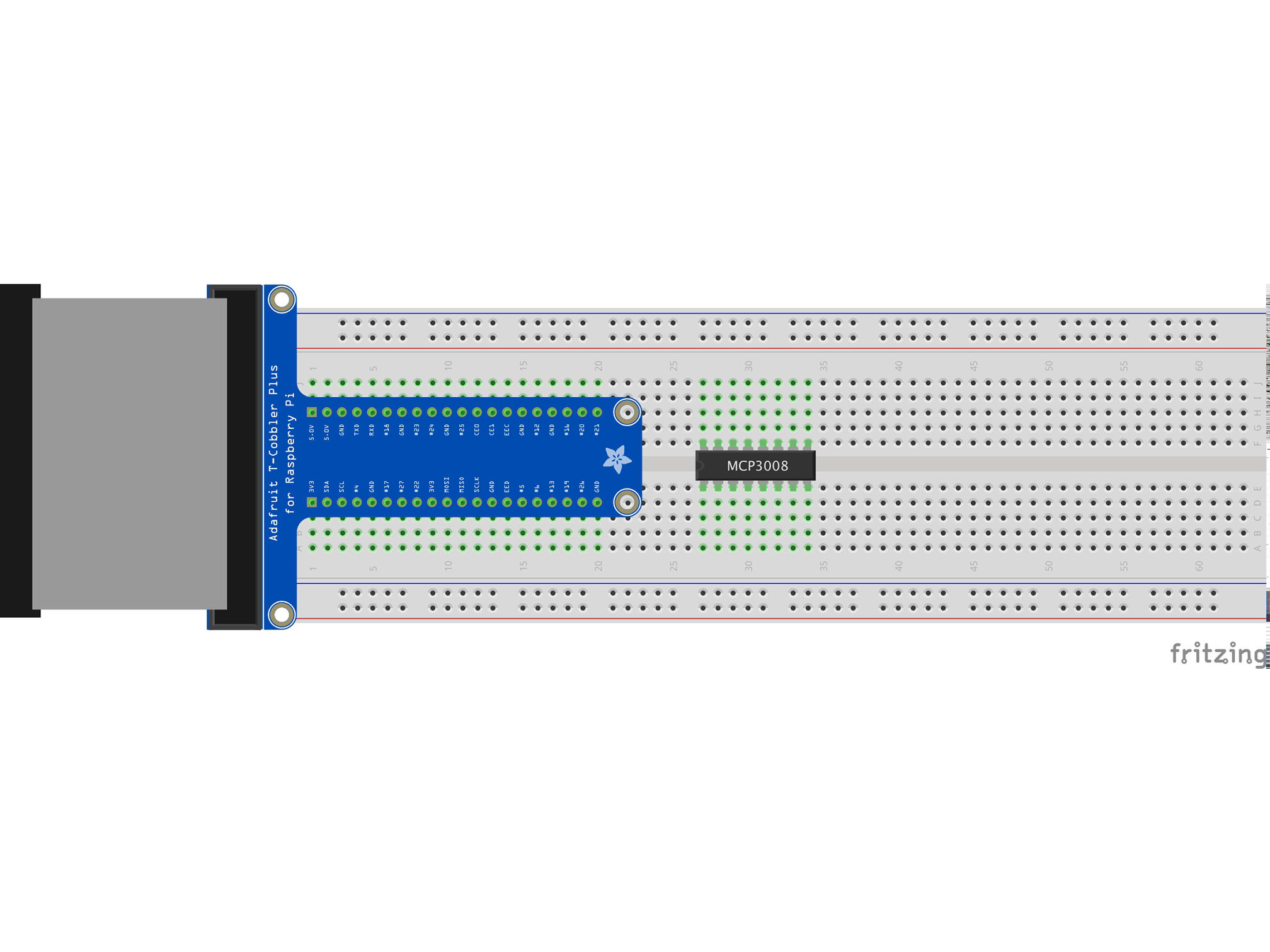
This IC (integrated circuit) is an analog to digital converter allowing us to read analog inputs into our Pi
Line up pin 1 (marked by a small indent on the plastic) with E27
Press firmly into the breadboard
Step 3 — Fitting the knob
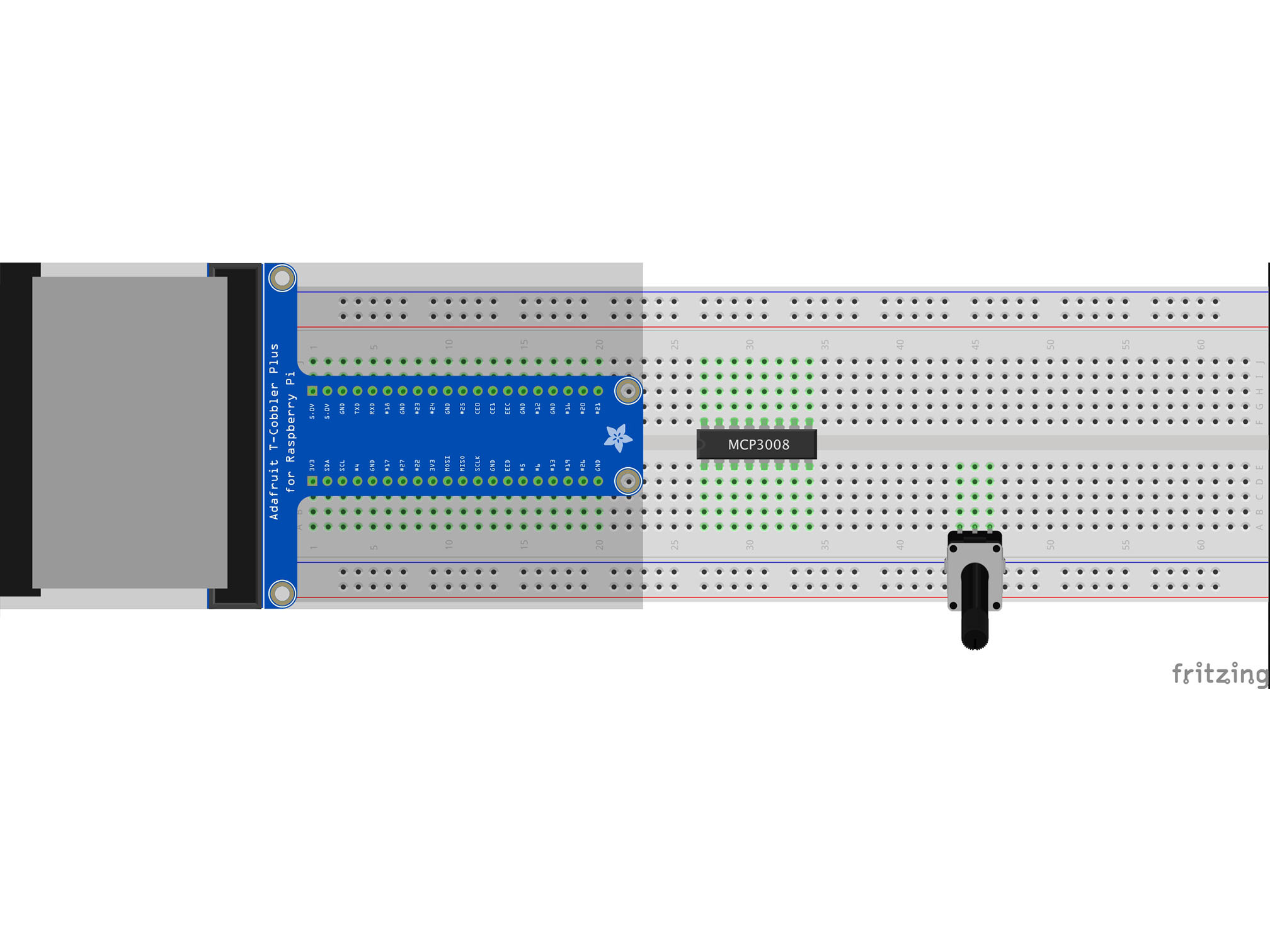
This is a potentiometer. It will be our analog input.
Press it into the breadboard as shown with the first pin in A44
Step 4 — Wiring chip select
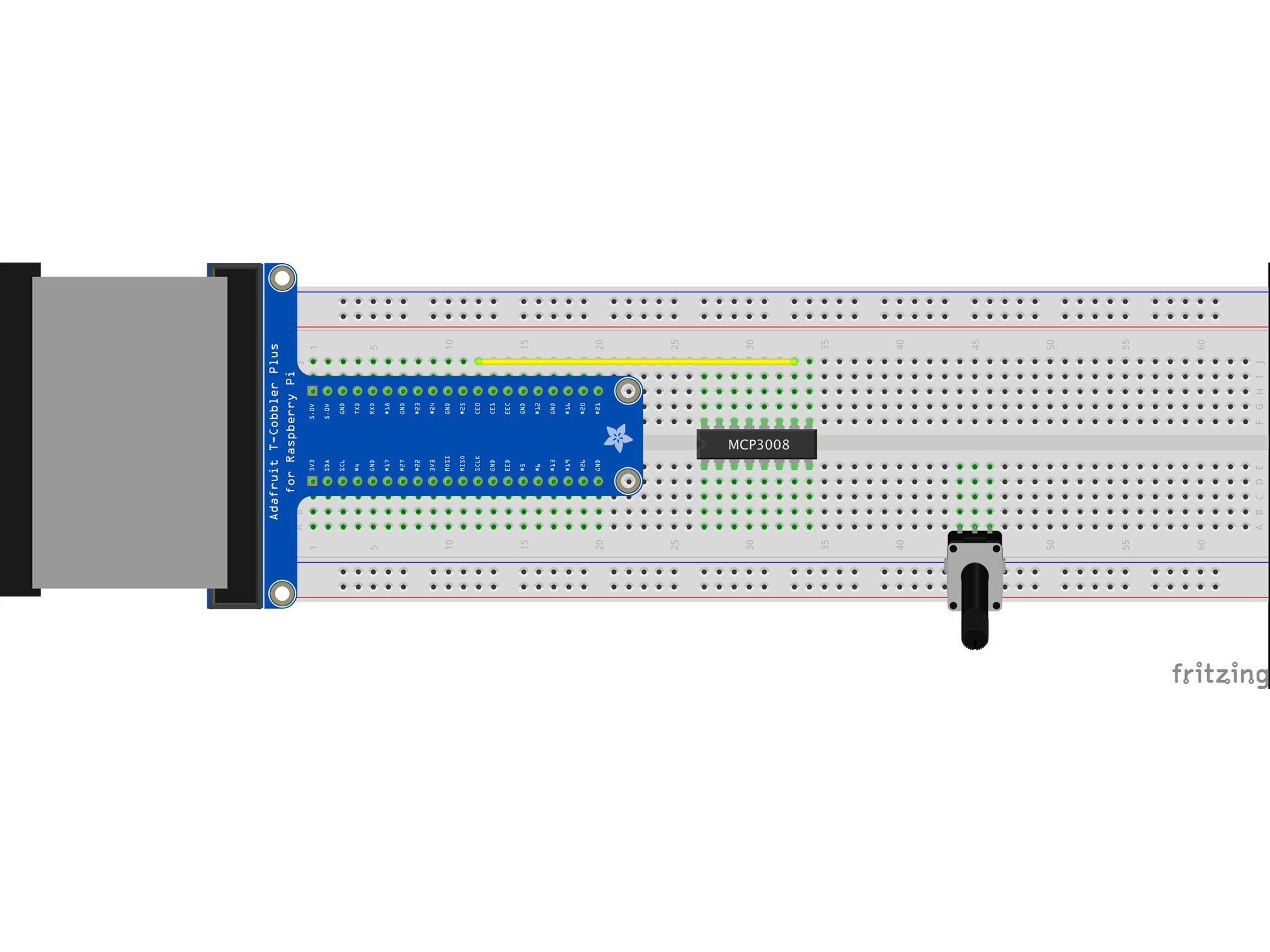
Connect J12 to J33 using a yellow jumper wire
This is our chip select line
It tells the IC when it can send data
MCP3008 CS/SHDN to Raspberry Pi CE0
Step 5 — Wiring Analog Input
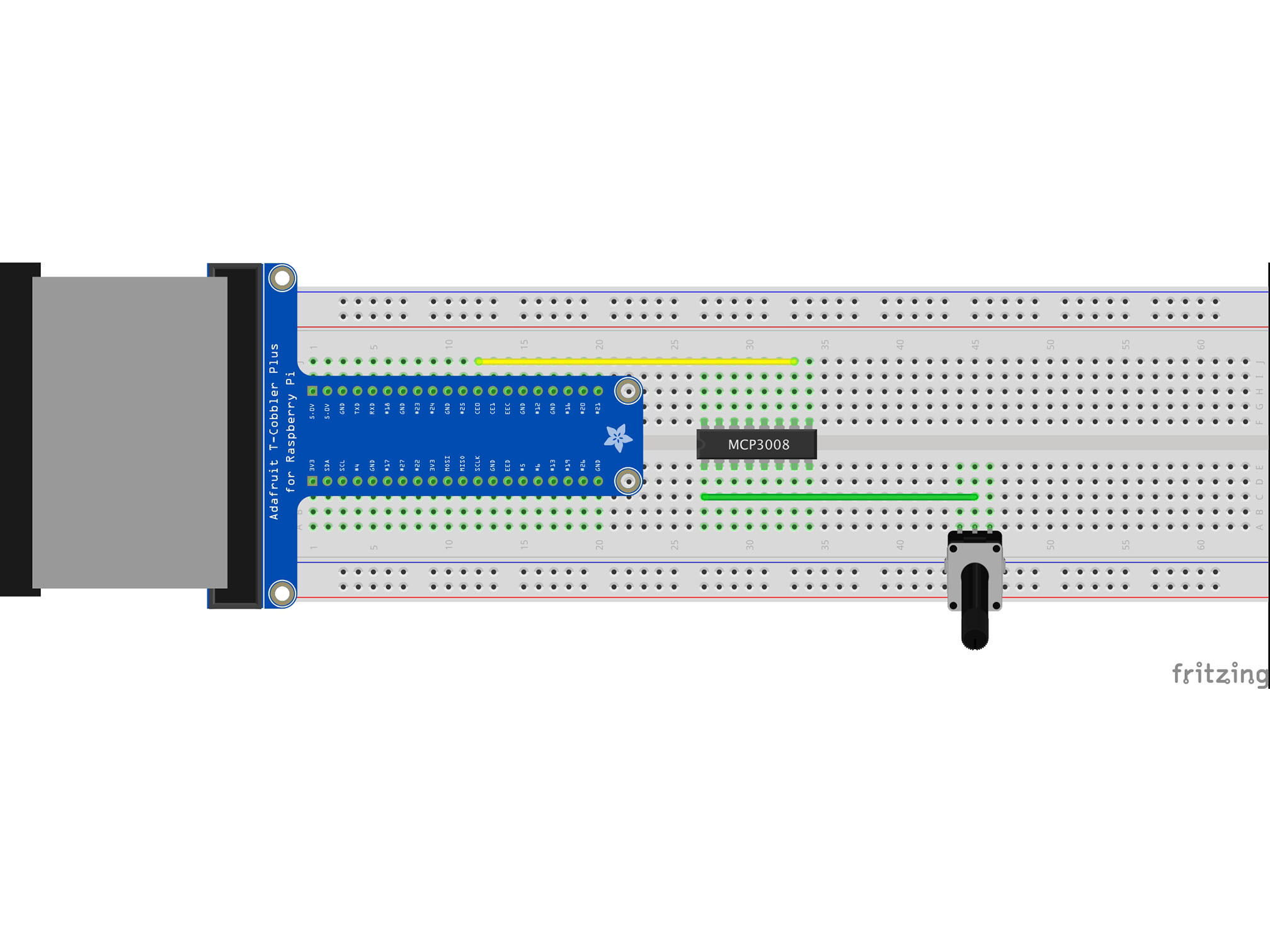
Connect C45 to C27 using a green jumper wire
This is our analog input
Step 6 — Wiring data clock
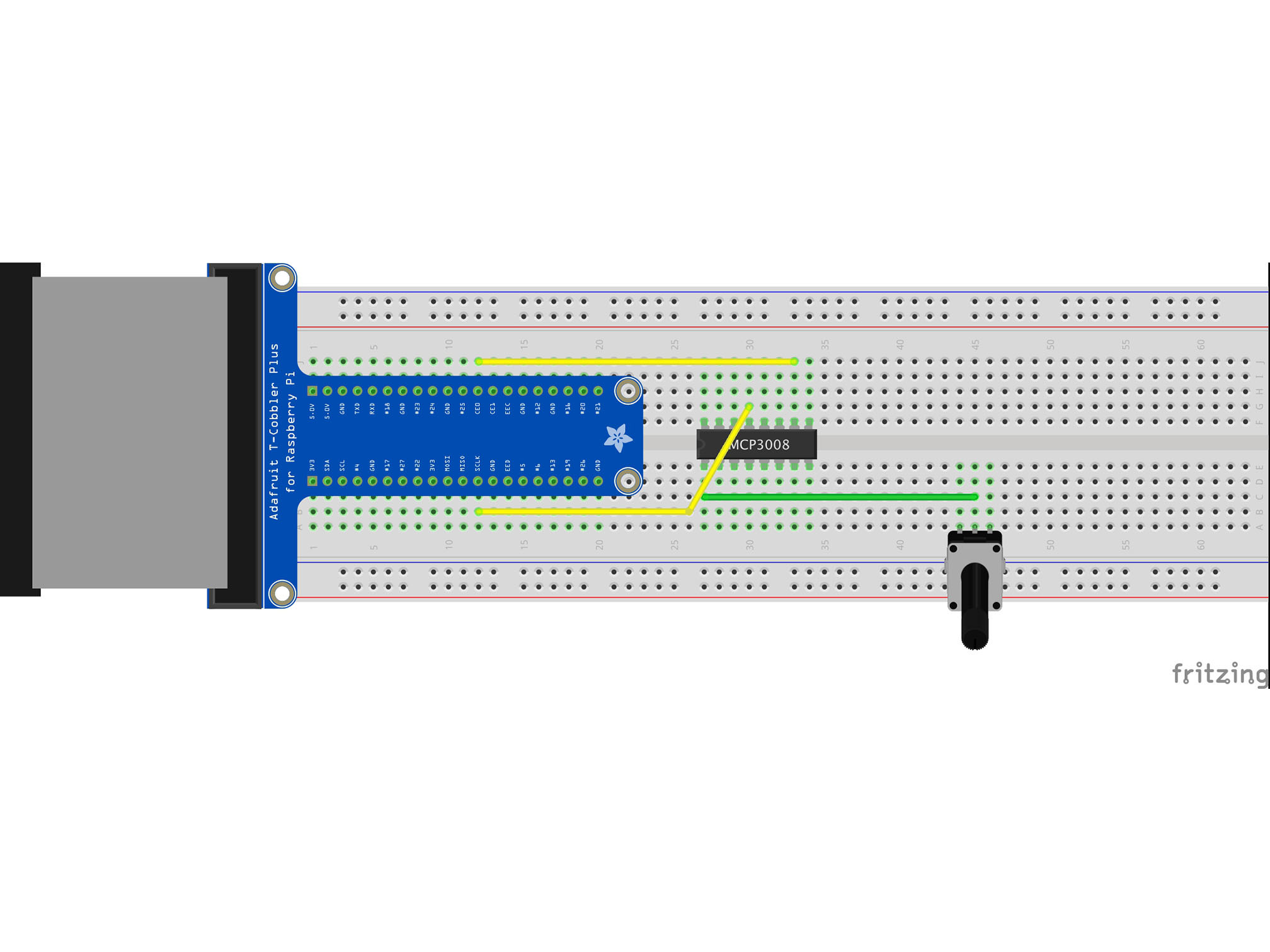
Connect J30 to B12 using a yellow jumper wire
This is our data clock, it allows the Pi to synchronize data transfer with the IC
MCP3008 CLK to Raspberry Pi SCLK
Step 7 — Wiring MOSI
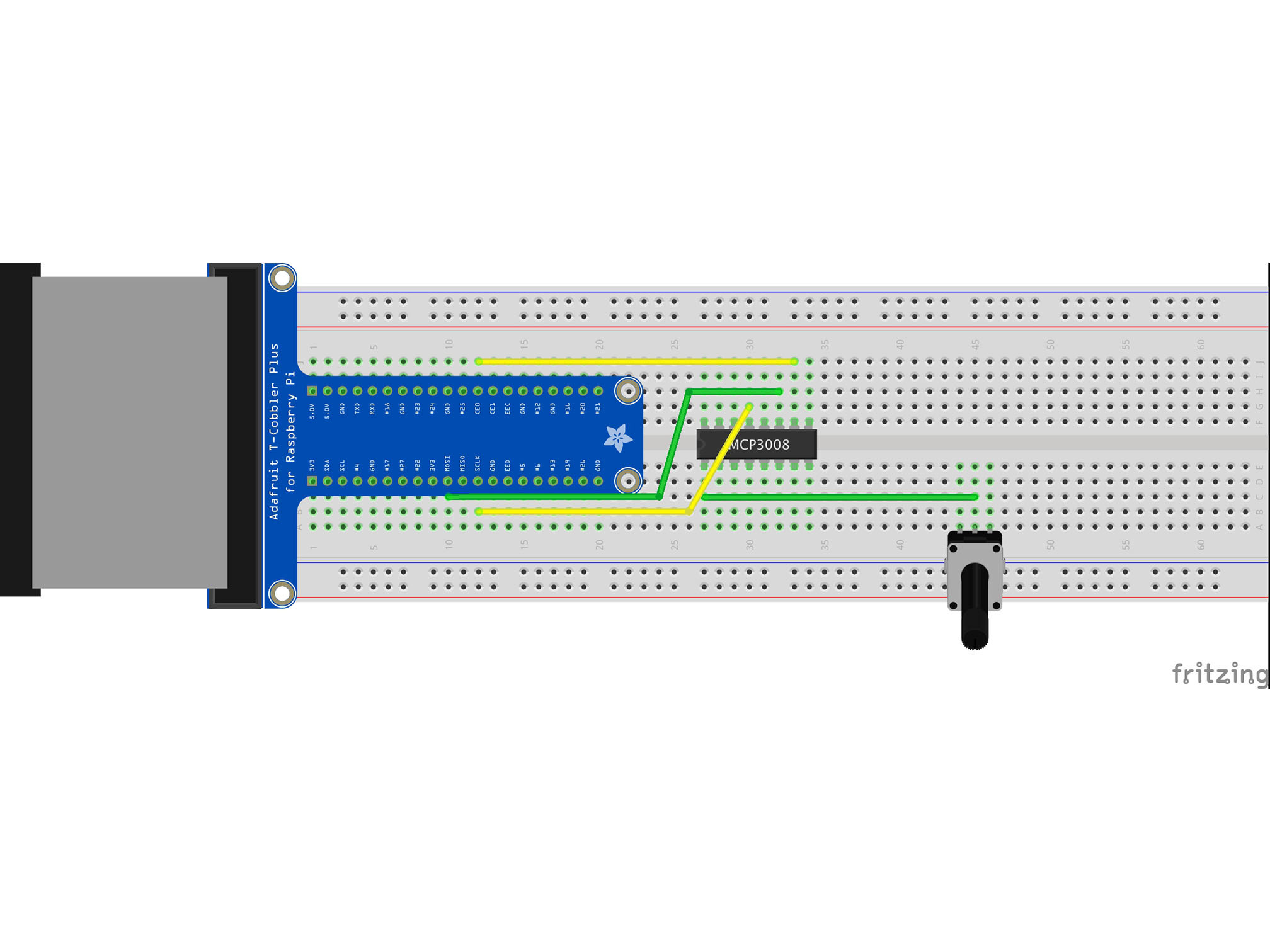
Connect C10 to H30 using a green jumper wire
This is our MOSI (Master Output Slave Input)
It allows the Pi to talk to the IC
MCP3008 DIN to Raspberry Pi MOSI
Step 8 — Wiring MISO
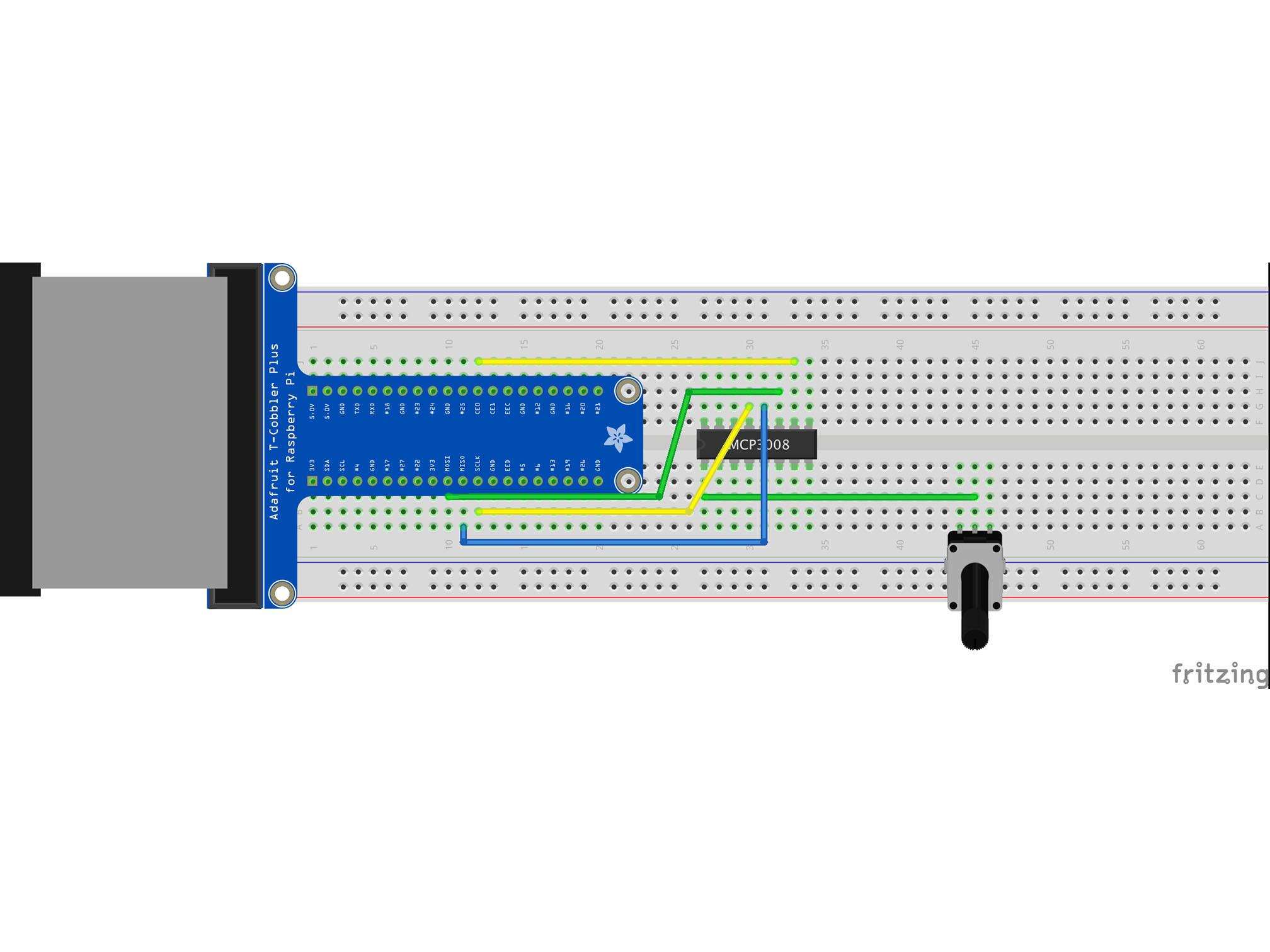
Connect G31 to A11 using a blue jumper wire
This is out MISO (Master Input Slave Output)
It allows our IC to talk to the Pi
MCP3008 DOUT to Raspberry Pi MISO
Step 9 — Wiring VDD
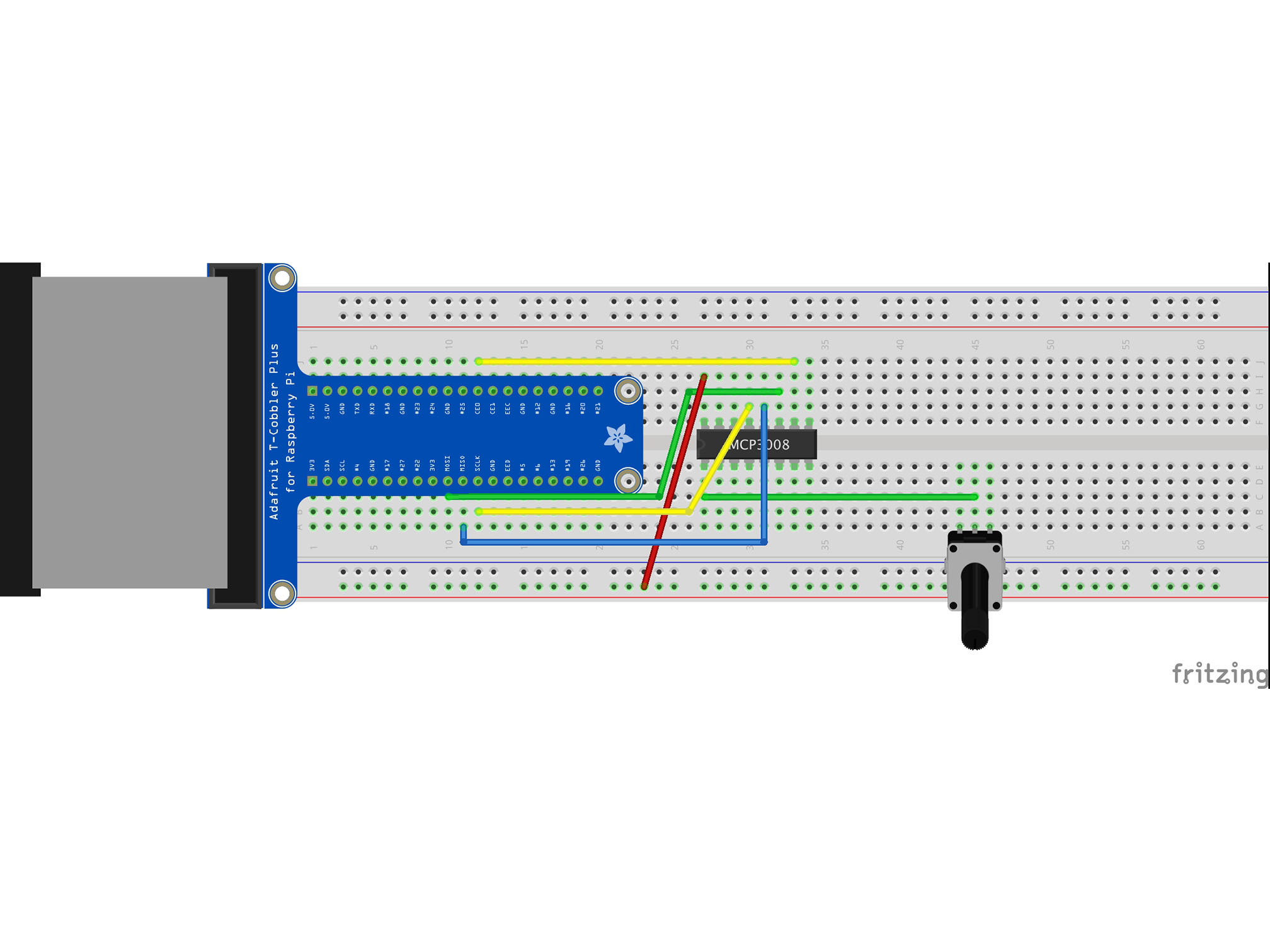
Connect the RED power rail to I27 with a red jumper cable
This is providing power connection to our IC
MCP3008 VDD to Raspberry Pi 3.3V
Step 10 — Wiring Vref
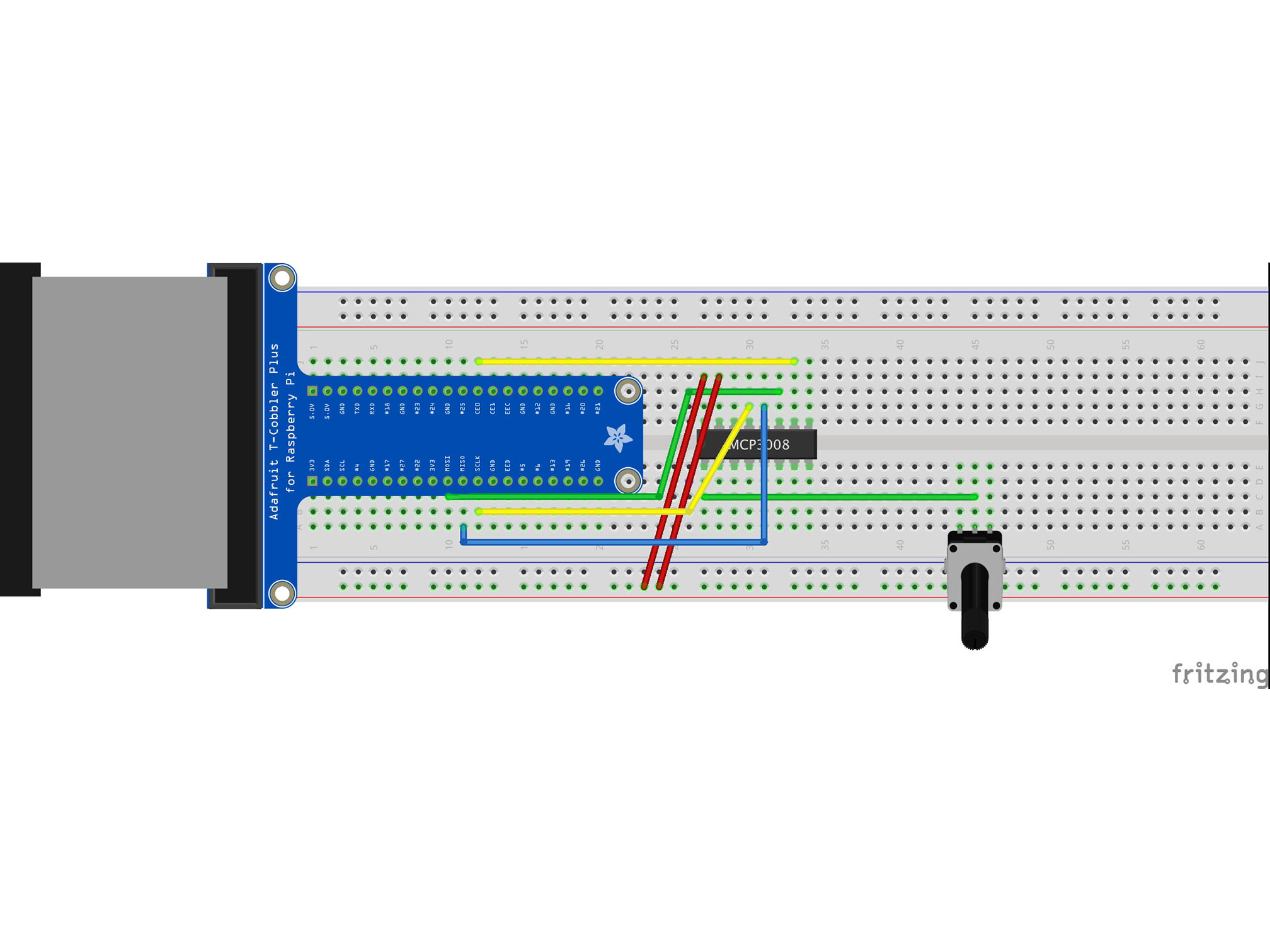
Connect the RED power rail to I28 using a red jumper cable
This is our Vref
It provides a reference voltage to measure our analog input against MCP3008 VREF to Raspberry Pi 3.3V
Step 11 — Wiring AGND
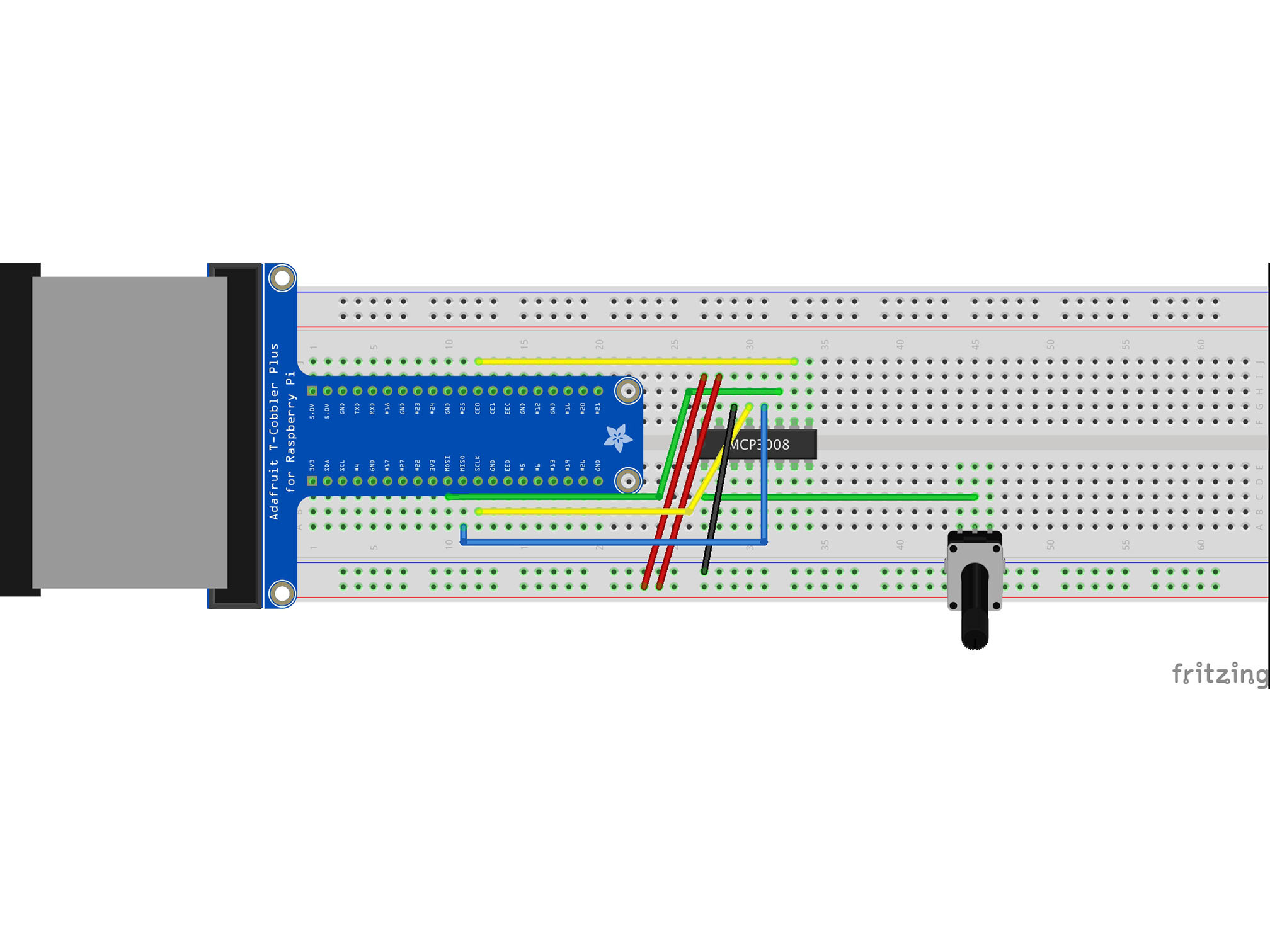
Connect the BLUE power rail to G29 using a black jumper cable
This is our analog signal negative (ground or GND) connection to the IC
MCP3008 AGND to Raspberry Pi GND
Step 12 — Wiring IC Ground
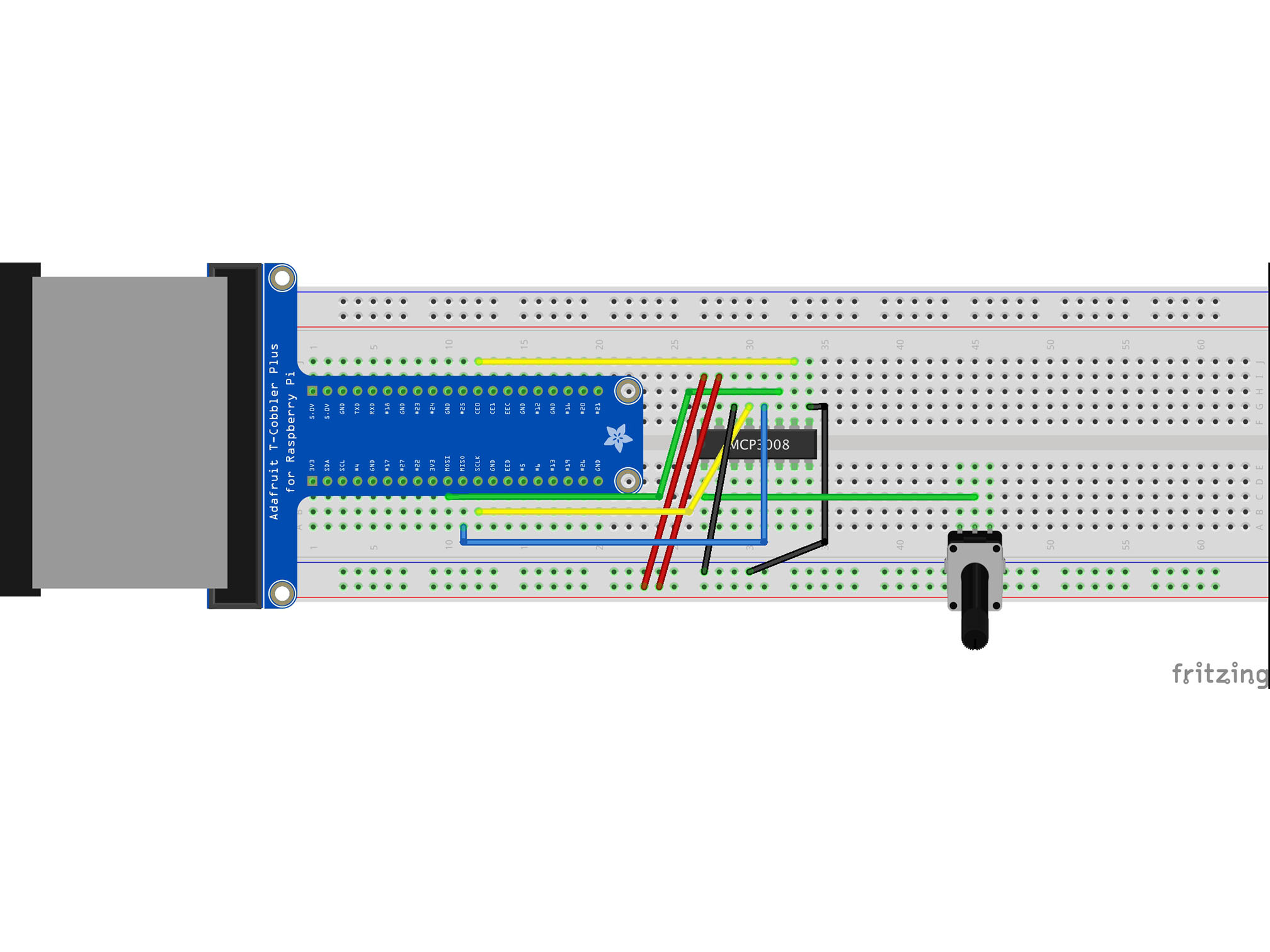
Connect G34 to the BLUE power rail with a black jumper cable
This is our negative (ground or GND) connection to the IC
MCP3008 DGND to Raspberry Pi GND
Step 13 — Wiring negative to the knob
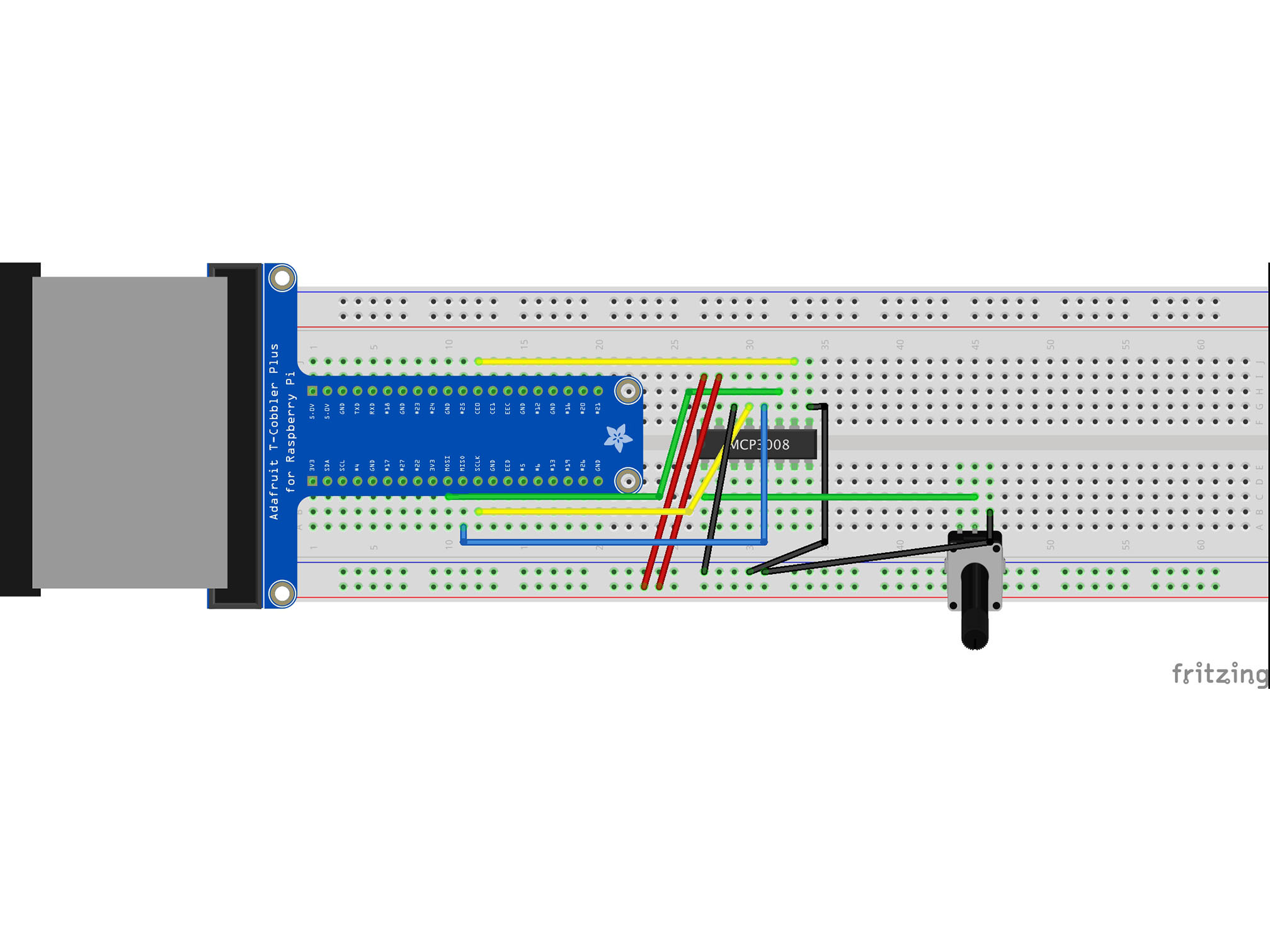
Connect the BLUE power rail to B46 with a black jumper cable
This is our negative (GND) connection the the potentiometer
Step 14 — Wiring positive to the knob
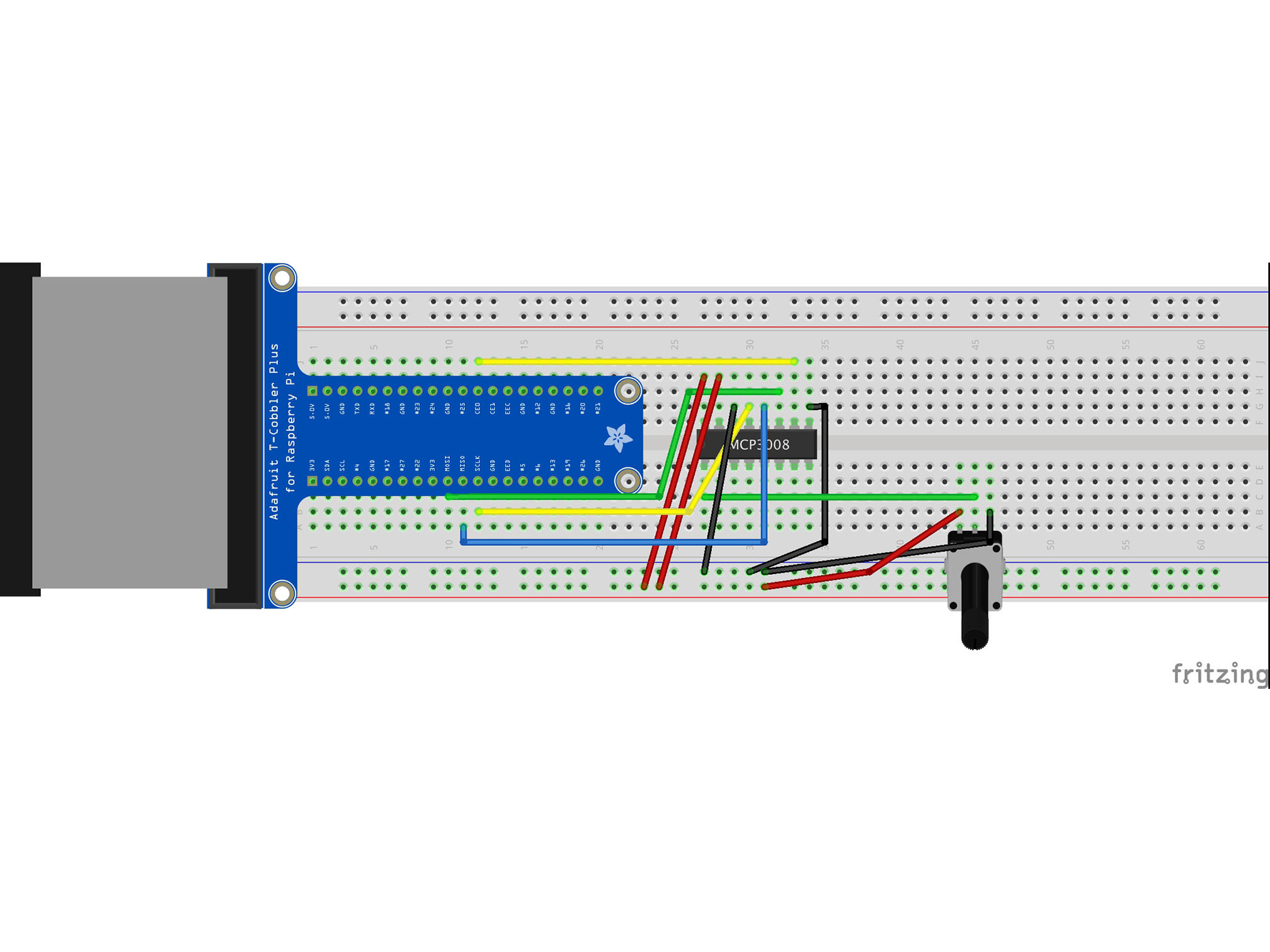
Connect the RED power rail to B44 with a red jumper cable
This is our positive connection the the Potentiometer
Step 15 — Wiring GND to the Pi
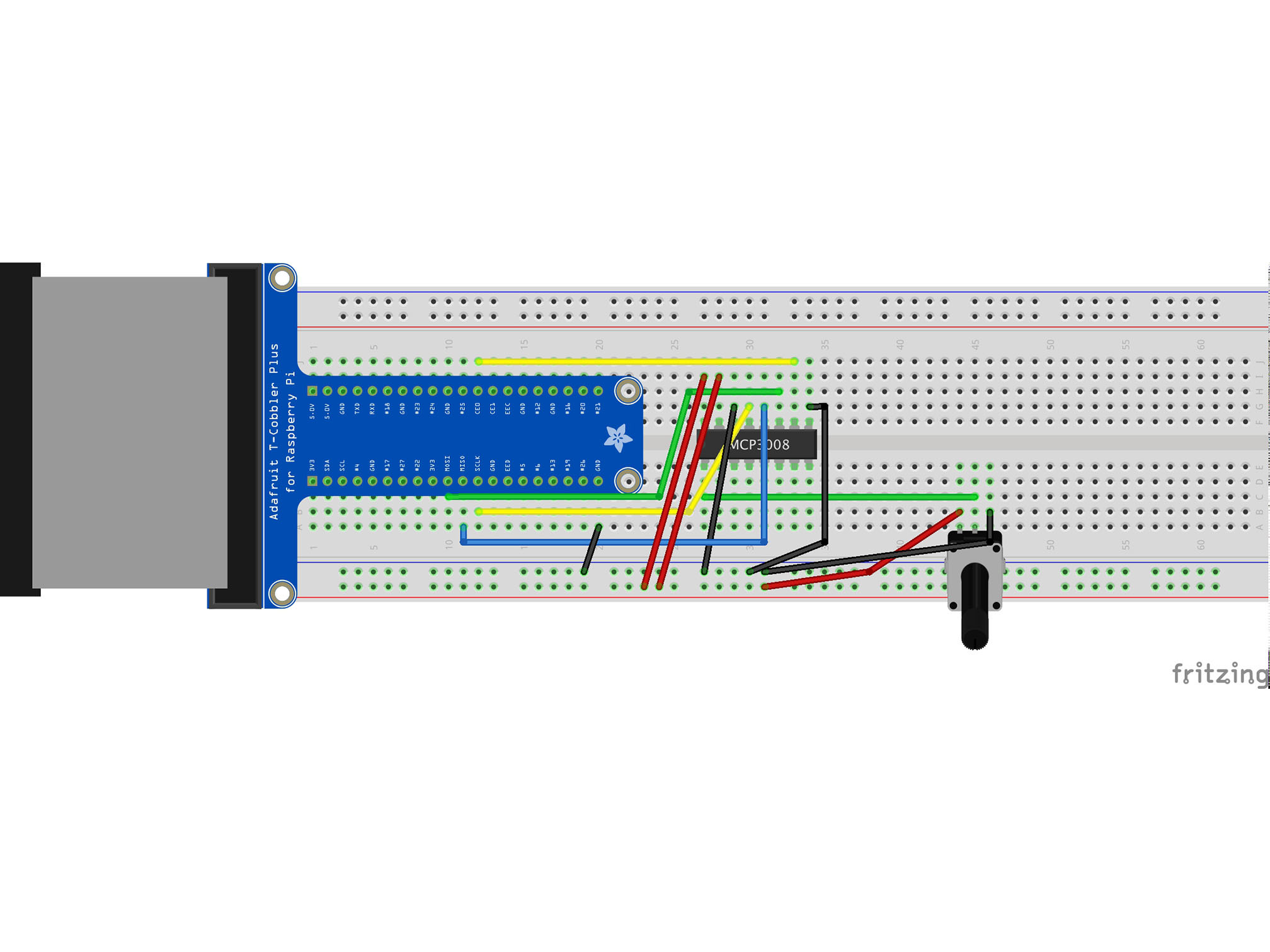
Connect the BLUE power rail to A20 with a black jumper cable
This allows the raspberry Pi to share a ground (negative, GND) connection with the rest of our circuit
Step 16 — Wiring 3V3
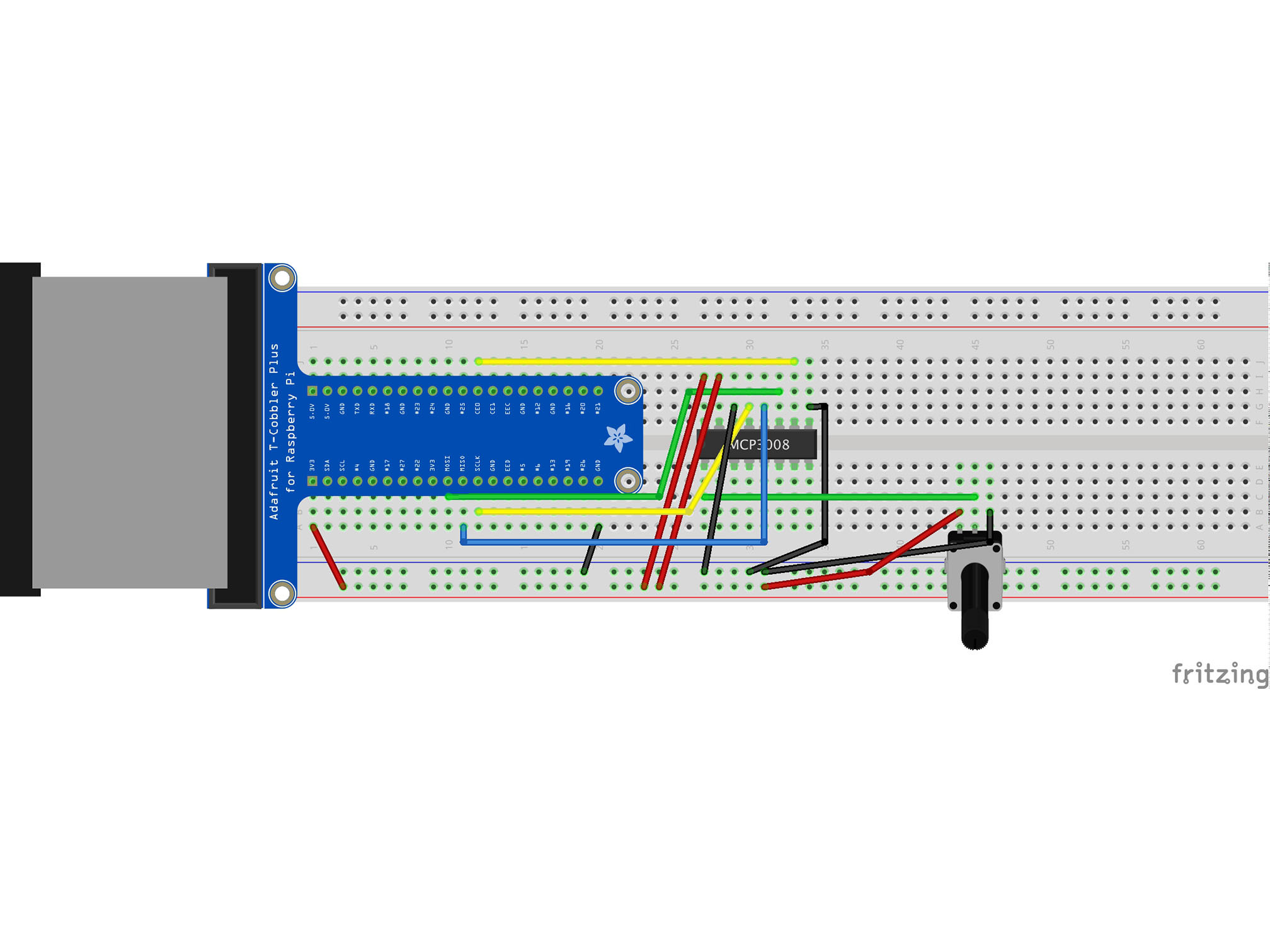
Connect the RED power rail to A1
This provides power to our circuit from the Pi
