Speaker for micro:bit
Love this... nice and loud!
Joanne Hadley
/products/{handle}.md)
and JSON
(/products.json, /products/{handle}.json).
Due to the Mid-Autumn Festival holiday in China, orders supplied by DFRobot, ElecFreaks, Elecrow and Waveshare may take longer than usual. Items already available in our Sydney warehouse are unaffected.
Pimoroni
The MonkMakes Speaker for micro:bit is a compact, amplified speaker that connects to your micro:bit using alligator clips. It's the easiest way to add sound ...
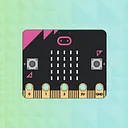
The MonkMakes Speaker for micro:bit is a compact, amplified speaker that connects to your micro:bit using alligator clips. It's the easiest way to add sound output to your micro:bit projects — just clip on and start coding.
With built-in amplification, reverse polarity protection, and an LED power indicator, it's designed to be beginner-friendly and classroom-ready. Use it to play melodies, create musical instruments, or add sound effects to your projects.
Connect the speaker to your micro:bit using alligator clips. Make sure the clips are perpendicular to the board so they don't touch neighbouring connectors on the edge connector.
Try it with the MakeCode Blocks Editor: add an on button A pressed block from the Input section, then add a start melody block from the Music section. Click Download and copy the file to your micro:bit.
For MicroPython, use the Python Editor with this example:
from microbit import *
import music

while True:
    if button_a.was_pressed():
music.play(music.ENTERTAINER)Plain-language definitions for the technical terms used above.
Find this product in
Audio & Video
Brands
STEM & Education
Free step-by-step guides

Hi, I'm Maddy. My team and I are ready to help with your order or any questions.