

SparkFun
SparkFun gator:bit v2.0 - micro:bit Carrier Board
All Products
Breakouts
New Arrivals
Sensors
SparkFun
micro:bit
Micro:bit Expansion Boards
Sensors & Modules
Education
Micro:bit STEM Projects
Sensors & Input
$47.35
|
Only 2 left
The SparkFun gator:bit v2.0 is an all-in-one “carrier” board for your micro:bit that provides you with a fully functional development and prototyping platfor...
Get notified when back in stock
Estimated Delivery
Arrives
Order now — ships Mon 21 Sep
Disclaimer
Secure checkout
The SparkFun gator:bit v2.0 is an all-in-one “carrier” board for your micro:bit that provides you with a fully functional development and prototyping platform. Almost every pin on the micro:bit is broken out to pads that alligator (or crocodile, if you prefer) clips connect to so you can get the most out of it! Whether it is data visualization using the five on-board addressable LEDs or creating musical works of art using the built-in speaker, we’ve got it covered with the with the SparkFun gator:bit!
The major benefit of gator:bit that we have provided is safe access to as many GPIO as possible from the micro:bit. Not only are pins 0, 1, 2, 8, 16, 5 (Button A), and 11 (Button B) broken out, but they are also protected against over voltage and over current/short circuit. Pins 0, 1, and 2 are ADC pins and are also the capacitive touch pins. Pins 8, 16, 5, and 11 are digital pins capable of read and write. Additionally, pins 13 (SPI), 14(SPI), 15(SPI), 19 (I2C), and 20 (I2C) can be used to read and write whatever digital signals you could want. We go into much more detail about each pin and other attributes (like supplying voltage out, light, and sound) in the SparkFun gator:bit Guide found below.
Make sure to check that out!
Make sure to check that out!
Each SparkFun gator:bit can be powered from 2.7V - 9V giving you quite a range of powering options. There are three ways of powering your gator:bit, from the barrel jack, through the alligator clip pads labeled “VIN,” or through the micro:bit. Any voltage input between 2.7V and 9V will be regulated to 3.3V to power the micro:bit, the speaker, and for use by any of the alligator clip pins.
Even without any external hardware, the gator:bit is still an exploratory development board for micro:bit allowing the easiest access to it for educators, beginners, and pro-makers alike.
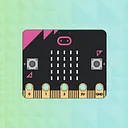
The micro:bit is a pocket-sized computer that lets you get creative with digital technology. Between the micro:bit and our shield-like bit boards you can do almost anything while coding, customizing and controlling your micro:bit from almost anywhere! You can use your micro:bit for all sorts of unique creations, from robots to musical instruments and more. At half the size of a credit card, this versatile board has vast potential!
Note: The SparkFun gator:bit does NOT include a micro:bit board. The micro:bit will need to be purchased separately.
Jargon buster
Plain-language definitions for the technical terms used above.
- ADC
- An analogue-to-digital converter reads a changing voltage and turns it into a number the microcontroller can use. It matters when connecting analogue sensors such as light, sound, or variable-resistor sensors.
- alligator clip
- An alligator clip is a spring-loaded metal clip used to make temporary electrical connections to wires, terminals or test points. It is useful for quick bench testing, but it is less secure than a screw terminal or locking connector.
- GPIO
- General-purpose input/output pins are microcontroller pins you can set in software to read signals, switch devices on and off, or connect to peripherals. The number of GPIO pins matters because it limits how many buttons, LEDs, sensors, and other parts you can wire directly to the board.
- I2C
- I2C is a two-wire communication bus used by many sensors and small modules. It matters because several I2C devices can share the same two wires, but each device needs a compatible address and your controller must support I2C.
- Shield
- An add-on board that plugs into a main controller board to give it extra features such as sensing, motor control or communication. Knowing a product supports shields helps you judge whether it can connect neatly into an existing maker-board setup.
- SPI
- A fast serial communication bus often used for displays, memory cards, and sensors. It matters because SPI devices need specific pins for clock and data, plus a separate chip-select line for each device.
Find this product in
Sensors & Input
gator bit v20
Schematic · 181.0 KB · Click any page to view full size
Resources & Downloads
Guides, code examples, and more
Related Tutorials
Free step-by-step guides
Featured in buying guides
Comparison guides this product appears in

