


Beginner
Passive Infrared Sensor with micro:bit
By Cherie Tan
A passive infrared (PIR) sensor measures infrared light radiating from objects in its view. These sensors collect incident infrared radiation with the use of a Fresnel lens, on a pyroelectric sensor and can detect human movement as long as it is within the range of the sensor. In this guide, learn to connect a PIR motion sensor to the micro:bit. Then learn to program the micro:bit with the PIR motion sensor to display an alert message when such movement is detected. Complete this guide to start incorporating the PIR motion sensor in your micro:bit!
A PIR (passive infrared) sensor also known as an infrared motion sensor is an inexpensive, low-power and durable sensor used for the detection of movement within its range. It includes a pyroelectric sensor and a Fresnel lens. You can see the pyroelectric sensor under the lenses as a round metal can. The curved lenses concentrates infrared radiation toward the sensor. Through a changing voltage level, it detects changes in the infrared radiation level which is why it is commonly used to detect whether a human has moved in or out of its range. There are three pins on the sensor: From left to right as shown: VCC - Voltage common collector DO - Digital output GND - Ground
Step 1 — Overview of the PIR Motion Sensor
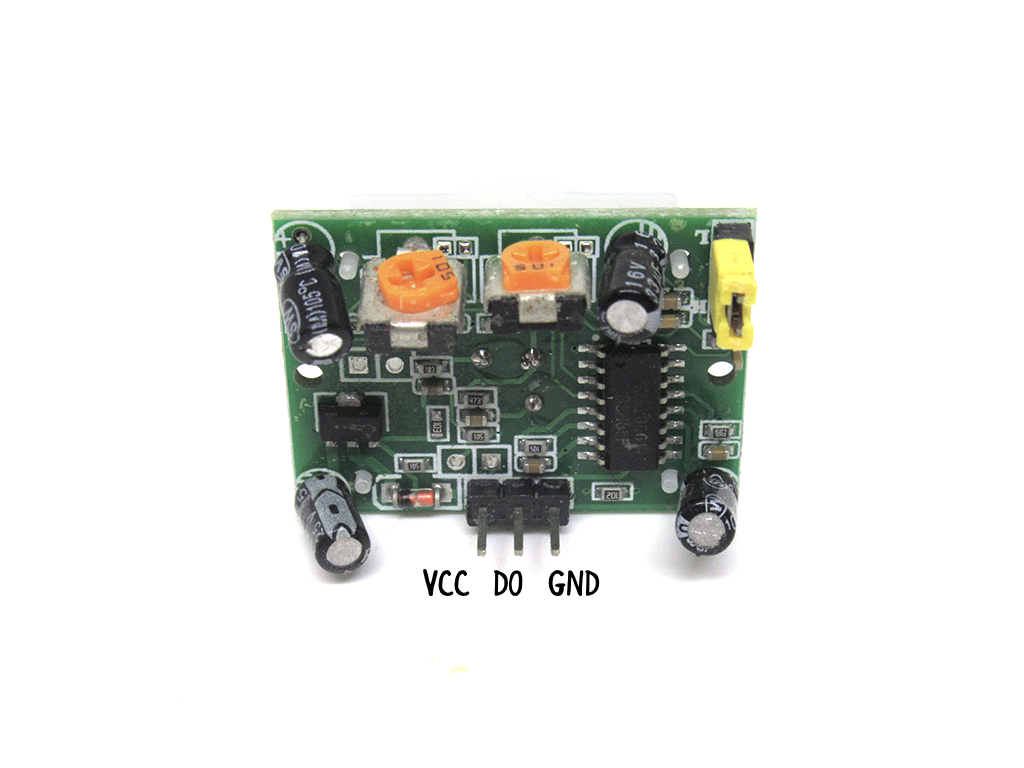
A PIR (passive infrared) sensor also known as an infrared motion sensor is an inexpensive, low-power and durable sensor used for the detection of movement within its range. It includes a pyroelectric sensor and a Fresnel lens. You can see the pyroelectric sensor under the lenses as a round metal can. The curved lenses concentrates infrared radiation toward the sensor. Through a changing voltage level, it detects changes in the infrared radiation level which is why it is commonly used to detect whether a human has moved in or out of its range. There are three pins on the sensor: From left to right as shown: VCC - Voltage common collector DO - Digital output GND - Ground
Step 2 — Connect red jumper wire to VCC pin
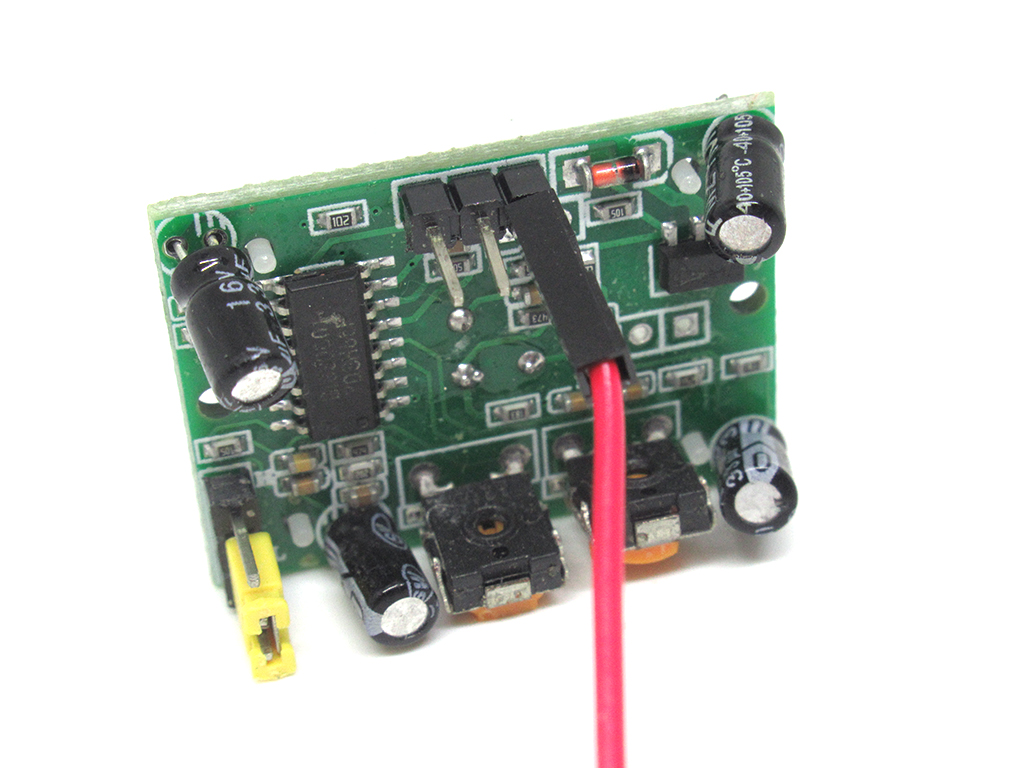
First, connect a red jumper wire to the VCC pin found on the PIR motion sensor.
Step 3 — Connect jumper wire to Digital Output pin
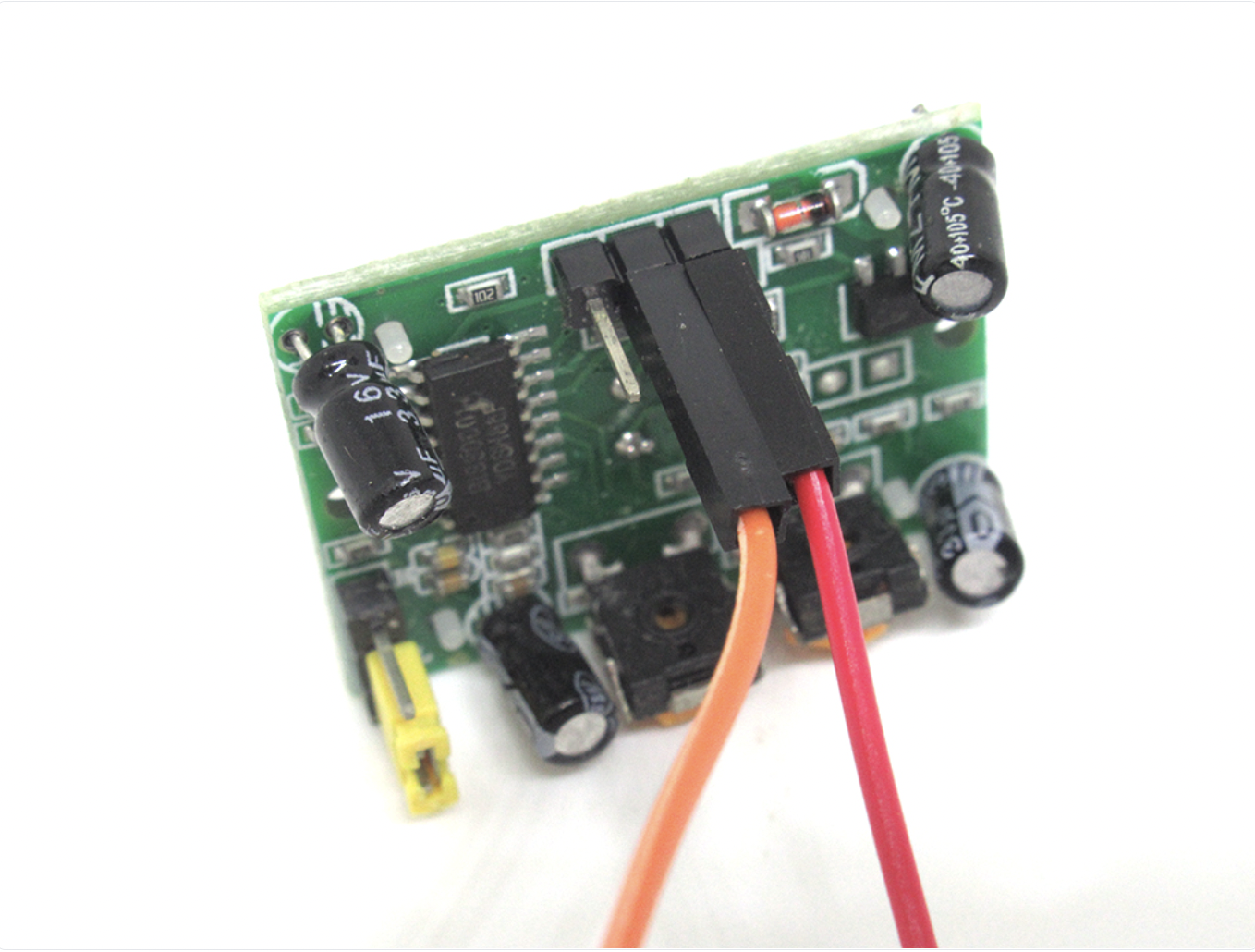
Connect another jumper wire this time to the DO pin found on the PIR motion sensor.
Step 4 — Connect black jumper wire to GND pin
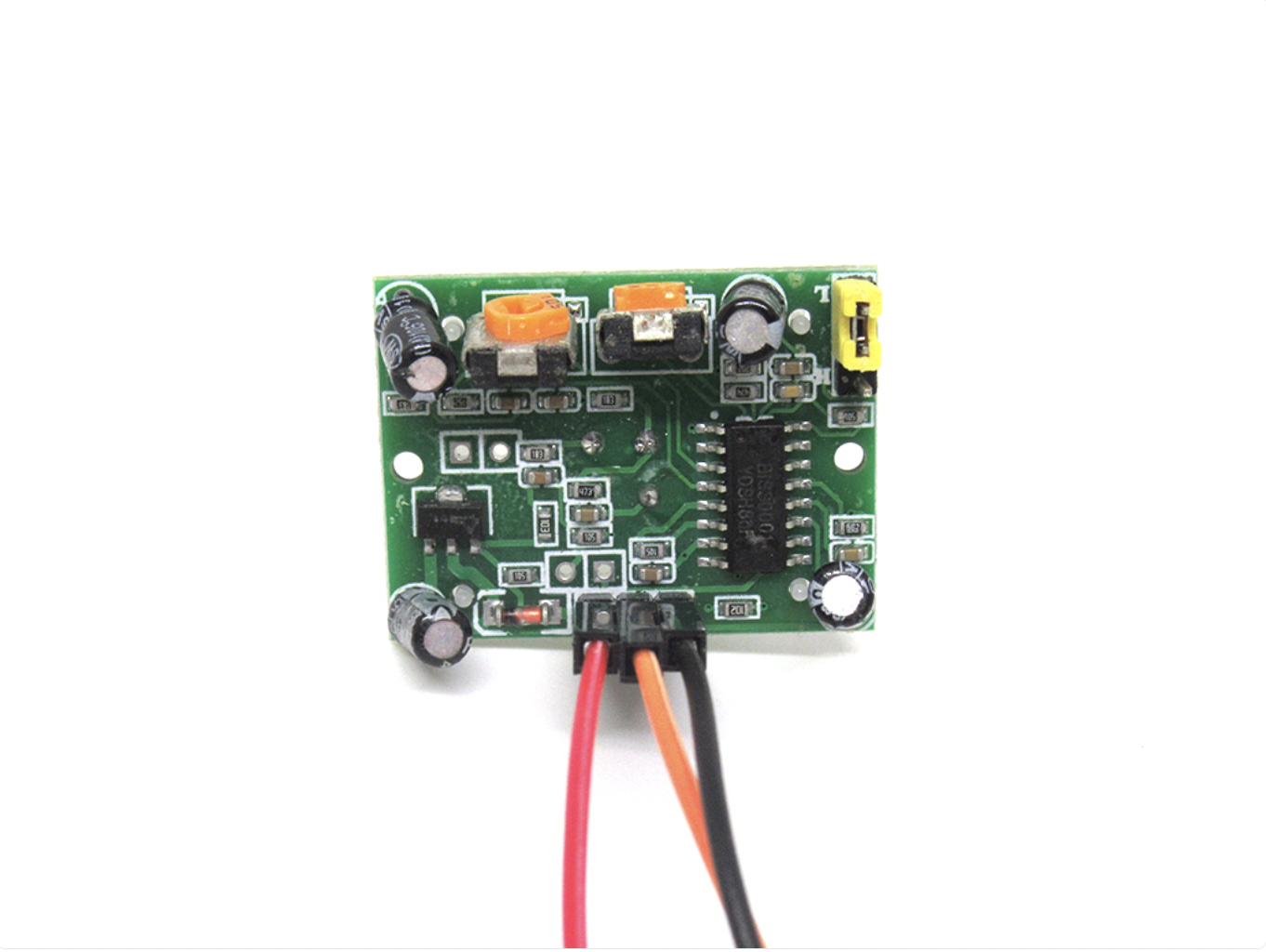
Now, connect a black jumper wire to GND on the PIR motion sensor.
Step 5 — Connect GND to GND
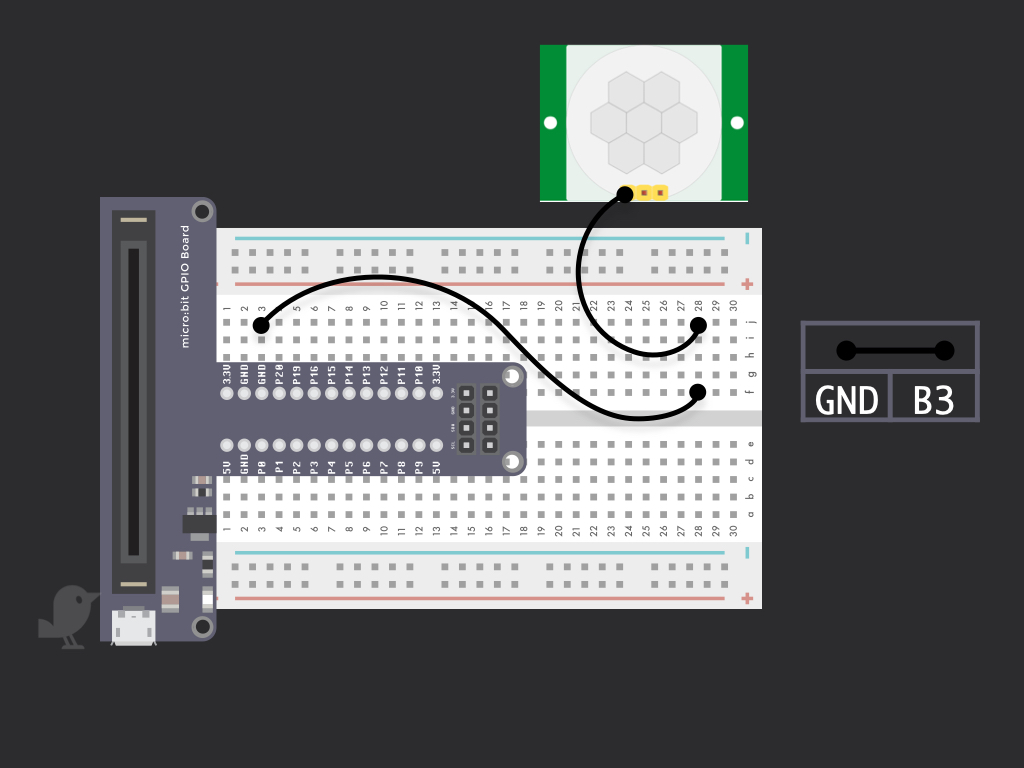
Connect GND on the PIR motion sensor to GND on the micro:bit
Step 6 — Connect 3.3V to VCC Pin
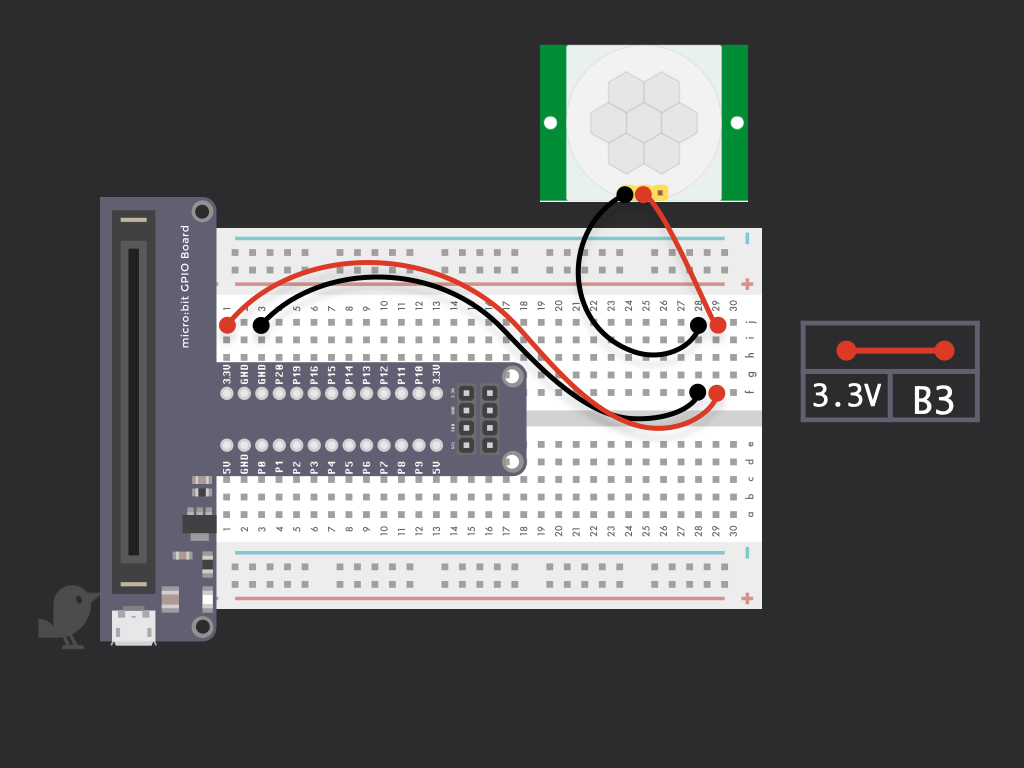
Connect a red jumper from VCC of the PIR Motion Sensor to 3.3V of the micro:bit
Step 7 — Connect DO to P0
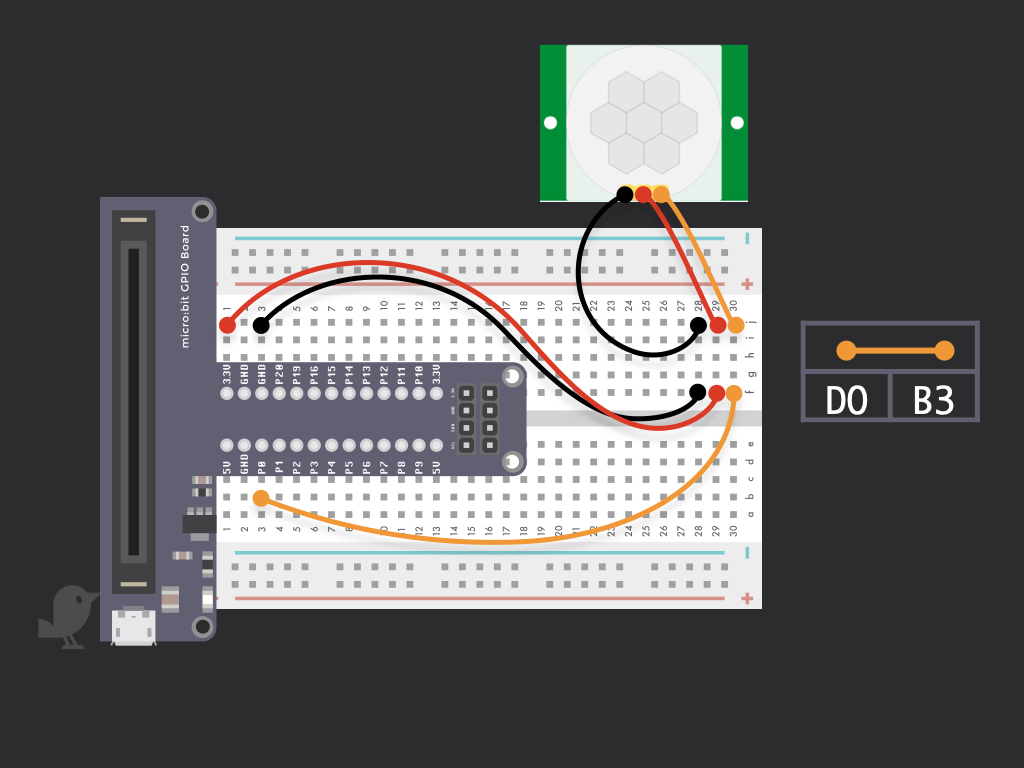
Connect Digital Output Pin of the PIR sensor to P0 of the micro:bit
Step 8 — Code for PIR motion sensor and micro:bit
basic.forever(function () {
    if (pins.digitalReadPin(DigitalPin.P0) == 1) {
        basic.showIcon(IconNames.Happy)
    } else {
        basic.showIcon(IconNames.Angry)
    }
})
Upload the following code into the Javascript panel of the MakeCode editor. To view it in blocks, simply click the Blocks button found on the top of the editor!
Parts List
Required Parts (1)
Project Summary
1 part total
Required parts
$79.35
Total (required)
$79.35
Unavailable items will be skipped
