SparkFun
Raspberry Pi Zero W (with Headers)
The credit-card-sized computer has become even smaller! The Raspberry Pi Zero W is still the Pi you know and love, but at a largely reduced size of only 65mm...
Get notified when back in stock
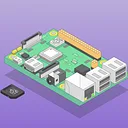
The credit-card-sized computer has become even smaller! The Raspberry Pi Zero W is still the Pi you know and love, but at a largely reduced size of only 65mm long by 30mm wide and now with headers! With the addition of wireless LAN and Bluetooth, the Raspberry Pi Zero W is ideal for making embedded Internet of Things (IoT) projects. The Pi Zero W has been designed to be as flexible and compact as possible with mini connectors and a populated 40-pin GPIO.
At the heart of the Raspberry Pi Zero W is a 1GHz BCM2835 single-core processor, the same as the B+ and A+, with 512MB RAM. Quite frankly, this Pi is about four times faster that the original Raspberry Pi and is only a fraction of the cost of the current RPi3.
The setup for the Raspberry Pi Zero W is a little more complicated than on other Pis. Because of the small size, many of the connectors on the Pi Zero are not standard. For starters you will want a Mini HDMI to HDMI cable or adapter to connect to your monitor. You will also need a USB OTG cable to connect a USB device, as well as a unique CSI camera cable. No matter how you want to use your Raspberry Pi Zero W, you will need a microSD card with an operating system and a high-quality 5V power supply to power your board.
Note: As of the release of the Raspberry Pi Zero W the NOOBS image will need to be updated to work on Pi Zero boards. You can download the image here.
Important: The Raspberry Pi Zero W is limited to one unit per customer account.
Jargon buster
Plain-language definitions for the technical terms used above.
- GPIO
- General-purpose input/output pins are microcontroller pins you can set in software to read signals, switch devices on and off, or connect to peripherals. The number of GPIO pins matters because it limits how many buttons, LEDs, sensors, and other parts you can wire directly to the board.
- HDMI
- HDMI is a common digital video and audio connection used by computers, media players, and many displays. If a display kit has HDMI input, it is usually much easier to test with a single-board computer because it can act like a normal monitor.
- Headers
- Rows of connector contacts on a fixed pitch (commonly 2.54 mm) used to link a board to a breadboard, jumper wires, or another board. They come as male pin headers and female socket headers; when a module ships with pre-soldered headers it can be used straight away, whereas bare pads require soldering the pins yourself.
- IoT
- Short for Internet of Things, meaning physical devices that connect to networks or the internet to send data or be controlled remotely. It matters if you want projects such as connected sensors, remote controls or classroom data-logging activities.
- Matter
- A smart home connectivity standard designed to let devices work across different ecosystems. It matters if you want a project to integrate more easily with platforms such as Apple Home, Google Home, or other Matter-compatible systems.
- microSD card
- A microSD card is a small removable flash memory card used to store data such as audio, images, logs or program files. Its capacity and formatting (often FAT32 or exFAT) affect how much can be stored and whether the card needs preparing before use.
- RAM
- RAM (random-access memory) is fast, temporary memory a device uses for working data while it is running; in its common volatile form, its contents are lost when power is removed. Some devices offer a mode that applies settings to RAM only, which is handy for testing changes temporarily because they are not stored permanently and disappear at power-off.
Find this product in
Brands
Supplier page — sparkfun.com
Supplier Description · 656.1 KB · Click any page to view full size
Related Tutorials
Free step-by-step guides